Boost Your Production Efficiency by Using copainter’s Camera Angle Control AI for Outpainting (Canvas Expansion)!
copainter’s Camera Angle Control AI not only changes the viewing angle but also naturally fills in off-screen areas through outpainting, significantly reducing revision workload in manga, anime, and webtoon production.
Introduction
In illustration, manga, and anime production, there are many situations where creators think, “I want to pull the camera back a bit,” “I need a wider shot from a different angle,” or “I want to expand the background to enhance the scene.”
However, redrawing everything from scratch is both time-consuming and costly.
copainter’s Camera Angle Control AI not only allows you to change the viewing angle of an existing illustration, but also features outpainting (canvas expansion) that naturally fills in areas beyond the original frame.
This article focuses on that outpainting capability and introduces how it can be effectively used in manga, anime, webtoon, game development, and video production.
What Is Outpainting with the Camera Angle Control AI?
copainter’s Camera Angle Control AI understands the structure of characters and backgrounds, enabling the following transformations:
- Pulling in or pushing out the viewpoint (zoom in / zoom out)
- Changing angles such as top-down or low-angle shots (vertical camera movement)
- Viewing the subject from another direction through rotation (horizontal camera movement)
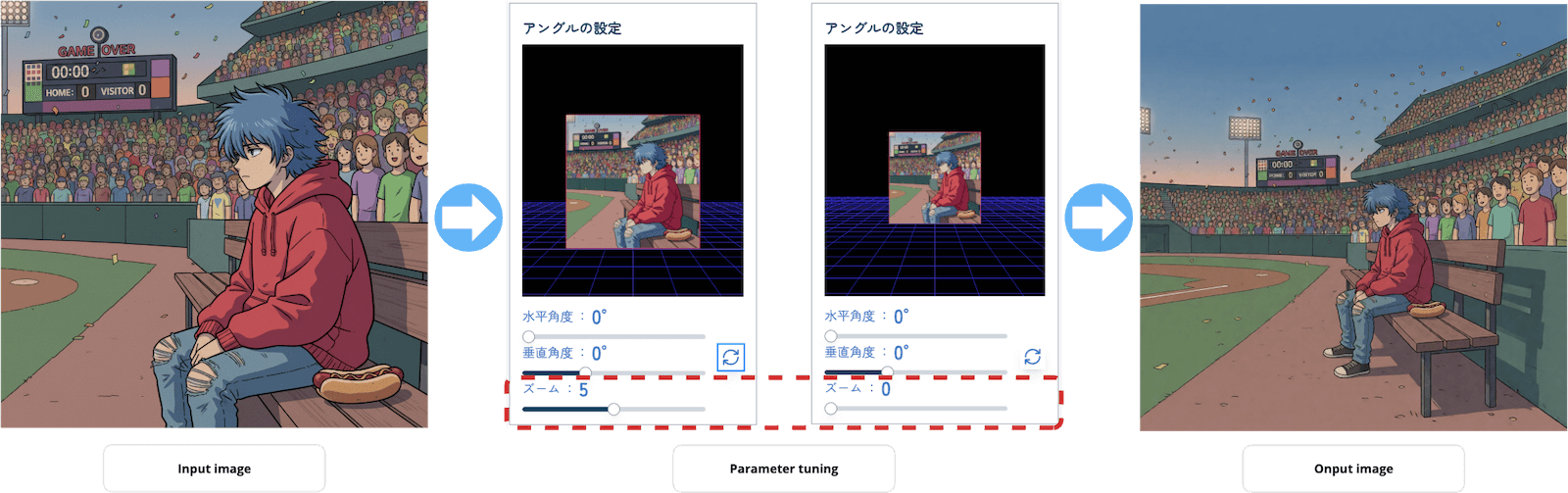
Controlling Outpainting with the Zoom Parameter
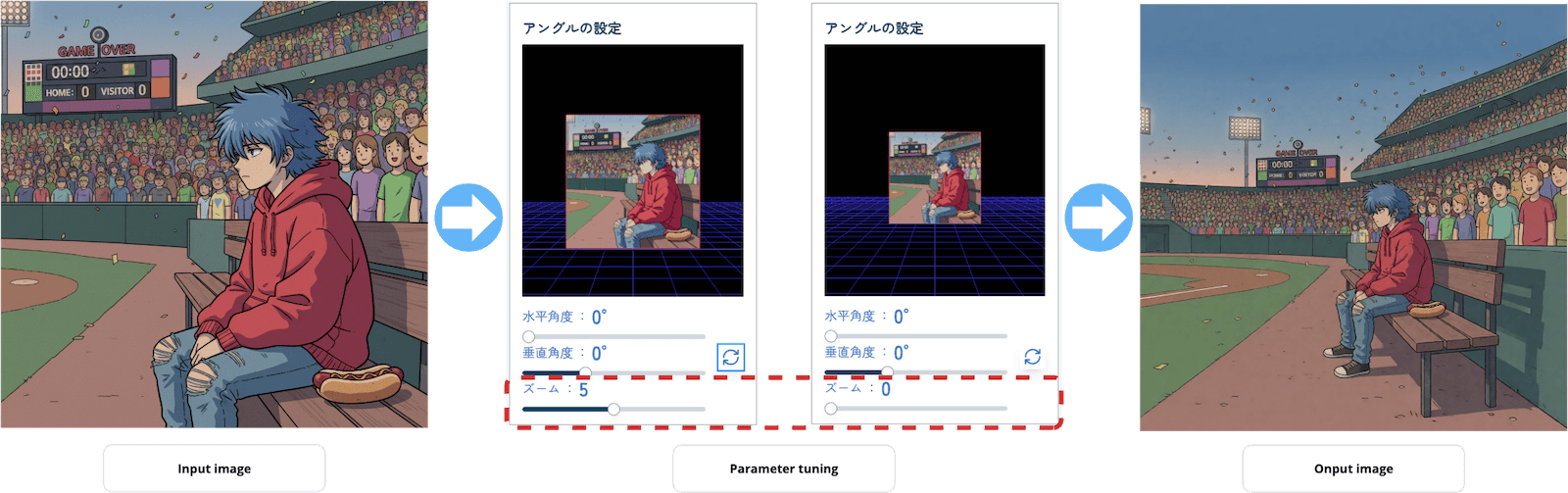
In the Camera Angle Control AI, setting the zoom parameter closer to zero triggers outpainting, expanding the surrounding areas based on the original image.
As the zoom value decreases, the following effects become more pronounced:
- Pulling the camera back while preserving the original composition
- Completing backgrounds or spaces that were previously cropped
- Naturally adding negative space and depth
Additionally, by adjusting the angle while keeping the zoom near zero, you can perform viewpoint changes and outpainting simultaneously. This makes it possible to:
- Generate off-screen areas while shifting the camera position
- Create wide shots from new angles in a single step
- Produce backgrounds that are re-designed at the compositional level, not just extended
Outpainting’s greatest strength lies in the fact that it’s not a simple background stretch—it increases visual information while preserving composition and world-building.
Sample ①: Use Case in Manga Production
Creating Pull-Back Shots After the Fact
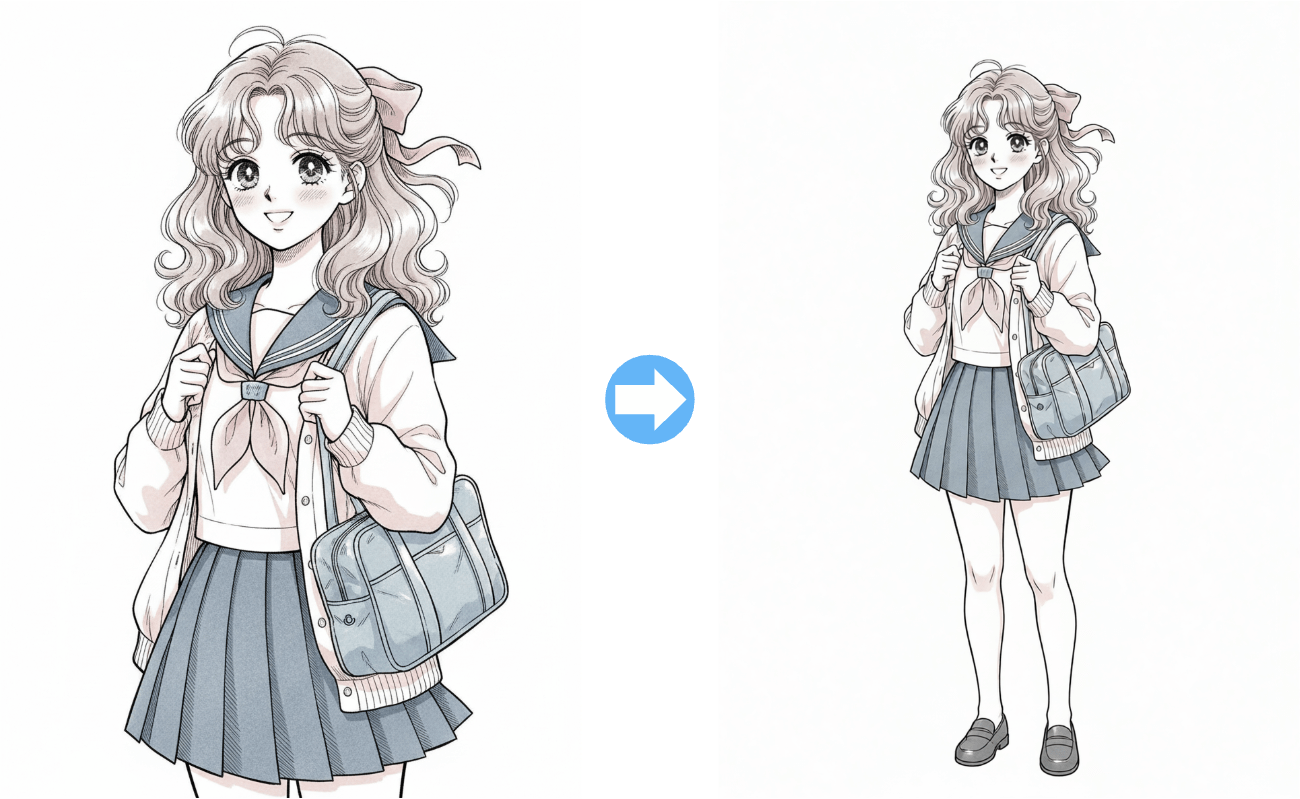
By applying outpainting to character illustrations originally drawn in a close-up composition, you can generate surrounding areas and achieve:
- Scene transitions that span multiple panels
- Composition adjustments that guide the reader’s eye
- Better pacing and rhythm across an entire page
The AI can also generate body parts that were not present in the original illustration.
Even pull-back shots that were not planned at the storyboard stage can be added later, making revisions significantly easier.
Sample ②: Layout Completion for Anime and Video Production
Screen Expansion for Camera Movement
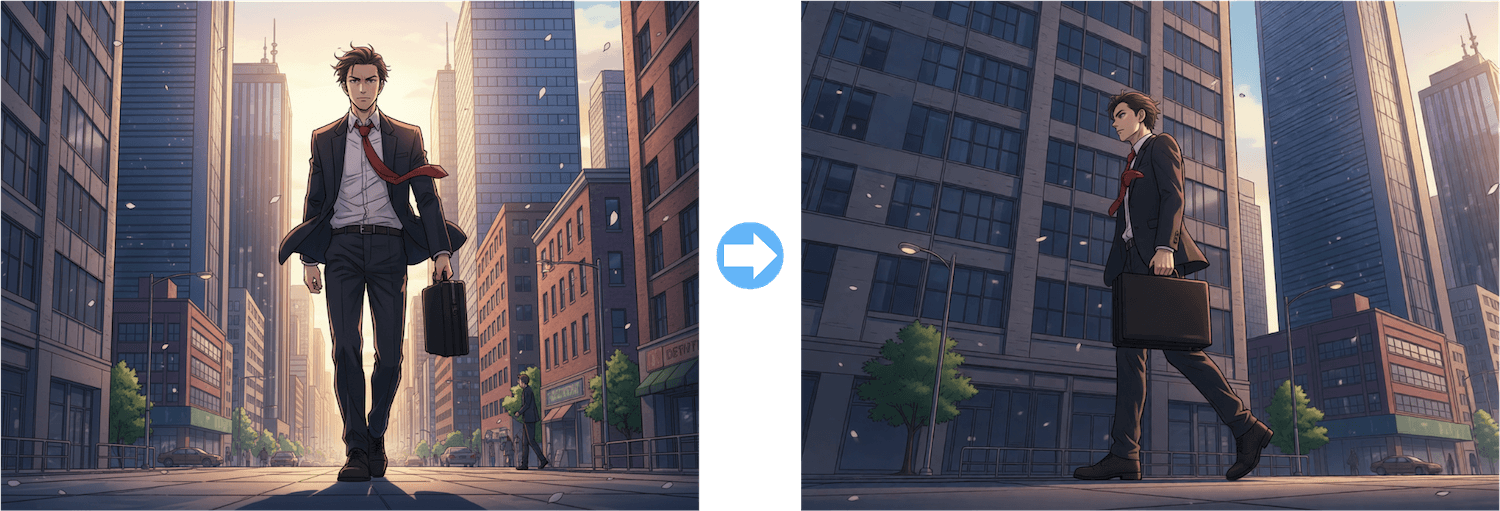
In anime and video production, assets are often required with camera motion in mind, such as:
- Panning
- Zooming out
- Camera movement
With copainter’s outpainting powered by the Camera Angle Control AI, you can prepare visuals that are less likely to break even when the camera moves, all based on a single original image.
This is also highly effective during background art creation and layout planning, greatly improving overall production efficiency.
Sample ③: Use Case in Webtoon Production
Screen Expansion Optimized for Vertical Scrolling
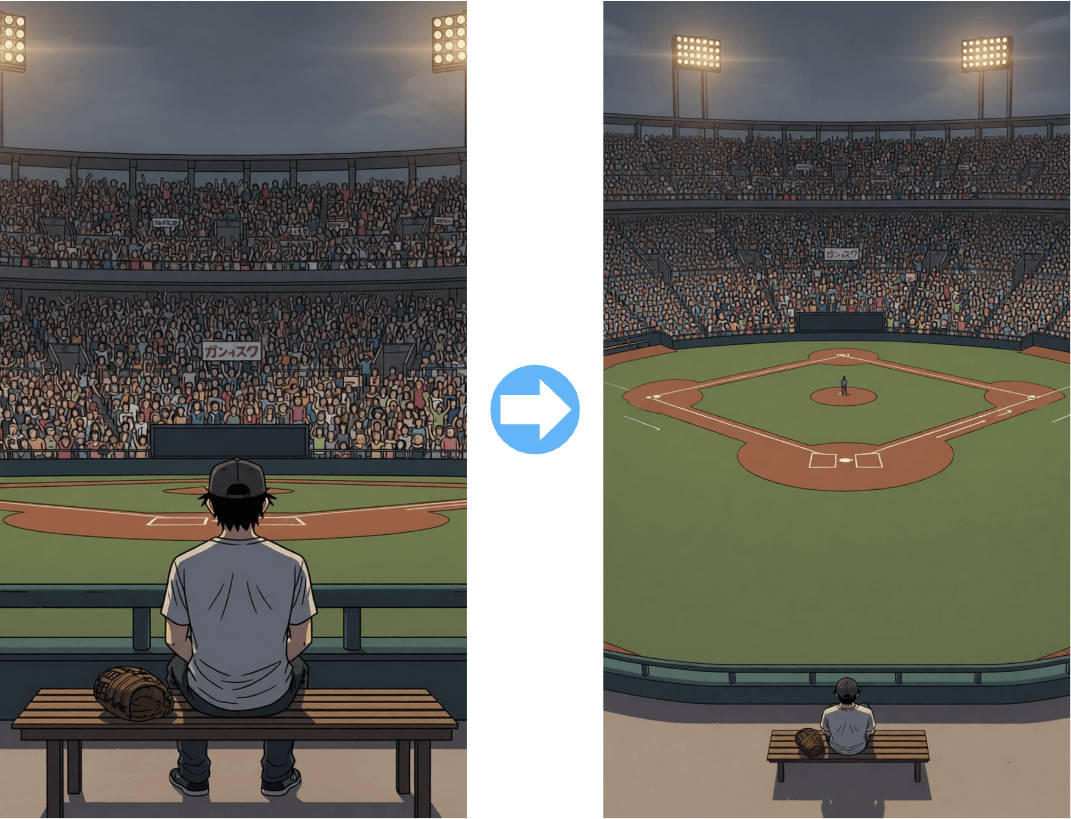
Webtoons are fundamentally designed for long, vertical layouts.
By utilizing outpainting, you can:
- Naturally extend backgrounds in the vertical direction
- Secure additional space without changing character placement
- Adjust the amount of visual information to match scrolling effects
Because multiple vertical compositions can be created from a single illustration, creators can achieve both higher production speed and consistent quality.
Conclusion: Turning a Single Illustration into a “Creative Asset”
copainter’s Camera Angle Control AI and outpainting features are powerful tools that help to:
- Reduce the need for redrawing
- Expand creative options
- Maximize the value of a single illustration
Beyond traditional illustration workflows such as manga, anime, and webtoons, these tools are versatile enough to be used in games and video production as well.
By incorporating a workflow that assumes outpainting from the start, creators can unlock even greater creative freedom.