Easily upscale images in your browser!
Is your image smaller than the size you need… but simply enlarging it makes it look pixelated? With copainter’s **Upscaling** feature, you can easily enlarge your images directly in your browser while keeping them clear and high-quality!
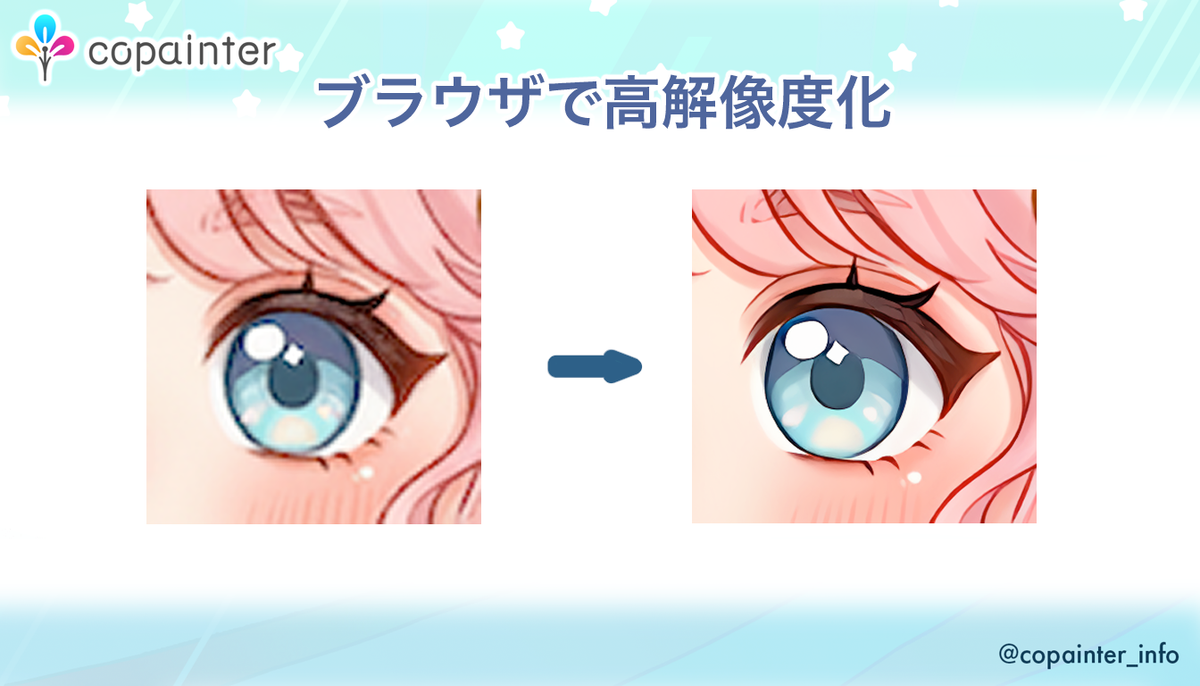
Is your image smaller than the size you need… but simply enlarging it makes it look pixelated or blurry?
In that case, try copainter’s Upscaling feature! It allows you to easily enlarge images directly in your browser while maintaining high image quality.
How to Use the “Upscaling” Feature

Enlarge illustrations to a higher resolution while preserving details. Ideal for increasing image resolution for printing and other high-resolution uses.
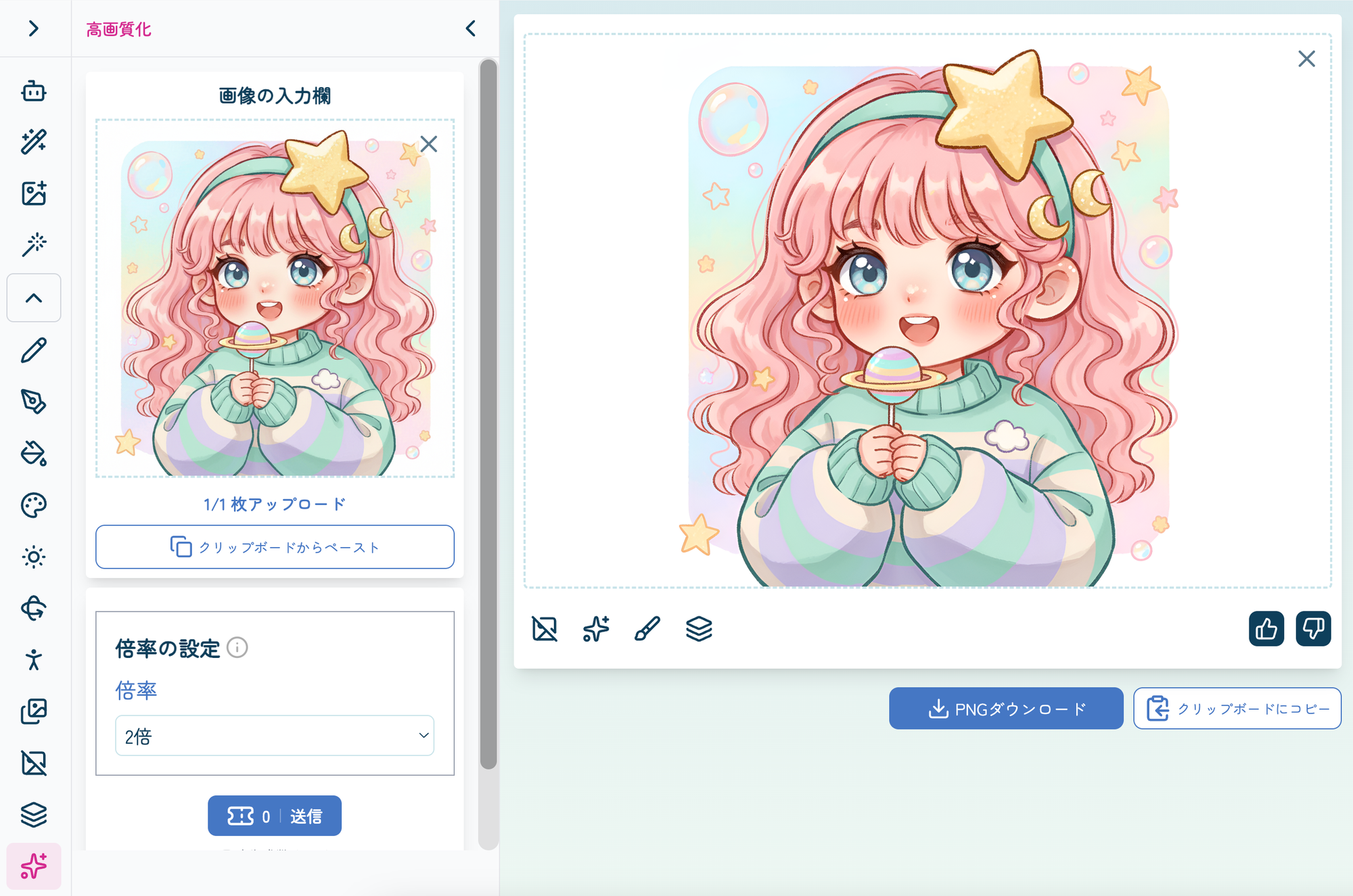
The “Upscaling” interface looks like this.
Simply upload an image to the image input area and select the desired enlargement option.
No complicated settings are required—you can easily increase the image size directly from your browser.
Using the feature consumes one ticket per operation.
(*No tickets are consumed for users on the Pro plan or above.)
You can save the output by selecting Download PNG or downloading it later from your history.
With copainter’s “Upscaling” feature, you can choose from 2×, 4×, or 4K depending on your intended use.
(*Please note that the 4K setting may introduce noise depending on the input image.)
Here is an example comparing the original image with an image upscaled by 4×.
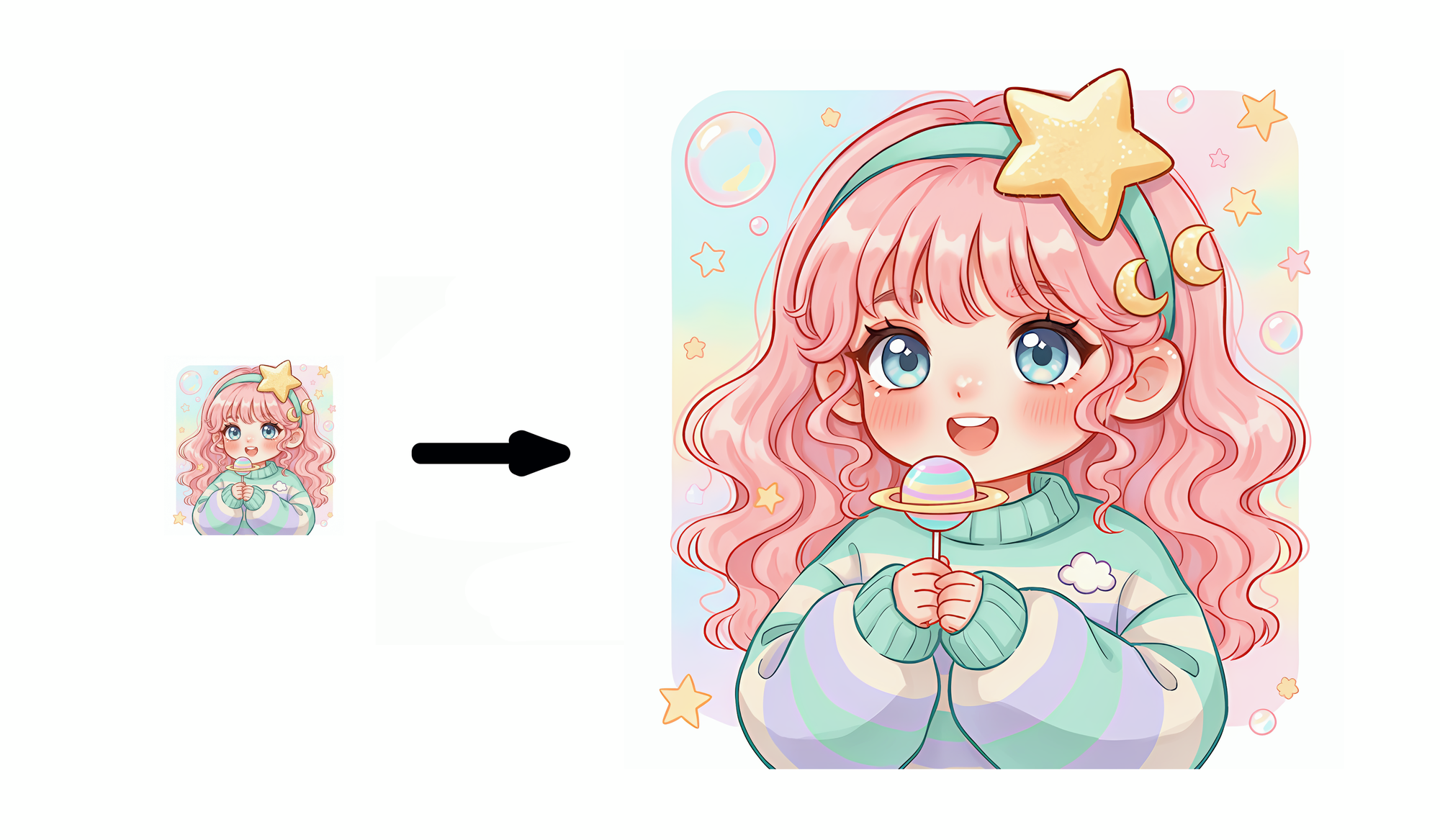
Choose the enlargement option that best suits your needs!
This feature is especially useful when you want to make an image slightly larger or increase its resolution for use in print materials, documents, or presentations.
Use Cases for “Upscaling”
The “Upscaling” feature can be useful in a wide variety of situations.
For example, you can use it when you want to improve the appearance of images for social media posts, resize images for websites or landing pages, or enlarge images for documents and presentations.
It is also useful when an AI-generated image is smaller than the size you need, or when you want to reuse an older image for a different purpose.
copainter’s Upscaling feature makes it easy to enlarge images directly in your browser while maintaining high quality.
Try it for social media posts, websites, presentations, thumbnails, and more!