[Free Download] Female Ninja Pose Collection — Available Free for Commercial Use to copainter Users
Free female ninja pose reference collection. Free for commercial use, with tracing, editing, and modifications allowed.
![[Free Download] Female Ninja Pose Collection — Available Free for Commercial Use to copainter Users](https://storage.ghost.io/c/42/fc/42fcd807-7c75-44a7-8b26-8deade0bf4c9/content/images/size/w1200/2026/04/header_pose-collection_female-ninja.png)
We are offering a collection of female ninja poses that are easy to use for illustrations, manga, anime, games, and webtoon production. These pose references are especially useful when generating illustrations with pose control in copainter or when sketching character illustrations. Tracing, editing, and modifications are also allowed.
The license for the downloadable images on this page is listed near the bottom of the article.
■ File Details
- File Format: PNG ・jpeg(white background)
- Resolution: 1024 × 1024 px (square)
- Download: Please save and use each image directly from this page (ZIP download is not available)
■ Female Ninja Poses (Download Available)
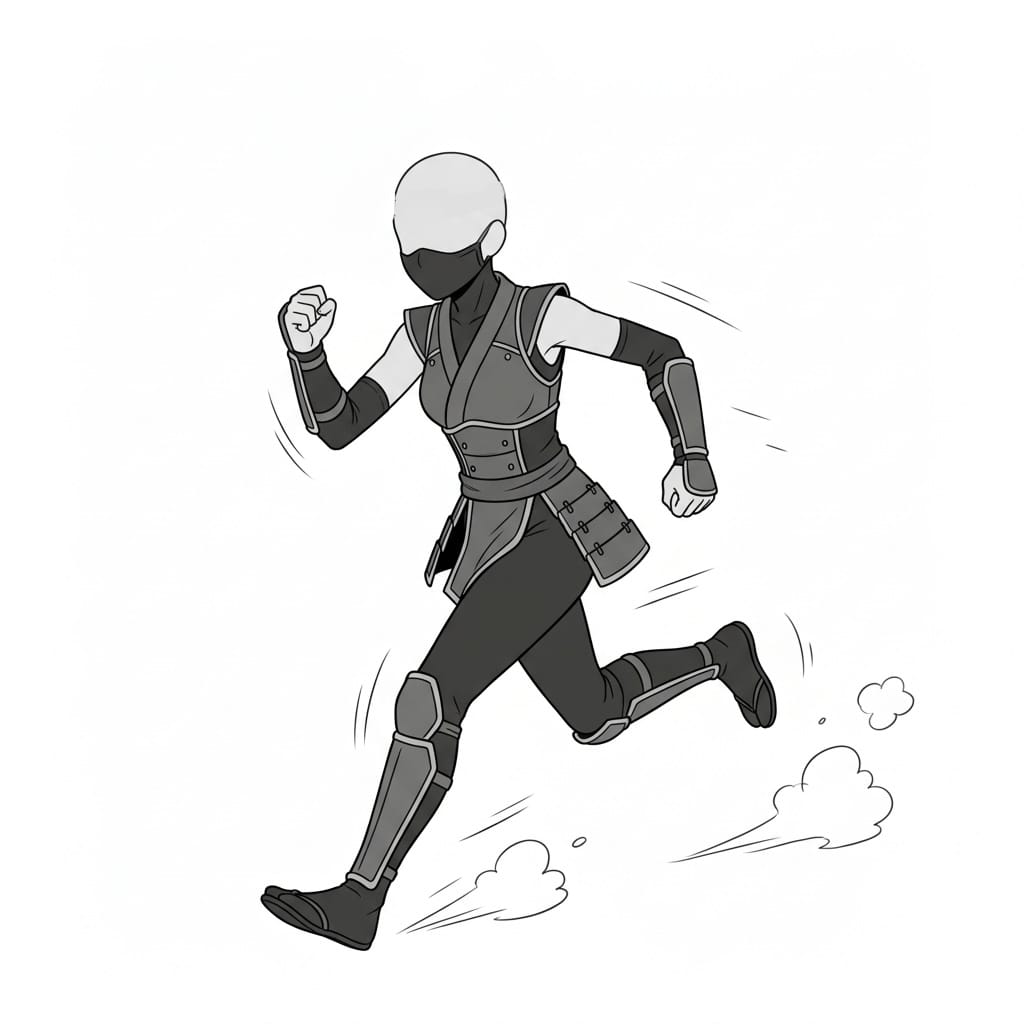
Running Female Ninja Full-Body Action Pose | Illustration & Manga Pose Reference
A dynamic full-body pose capturing a female ninja running at full speed with a forward-leaning posture.
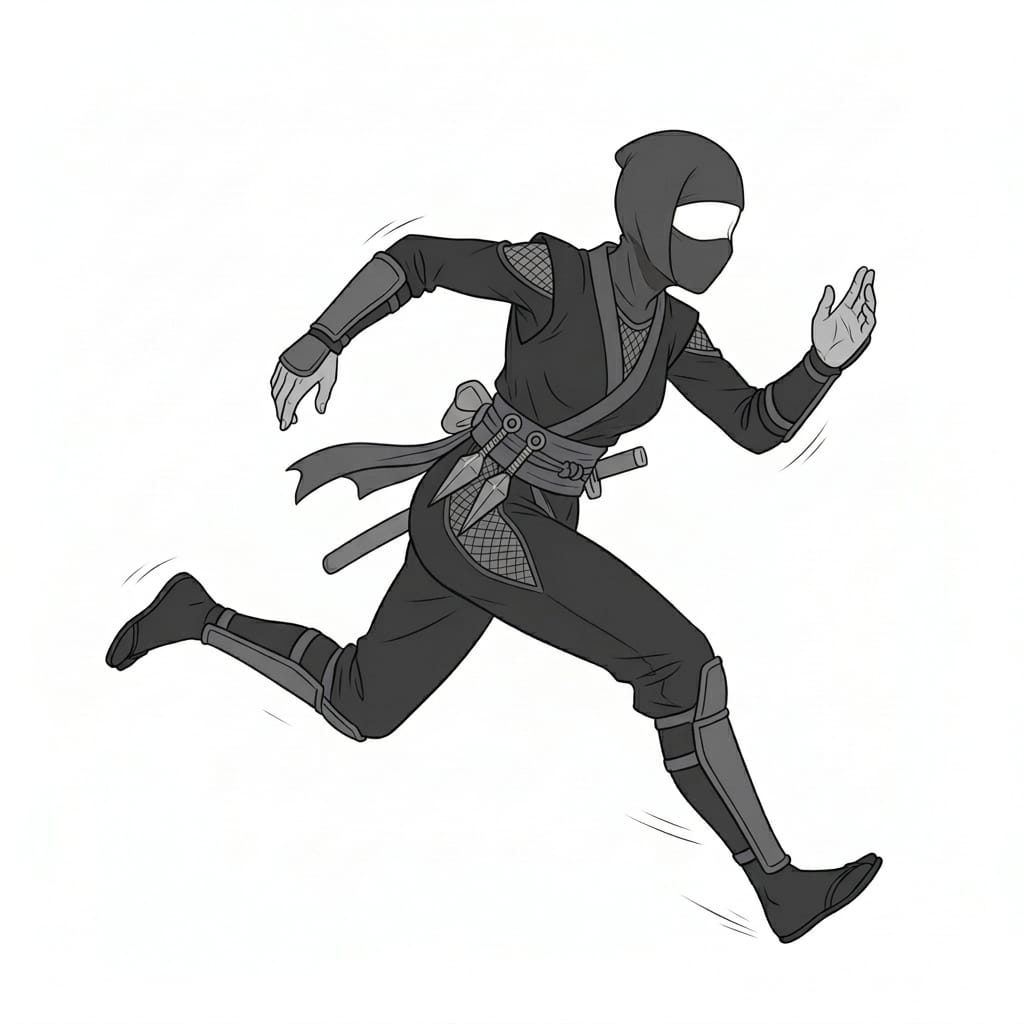
Sprinting Female Ninja Running Pose | Game & Character Design Reference
A fast-paced running pose with clear arm swings and leg movement, ideal for dynamic action scenes.
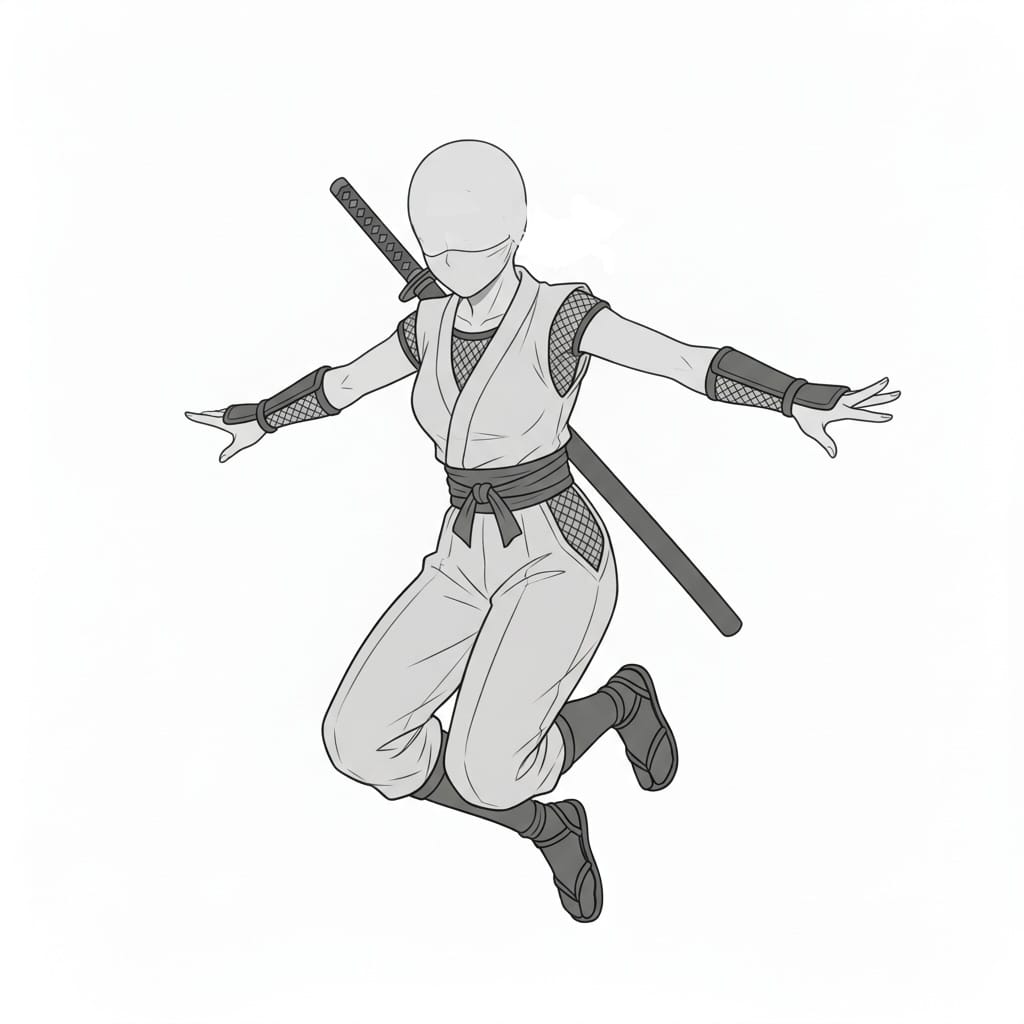
Jumping Female Ninja Mid-Air Pose | Action Drawing Pose Reference
A pose showing a female ninja floating in the air with both arms spread wide, useful for jump or dodge scenes.
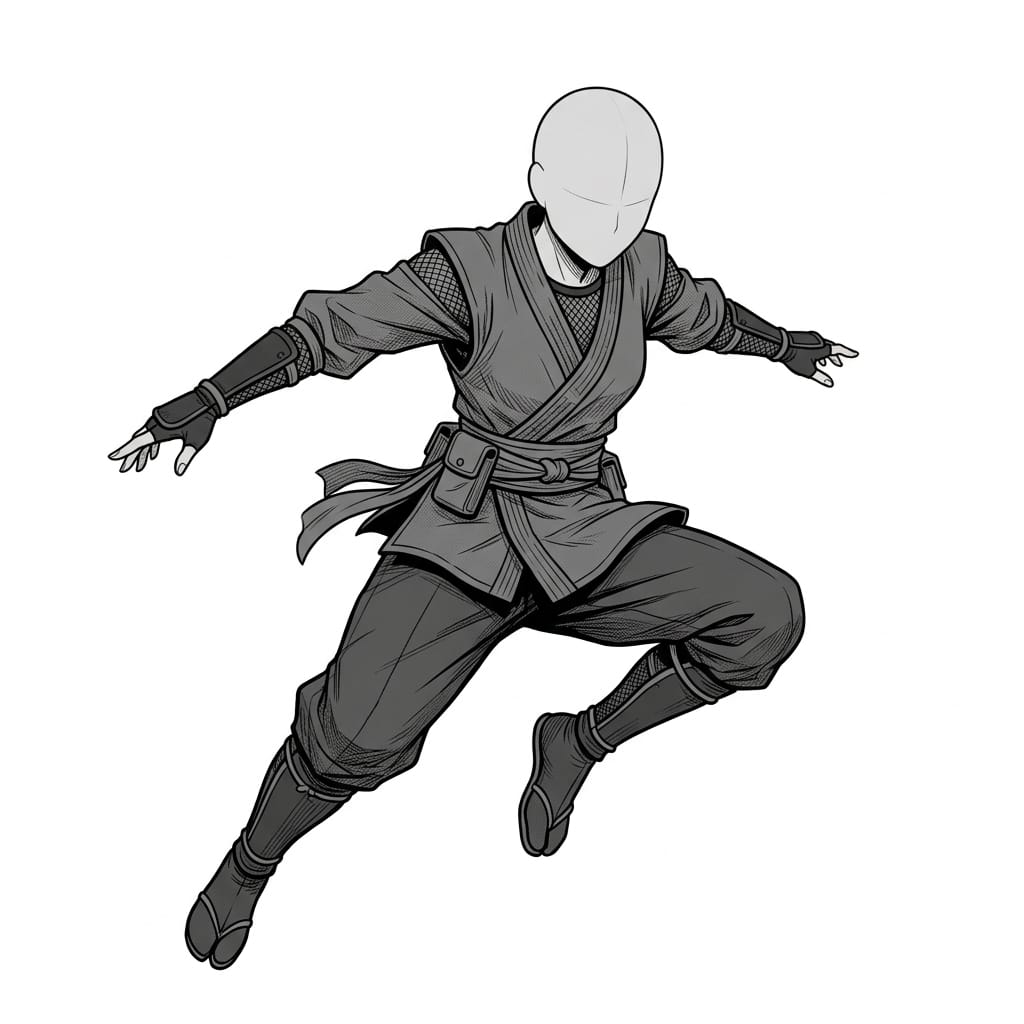
Leaping Female Ninja Jump Pose | Ninja Action Reference
A twisting mid-air pose that conveys agility and movement during combat scenes.
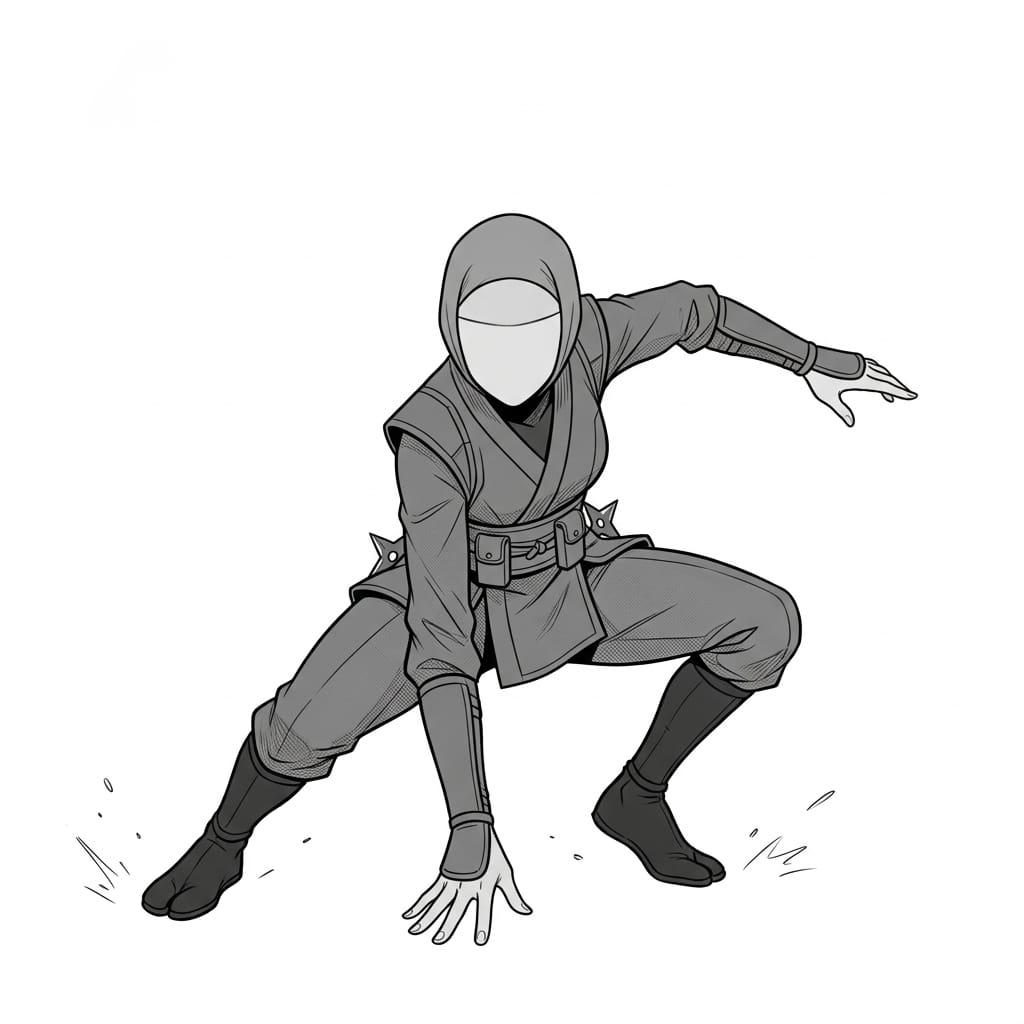
Crouching Female Ninja Landing Pose | Manga & Game Production Reference
A low crouching pose with one hand touching the ground, ideal for landing or ambush scenes.
Female Ninja Holding a Shuriken Battle Pose | Ninja Character Illustration Reference
A front-facing pose with a female ninja readying a shuriken, suitable for battle scenes or standing character art.
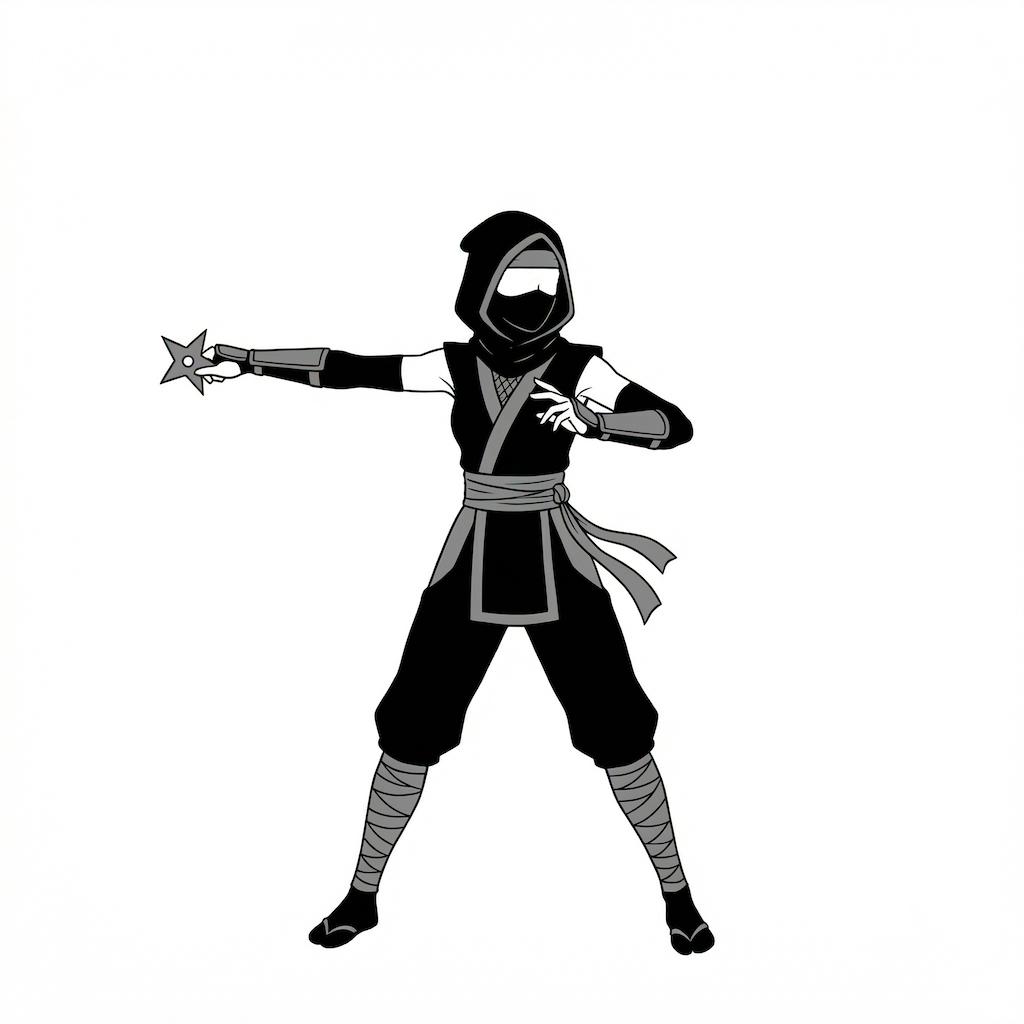
Female Ninja Throwing a Shuriken Pose | Action Illustration Reference
A pose capturing the moment a female ninja extends her arm to throw a shuriken, perfect for attack scenes.
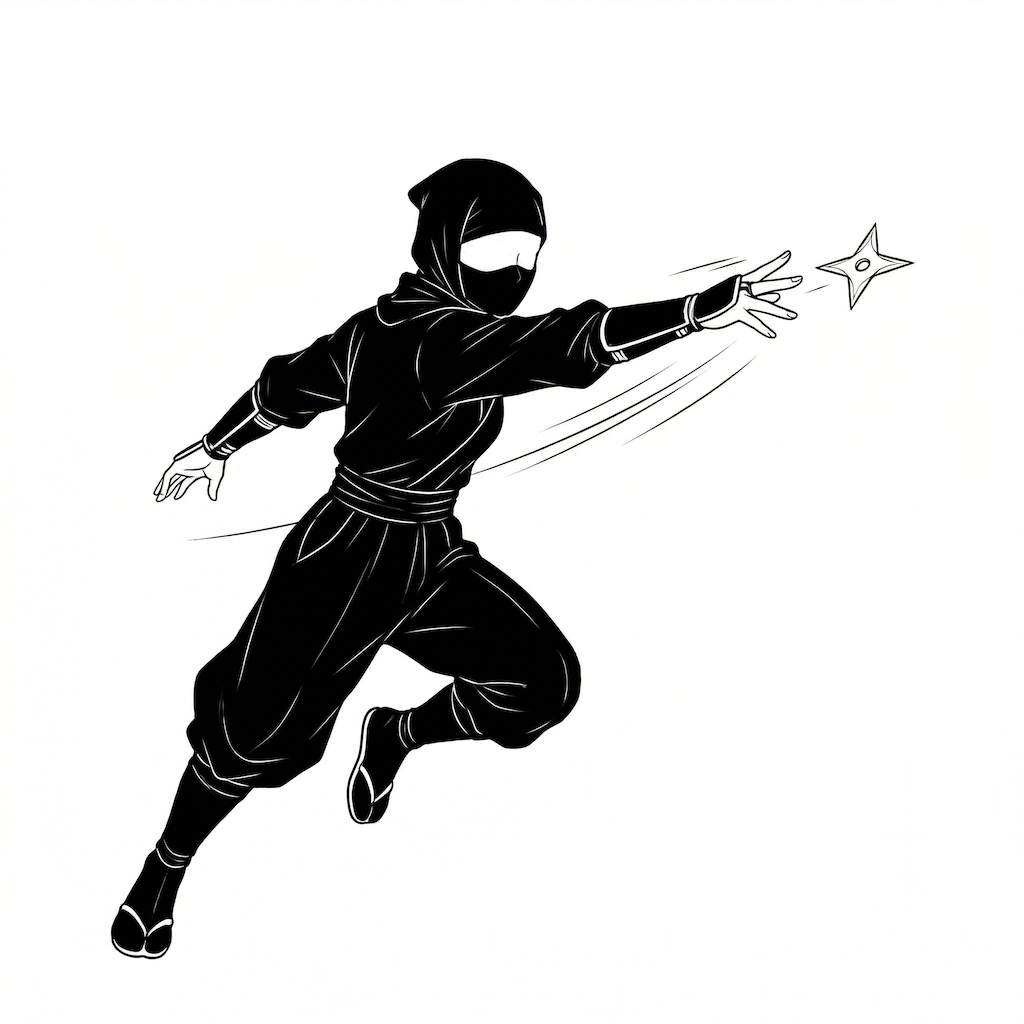
Female Ninja Drawing a Sword Pose | Japanese-Style Battle Character Reference
A pose showing a female ninja preparing for combat with a sword, ideal for classic ninja scenes.
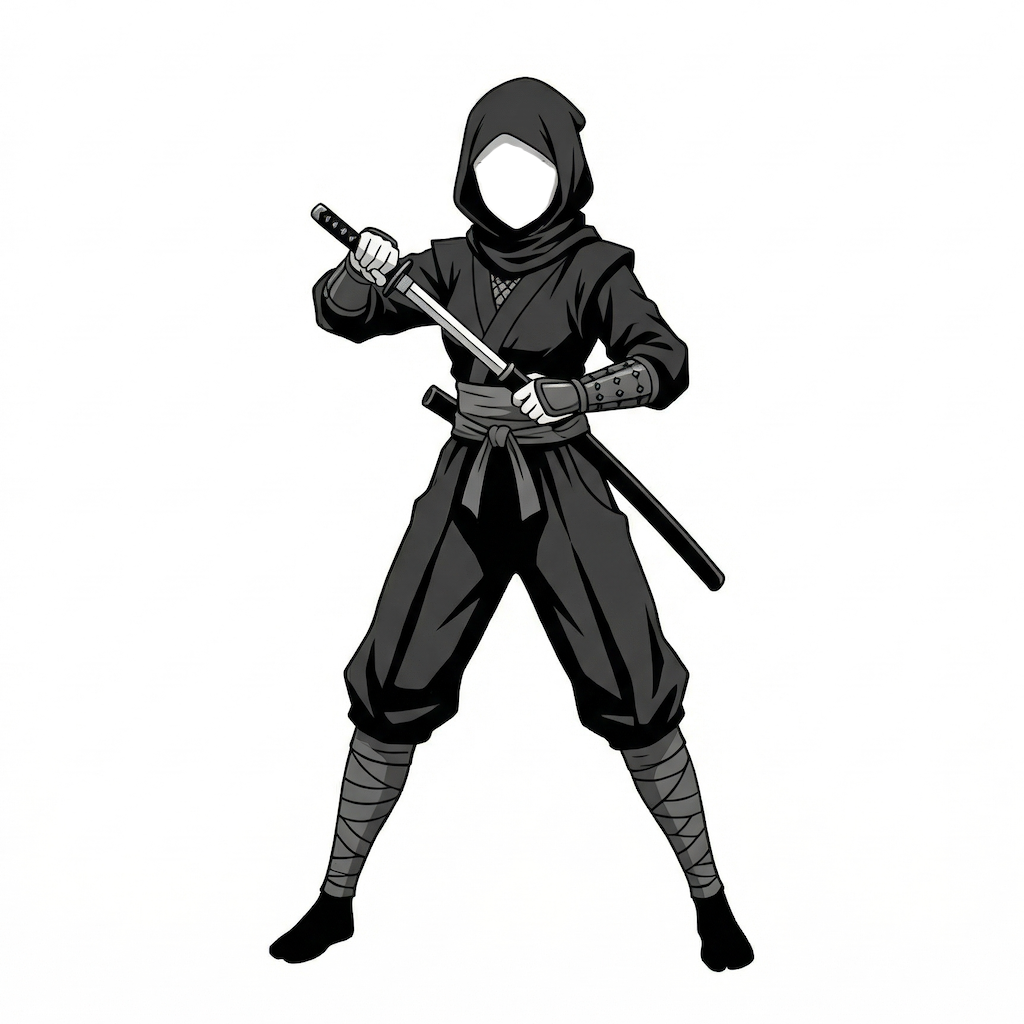
Female Ninja Holding a Dagger Attack Pose | Sword Action Pose Reference
A tense combat pose with a dagger pointed forward, useful for close-range battle scenes.
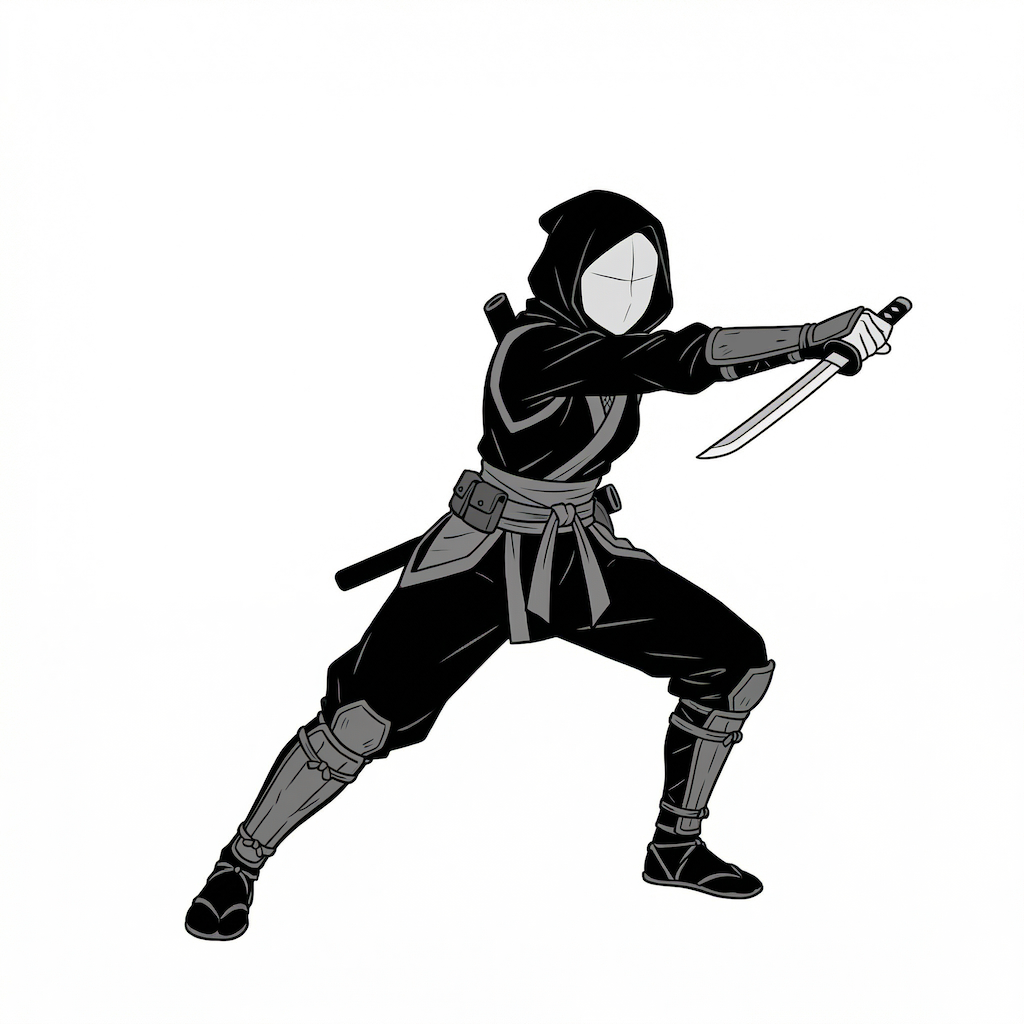
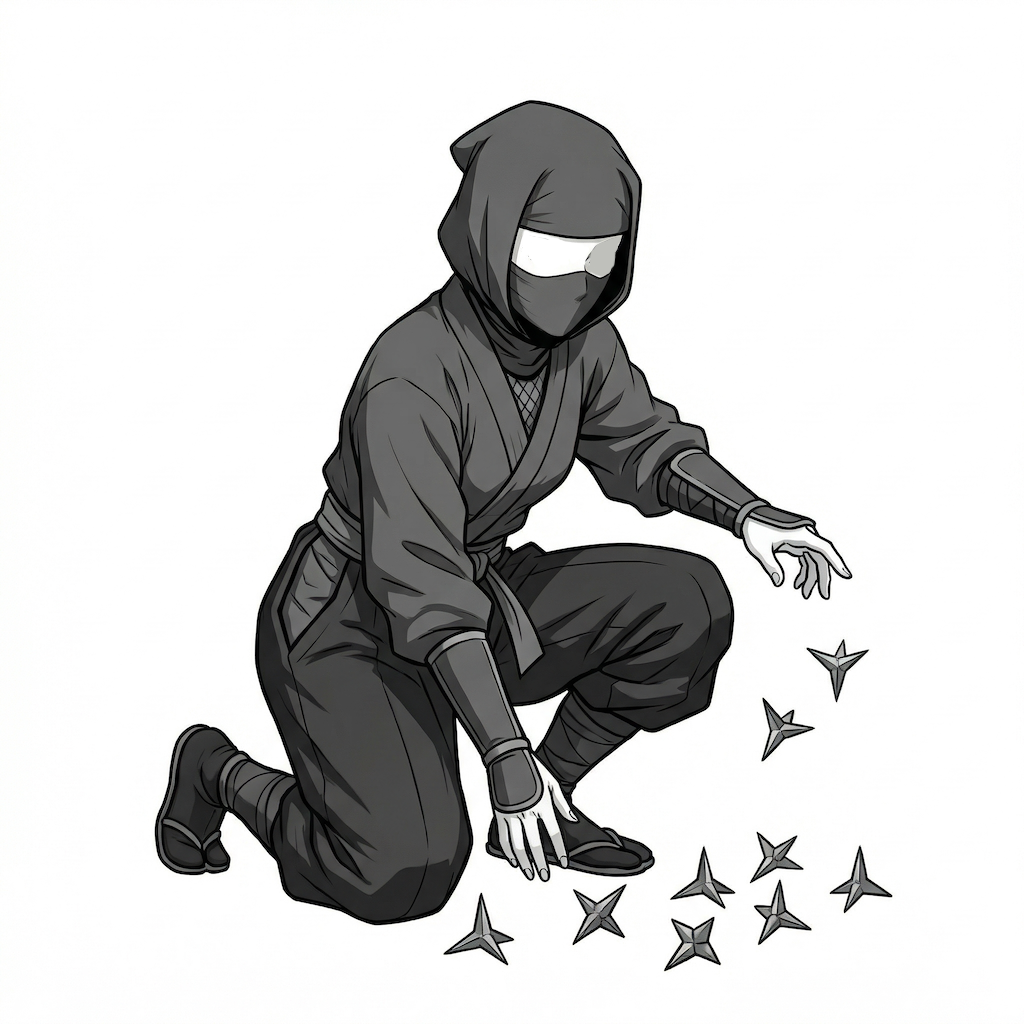
Crouching Female Ninja Preparing Caltrops Pose | Ninja Item Action Reference
A pose showing a female ninja kneeling on the ground while preparing caltrops, suitable for stealth or pre-battle scenes.
How to Use These in Copainter
Change poses with the AI Assistant
By loading these images as reference images, you can quickly generate pose variations such as different angles, adjusted arm and leg positions, and horizontal flips. Since these are pose references, the images above can also be used when specifying poses for male characters.
Ensure consistency with the training feature (Enterprise plan users only)
By specifying poses for a trained model, you can achieve highly accurate pose control. Even pose precision that may be difficult to reproduce with the AI Assistant alone can work effectively when applied to a trained model. Using the image-to-image AI tends to produce especially good results.
Improve efficiency by using them as a base for Line Art AI
You can speed up your workflow by using these materials as rough composition guides before using Line Art AI. Based on these assets, you can make edits and additions in tools such as Photoshop or Clip Studio Paint, then run them through Line Art AI. This also makes them useful for more difficult compositions.
Change poses with the Pose Transfer AI
These can also be used as input images for the Pose Transfer feature. Simply upload both the character image and the pose image to change the pose easily.
Terms of Use (License)
- Eligible users: Users who have a Copainter subscription
- Scope of use: Free to use, including for commercial purposes, only within Copainter
- Modification: Allowed (including cropping, editing, recoloring, vectorization, etc.)
- Credit: Not required
- Prohibited: Redistribution or resale of the source data, claiming it as your own work, or commercial use outside Copainter
Frequently Asked Questions
Q. Can I use these outside Copainter?
A. No. These materials are available free of charge, including for commercial use, only when used within Copainter by subscribed users. However, it is acceptable to use external services to edit or modify the materials, as long as the purpose is to use them in Copainter.
Q. Is it okay to use them in commercial work?
A. Yes, commercial use is allowed when creating work with Copainter. Your entire work does not need to be created exclusively with Copainter.
Please note that redistribution or resale of the materials themselves is not allowed.
Q. Are there any other free pose collections available?
A. Yes. Please see the following:
https://blog.copainter.ai/tag/assets-en/
Q. Are higher-resolution images available?
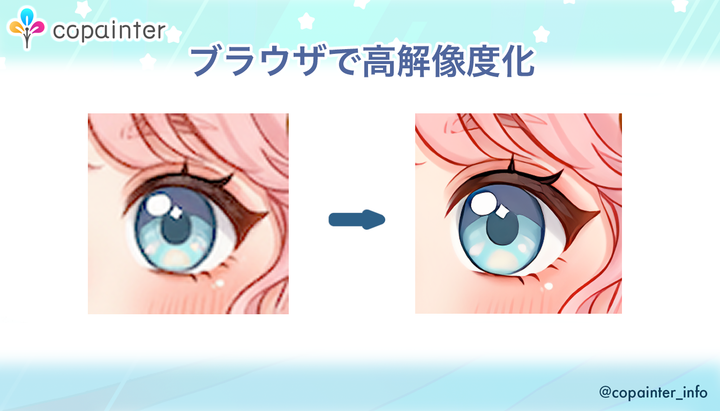
A. Yes. By using the High-Resolution AI inside Copainter, you can upscale images up to 4× in both width and height.
If you have not tried Copainter yet, take this opportunity to sign up from the link below.
You can also check out Copainter Learn, our media site featuring tips and guides for getting the most out of Copainter, from the link below.