
[Free Download] Supermarket Background Illustration (Landscape) — copainter users can use it for commercial projects free of charge
Free supermarket background illustrations available. These 16:9 wide-format backgrounds are easy to use for PC-oriented projects. Perfect for manga, webtoons, and game backgrounds, with commercial use and tracing allowed.
![[Free Download] Supermarket Background Illustration (Landscape) — copainter users can use it for commercial projects free of charge](/content/images/size/w1200/2026/01/header_background_supermarket-1.png)
We’re releasing **free supermarket background illustrations (wide / 16:9)I format).
These landscape assets are ideal for PC-oriented projects, and they also include time-of-day variations, making them especially convenient.
Please use them for webtoons, games, manga, and even advertising/marketing materials.
✅ Commercial use allowed / Free
✅ Tracing allowed
✅ Edits and modifications allowed
Please save and use the images exactly as shown on this page.
For licensing details, please check the end of this page.
File Overview
- Format: PNG (non-transparent)
- Aspect ratio: Landscape / wide
- Resolution: 1344 px (W) × 768 px (H)
- Download: Please save each image directly below (※ No bulk ZIP is provided)
Supermarket Manga & Anime Background Illustrations (Downloadable)
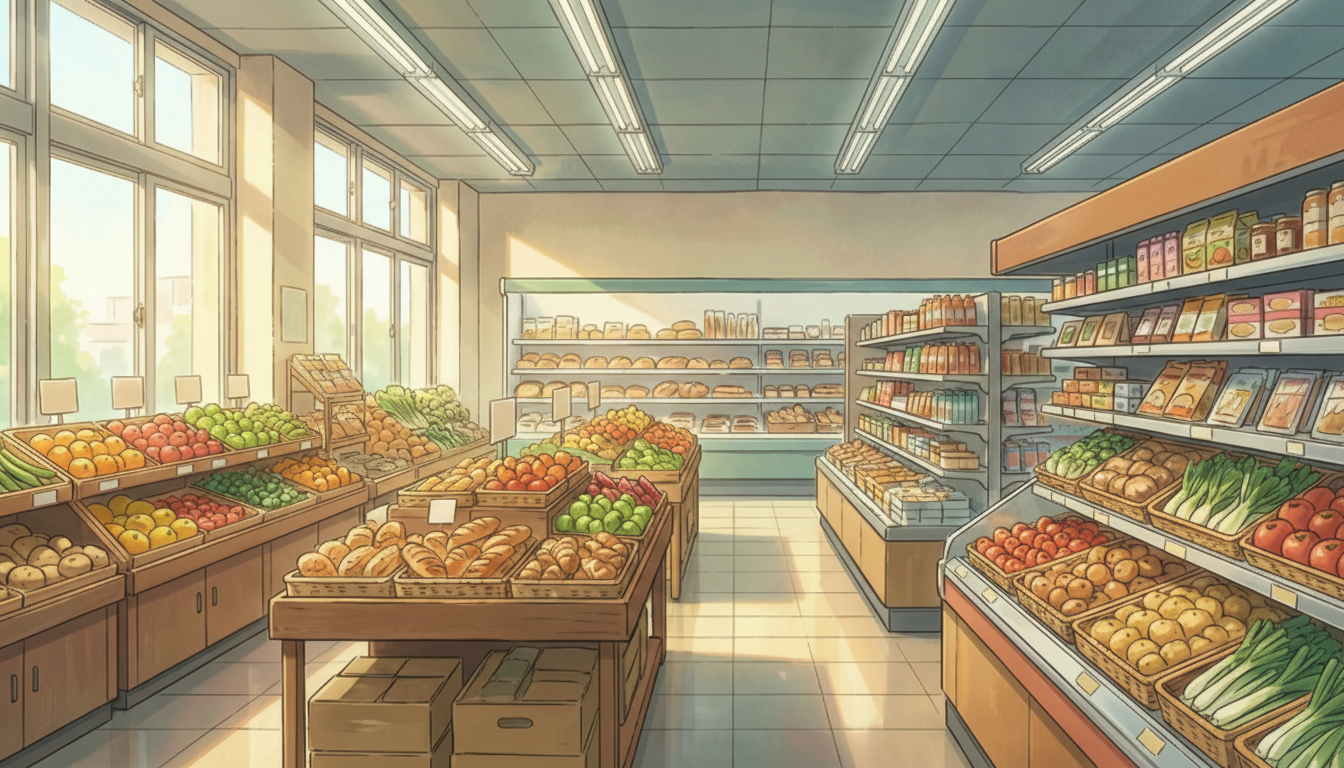
Morning Light in a Supermarket Produce Section | Clean, Bright Interior
Morning sunlight pours in through large windows and illuminates the fruits and vegetables—perfect for everyday scenes right after opening.
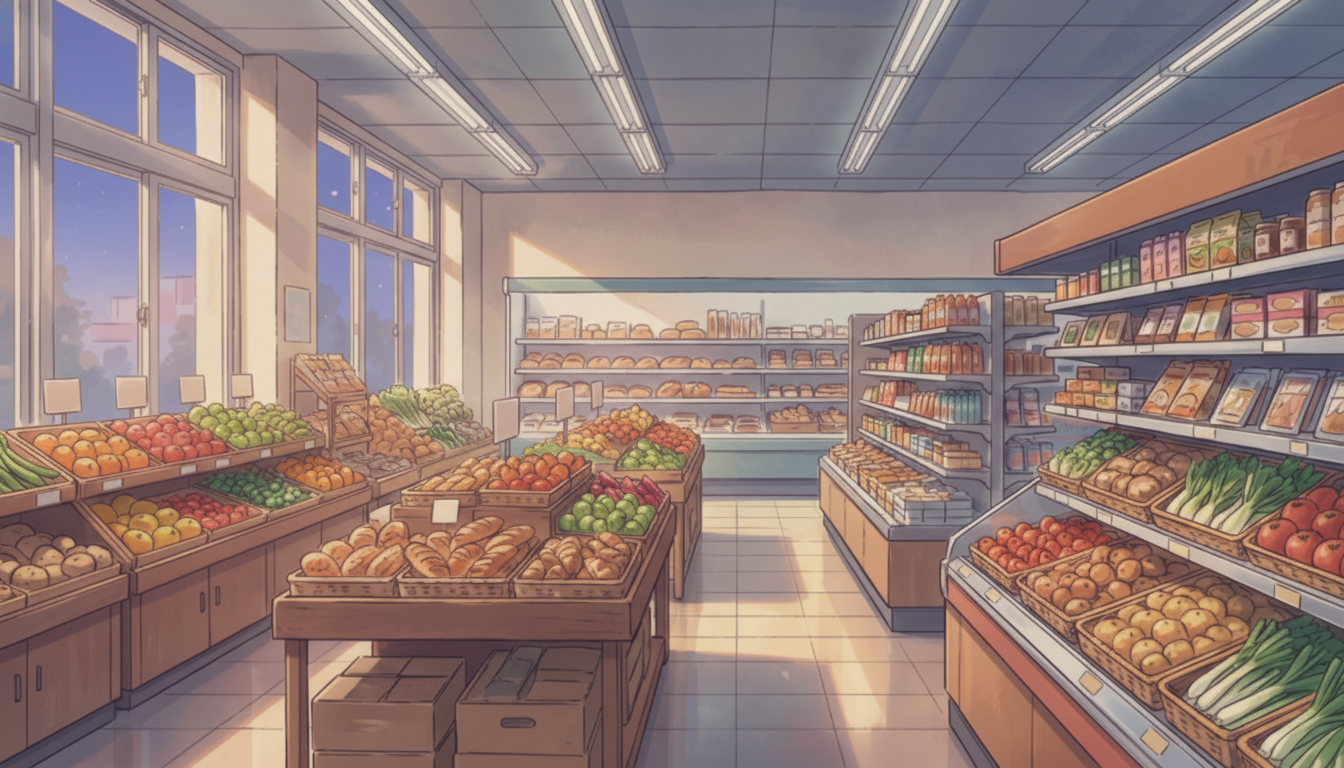
Evening Supermarket Produce Section | Calm Shopping Time
Captures the time when it starts getting dark outside—great for after-work or after-school shopping scenes.
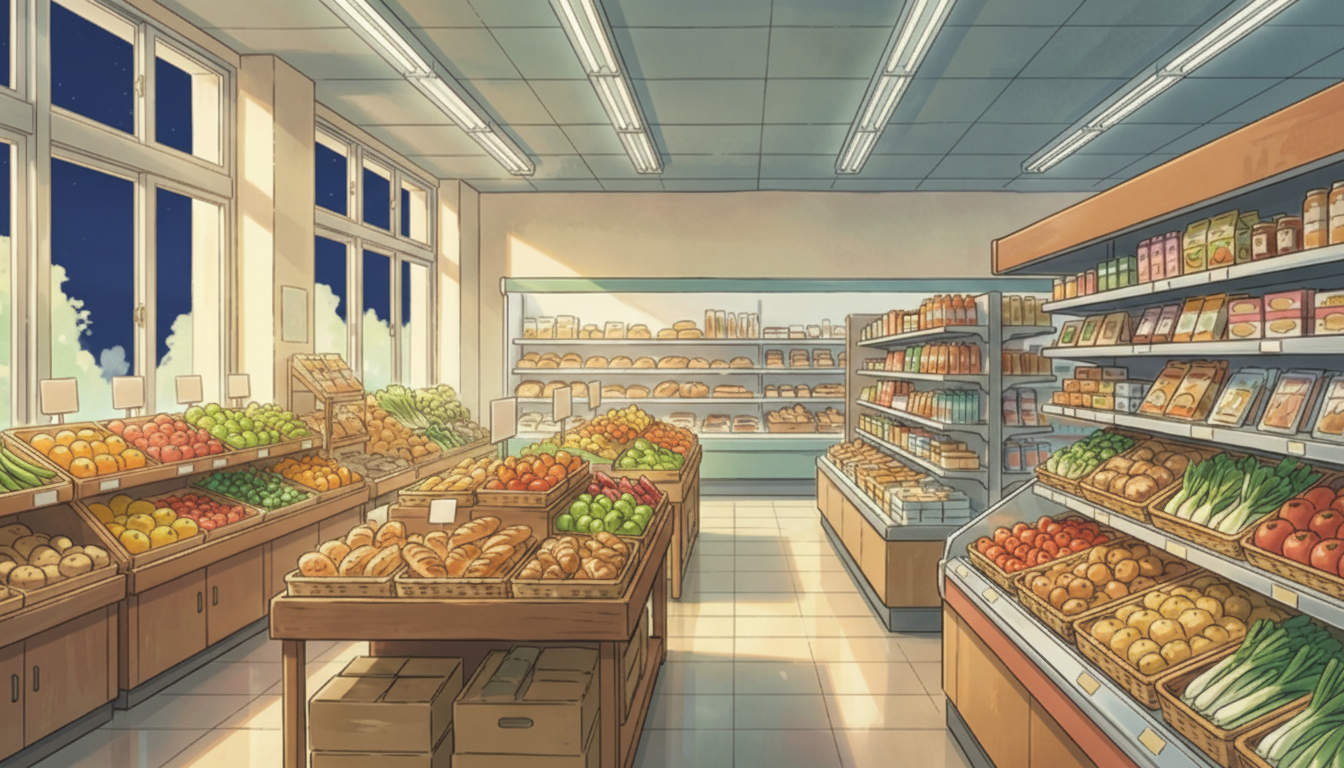
Supermarket Produce Section at Night | Quiet Store Atmosphere
Windows showing the night sky and soft lighting create a peaceful mood—ideal for scenes before closing.
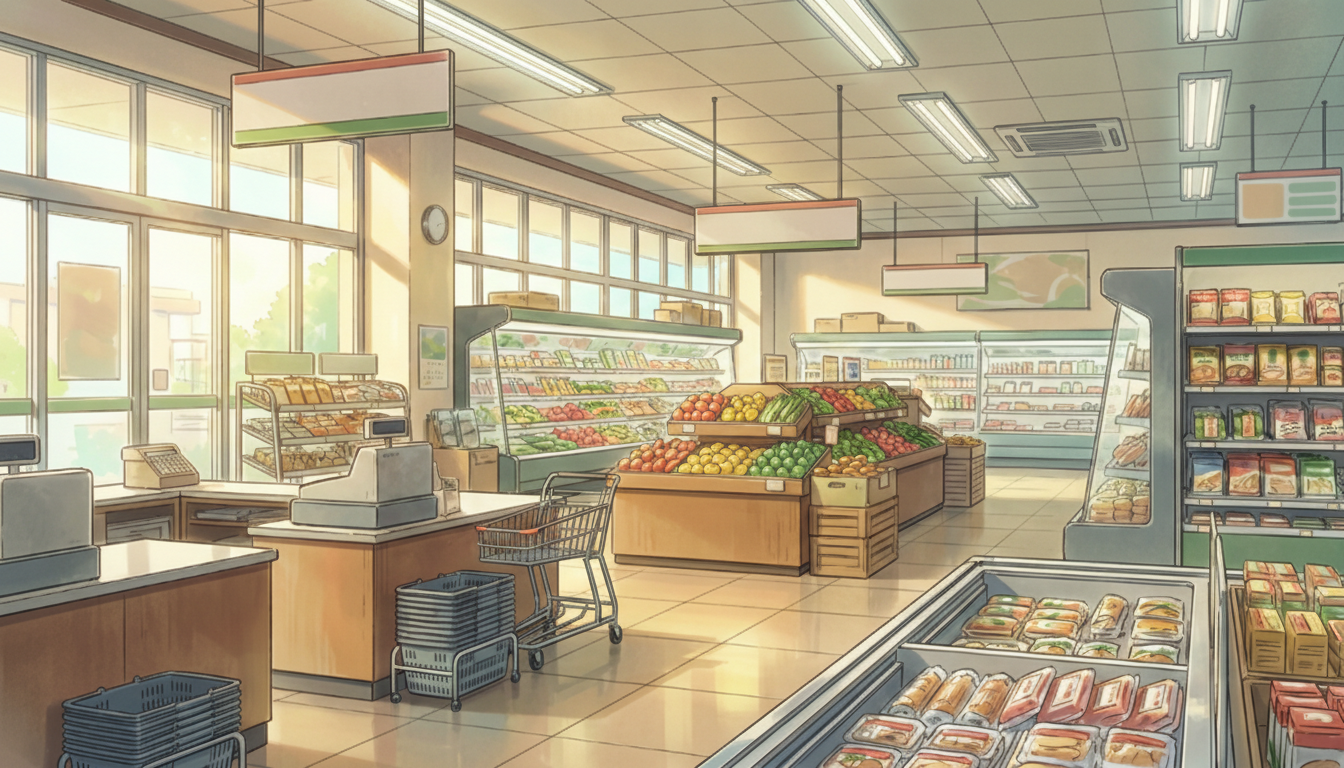
Daytime Supermarket Main Floor | Checkout & Storewide View
A full view of the checkout counters and fresh-food area—suited for daily-life scenes with a strong sense of realism.
Supermarket Interior at Dusk | Nostalgic Mood
Sunset light wraps the interior—useful for slightly emotional shopping scenes.
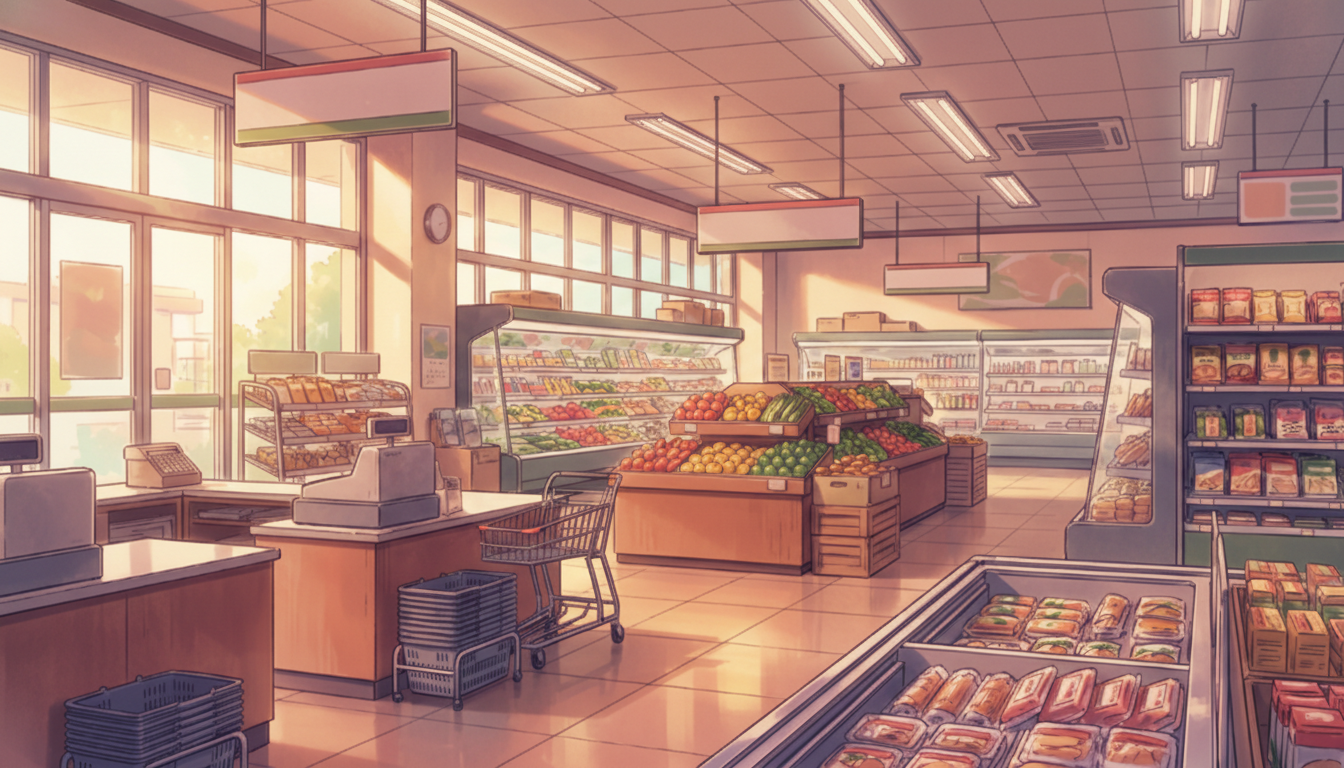
Supermarket at Night | Quiet Before Closing
A sparsely populated sales floor emphasizes silence—good for lingering moments or waiting scenes.
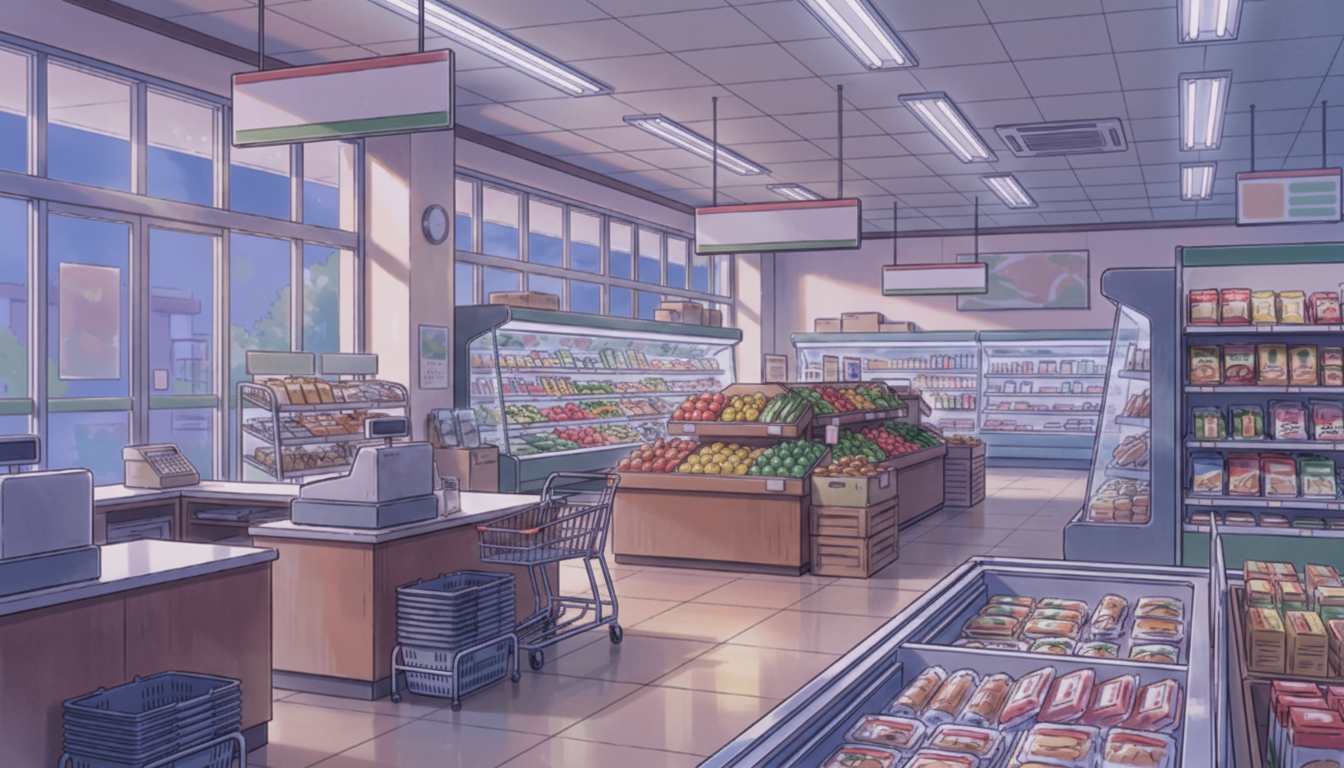
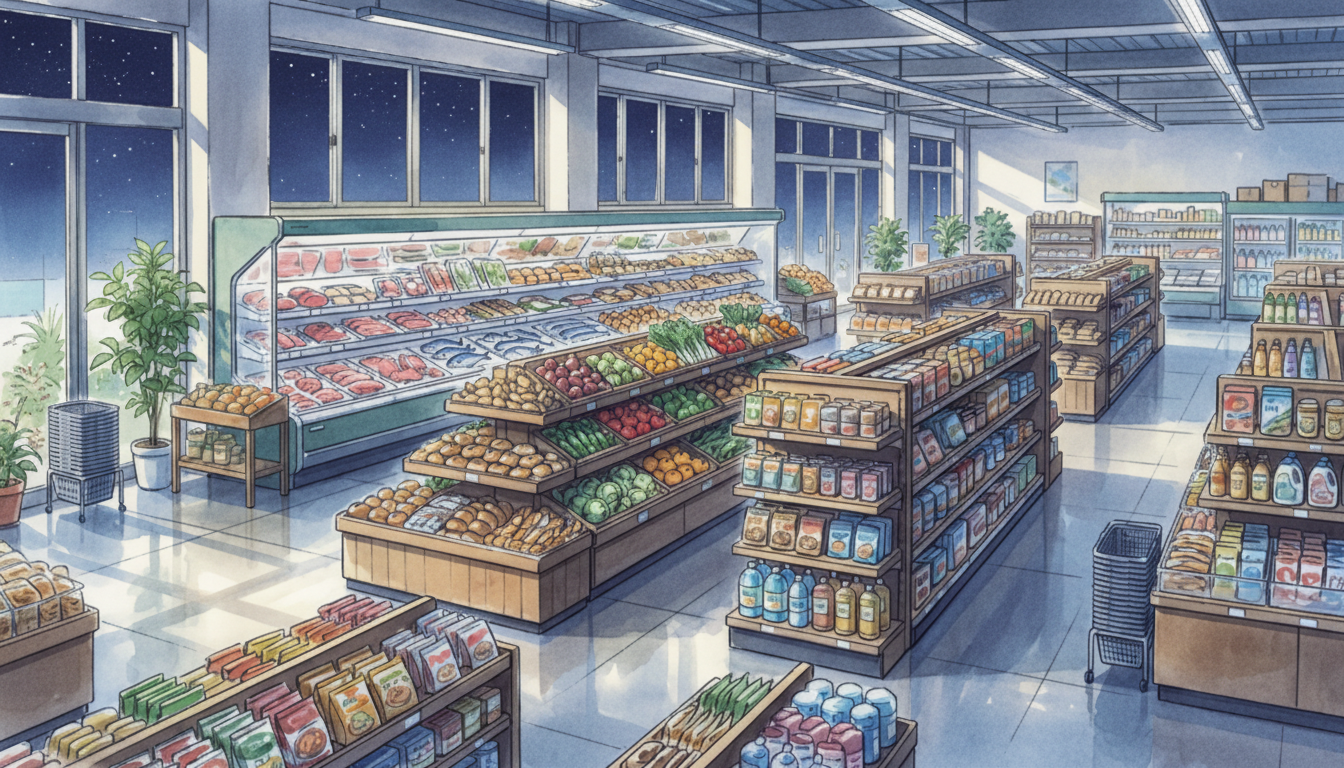
Spacious Supermarket Sales Floor (Day) | Fully Stocked Shelves
Wide aisles and neatly arranged shelves—an easy-to-use, bright everyday background with a reassuring feel.
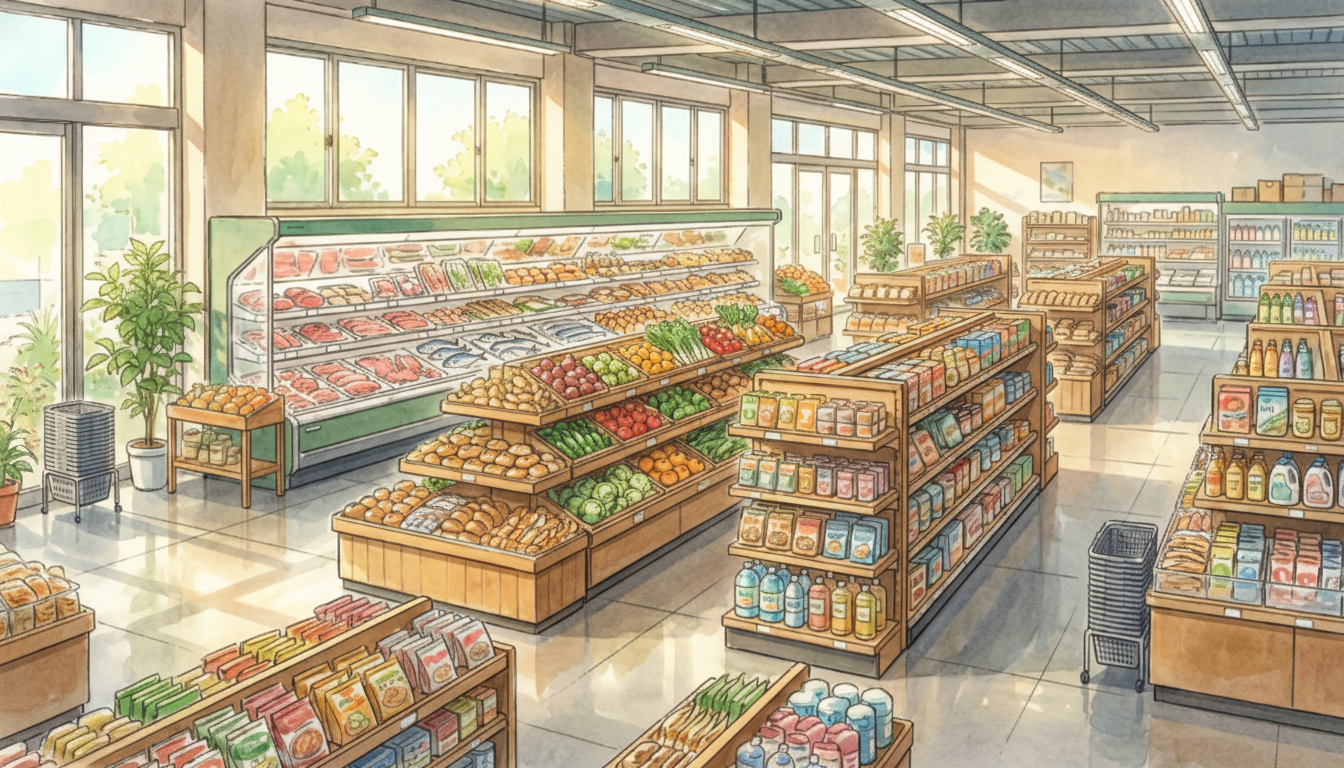
Spacious Supermarket Sales Floor (Evening) | Warm Interior
Warm-toned light reflects off the floor—naturally fits family shopping or scenes before heading home.
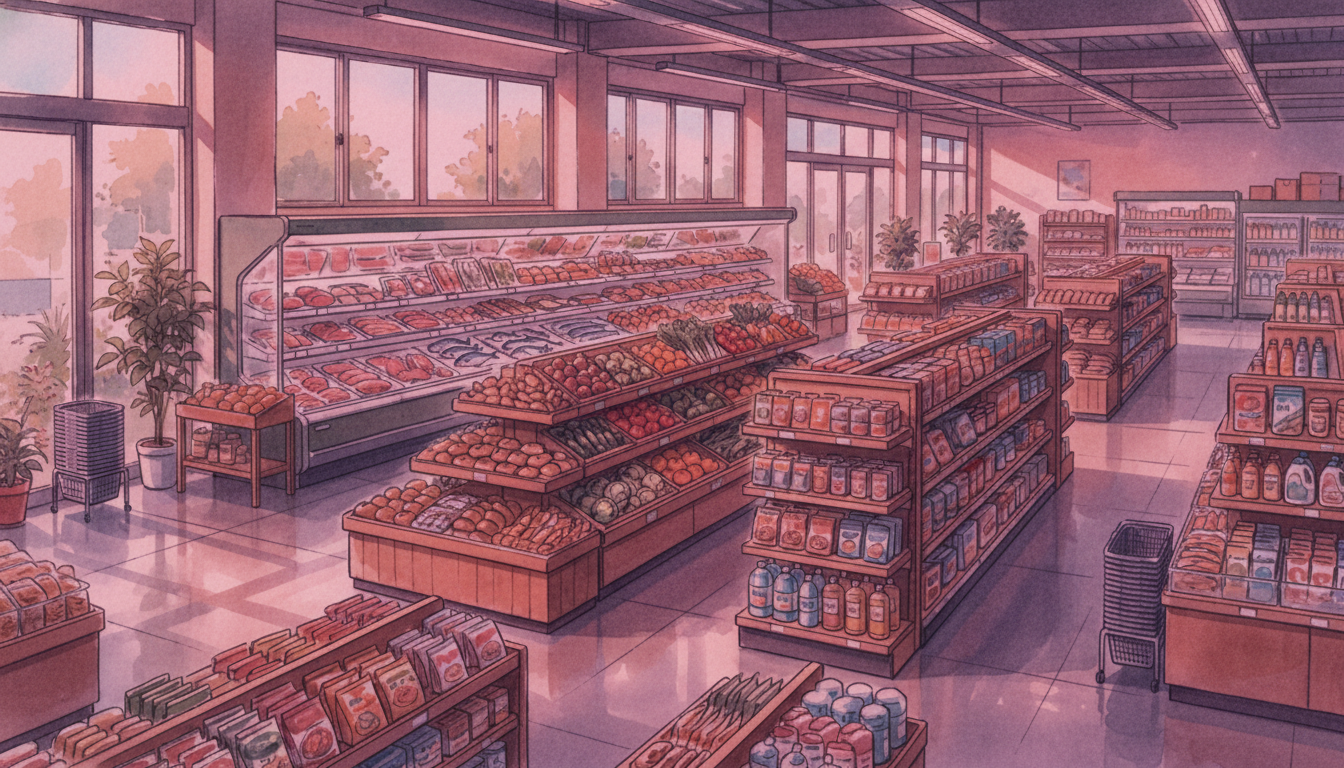
Spacious Supermarket Sales Floor (Night) | Cool Night Tone
Slightly bluish lighting creates a calm impression—suited for quiet nighttime life scenes.
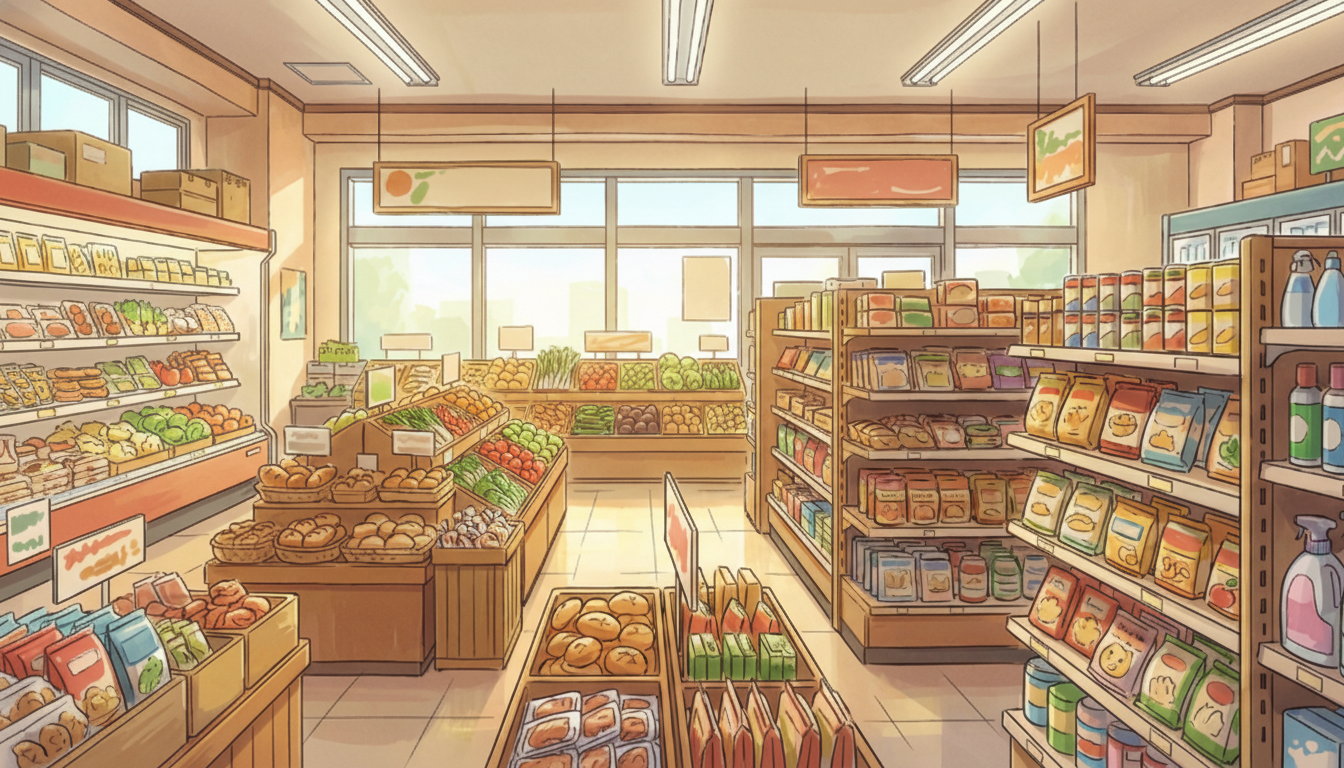
Bright Local Supermarket Interior | Friendly Neighborhood Store
Wooden shelves and easy-to-read product layouts convey a warm, local-supermarket feel.
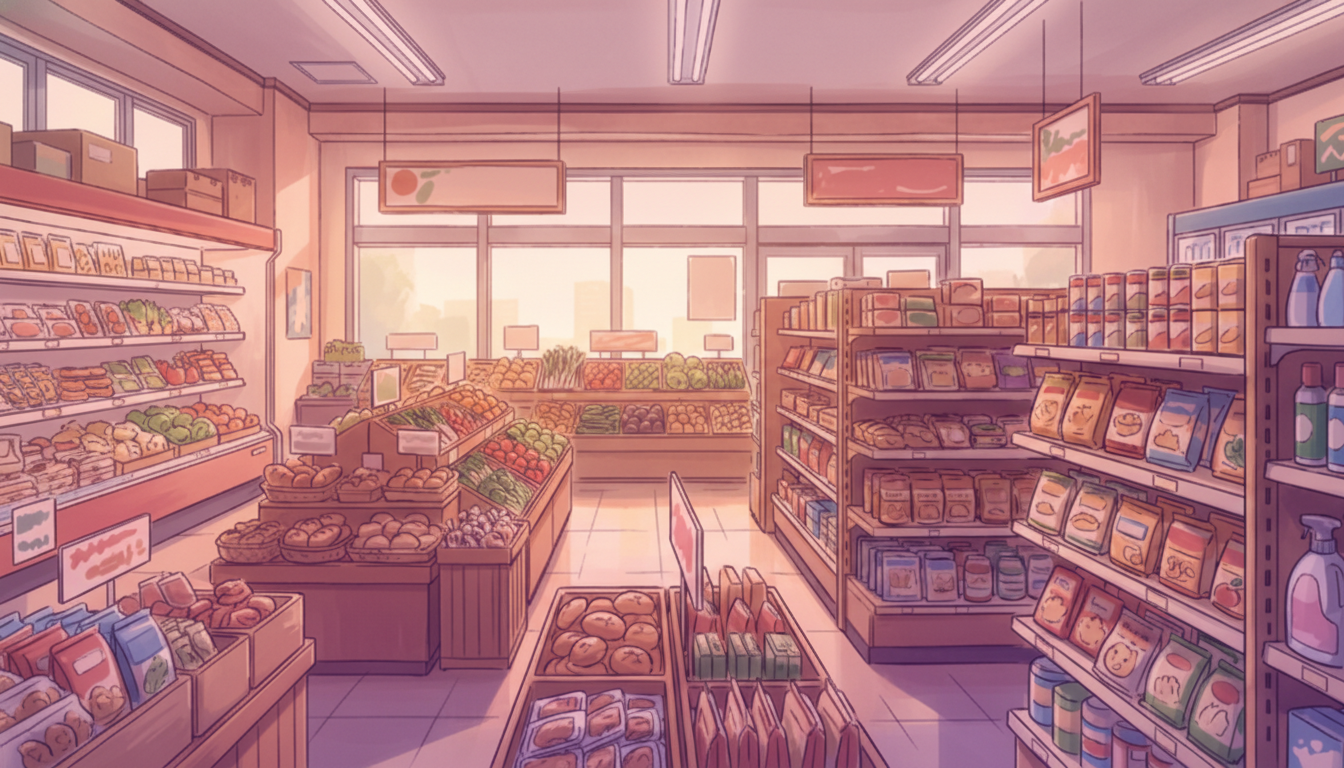
Supermarket Grocery Aisle at Dusk | Warm Interior
Sunset-colored light fills the shelves and aisles—great for a relaxed shopping-time mood.
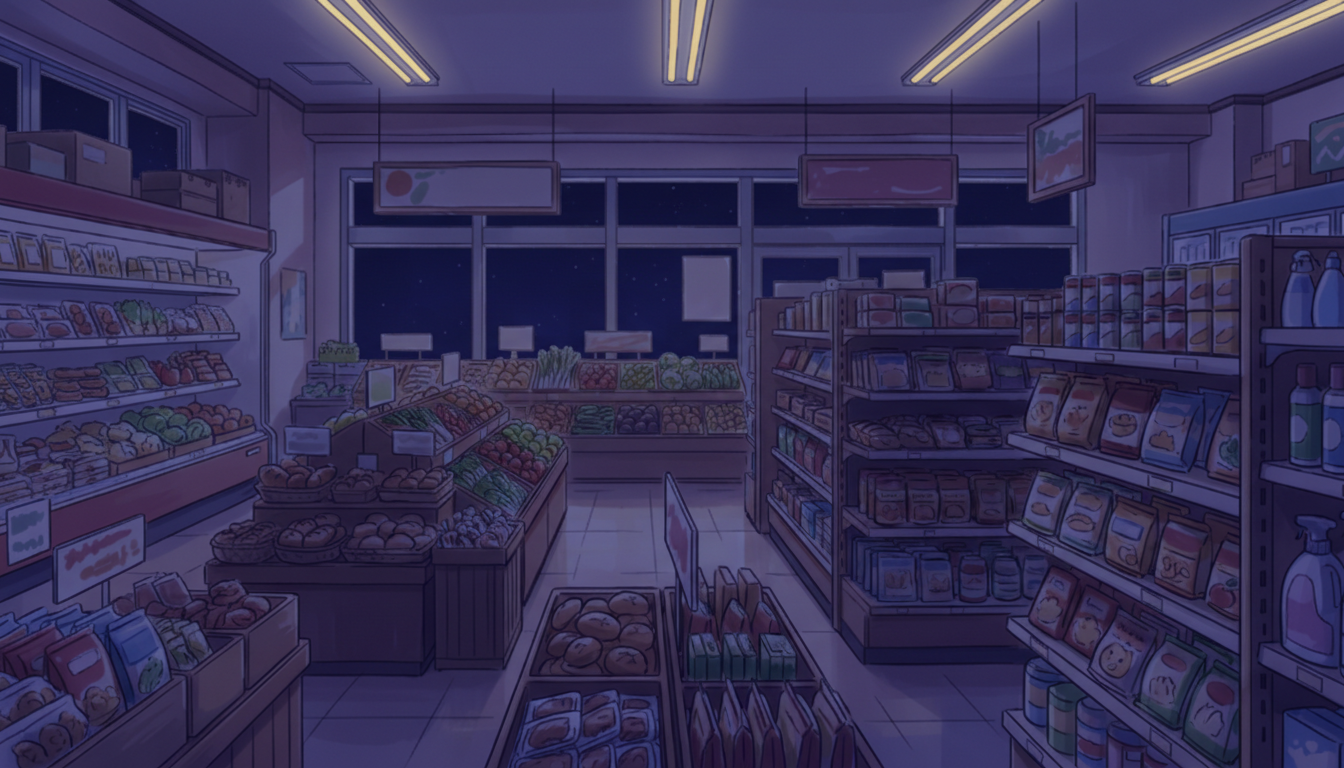
Supermarket Grocery Aisle at Night | Quiet Night Scene
Only the store lighting remains—ideal for pre-closing scenes or nighttime daily-life depictions.
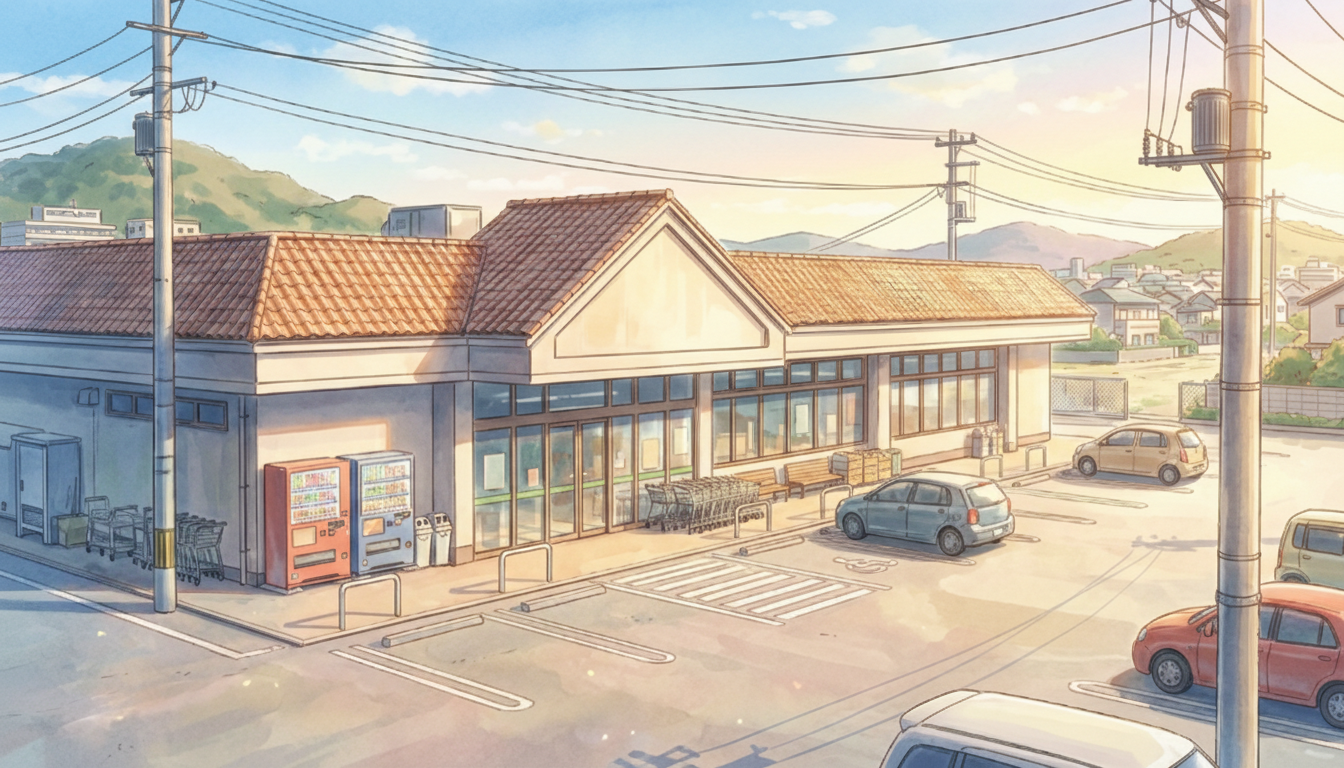
Local Supermarket Exterior (Day) | Parking Lot & Blue Sky
A community-based supermarket under a clear sky—useful for opening/establishing shots in everyday scenes.
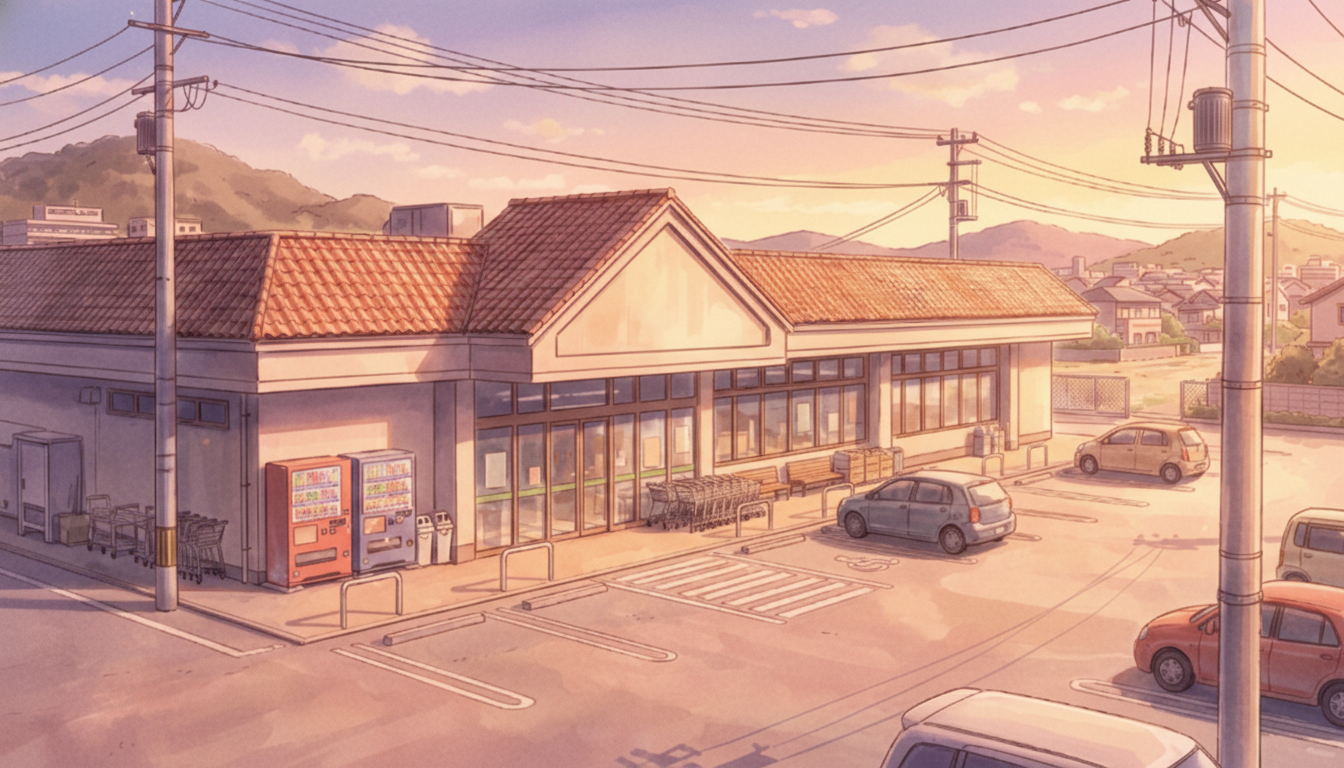
Local Supermarket Exterior (Evening) | Before Heading Home
A building and parking lot bathed in sunset light—naturally expresses after-school or after-work atmosphere.
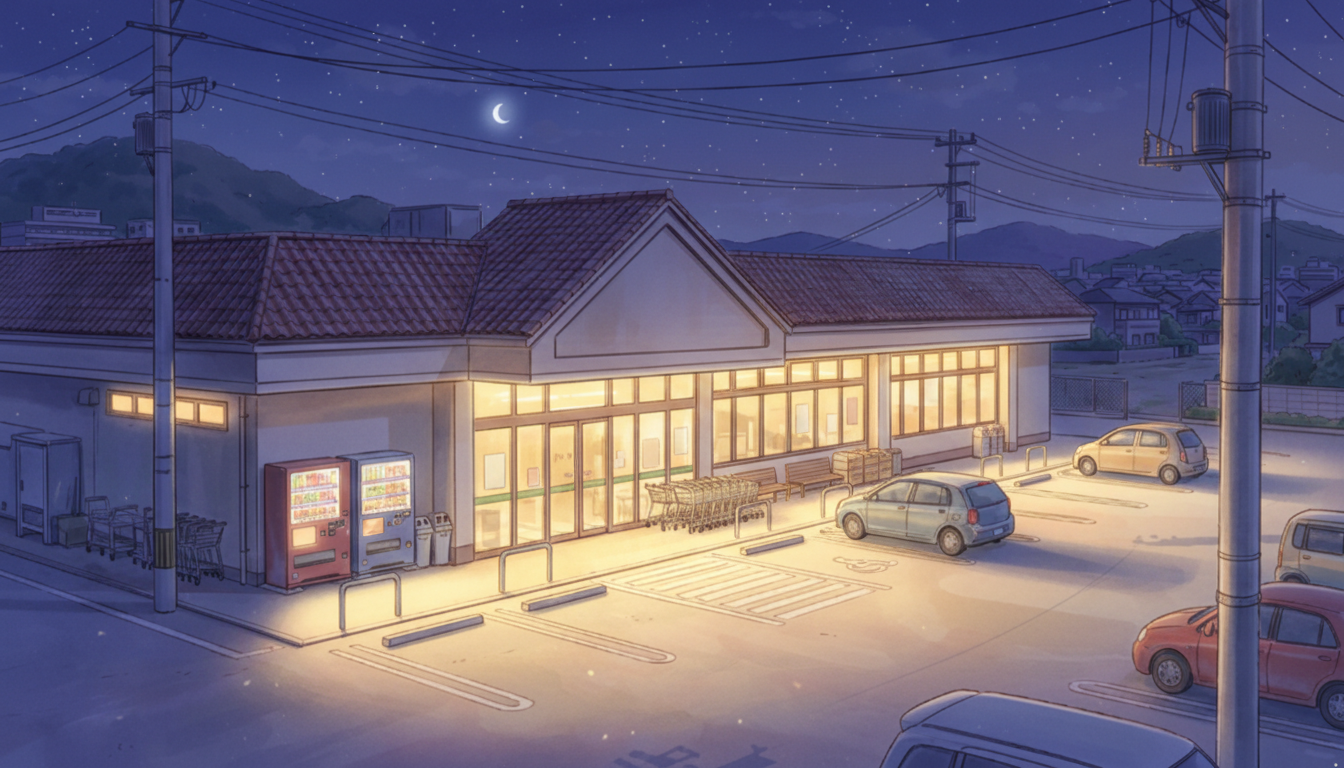
Local Supermarket Exterior (Night) | Store Lights Still On
Warm interior light spills outside—blends into a quiet nighttime streetscape.
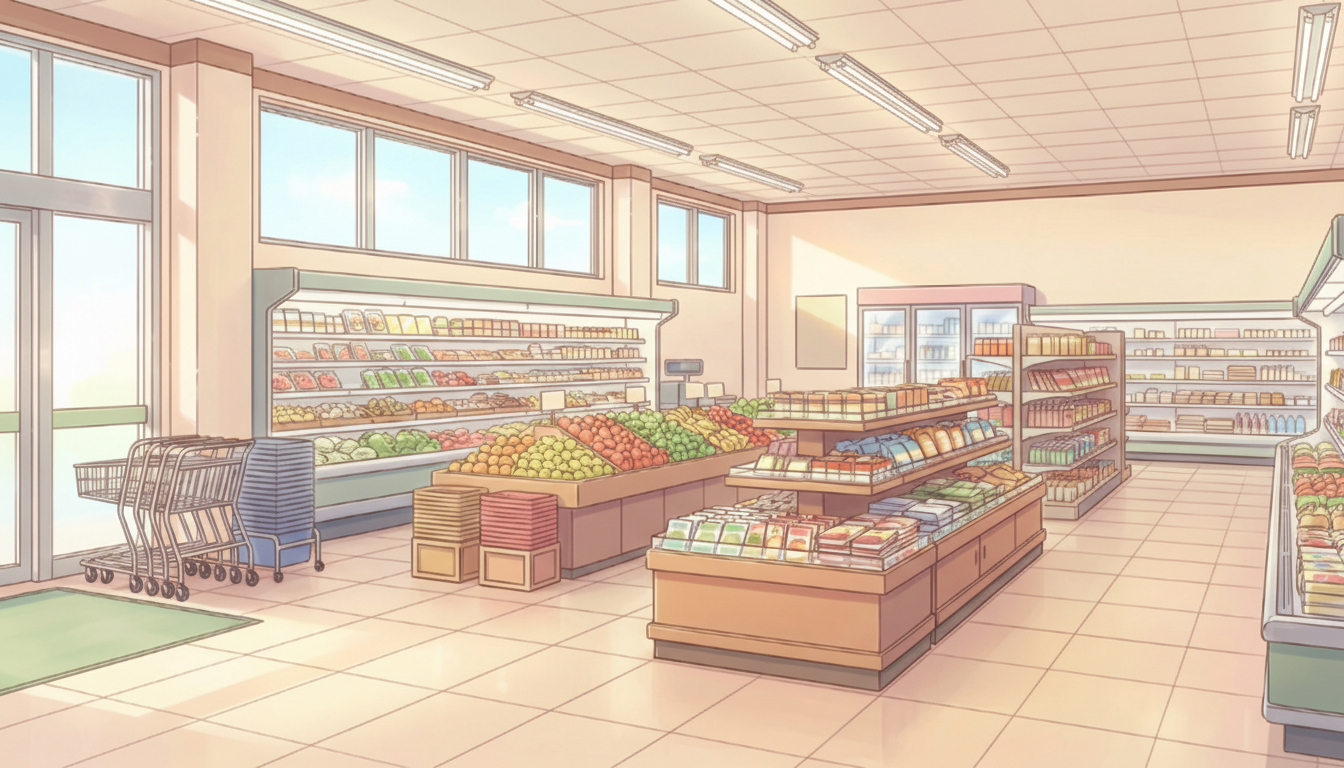
Near the Supermarket Entrance (Morning) | Carts & Storefront Area
A bright entrance area—creates a fresh, just-opened feeling.
Near the Supermarket Entrance (Evening) | Orange-Tinted Interior
Low-angle light casts long shadows on the floor—evokes the passage of time.
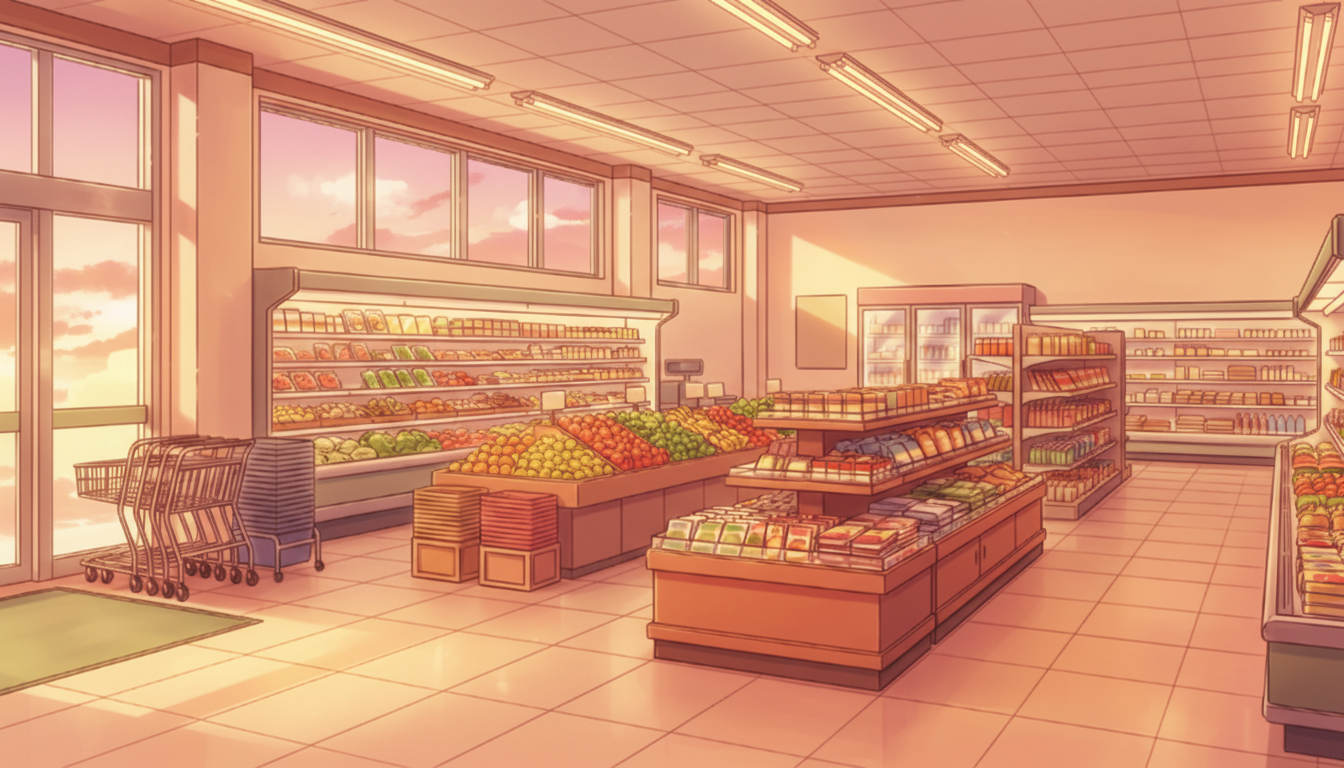
Near the Supermarket Entrance (Night) | Calm Interior
Works well for low-traffic hours—suited for quiet conversations or flashback scenes.
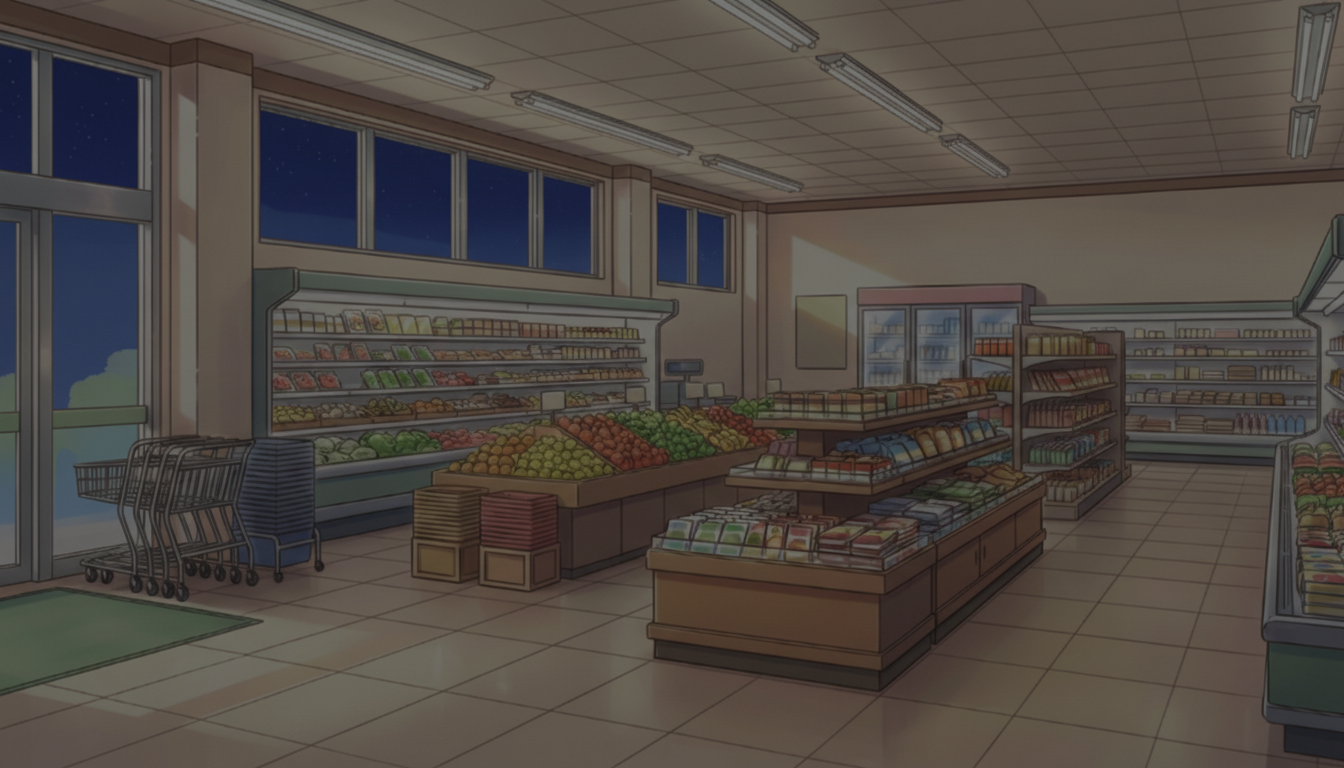
Supermarket Checkout Area (Day) | Bright Everyday Space
Checkout lanes and shelves arranged neatly—an all-purpose background for typical shopping scenes.
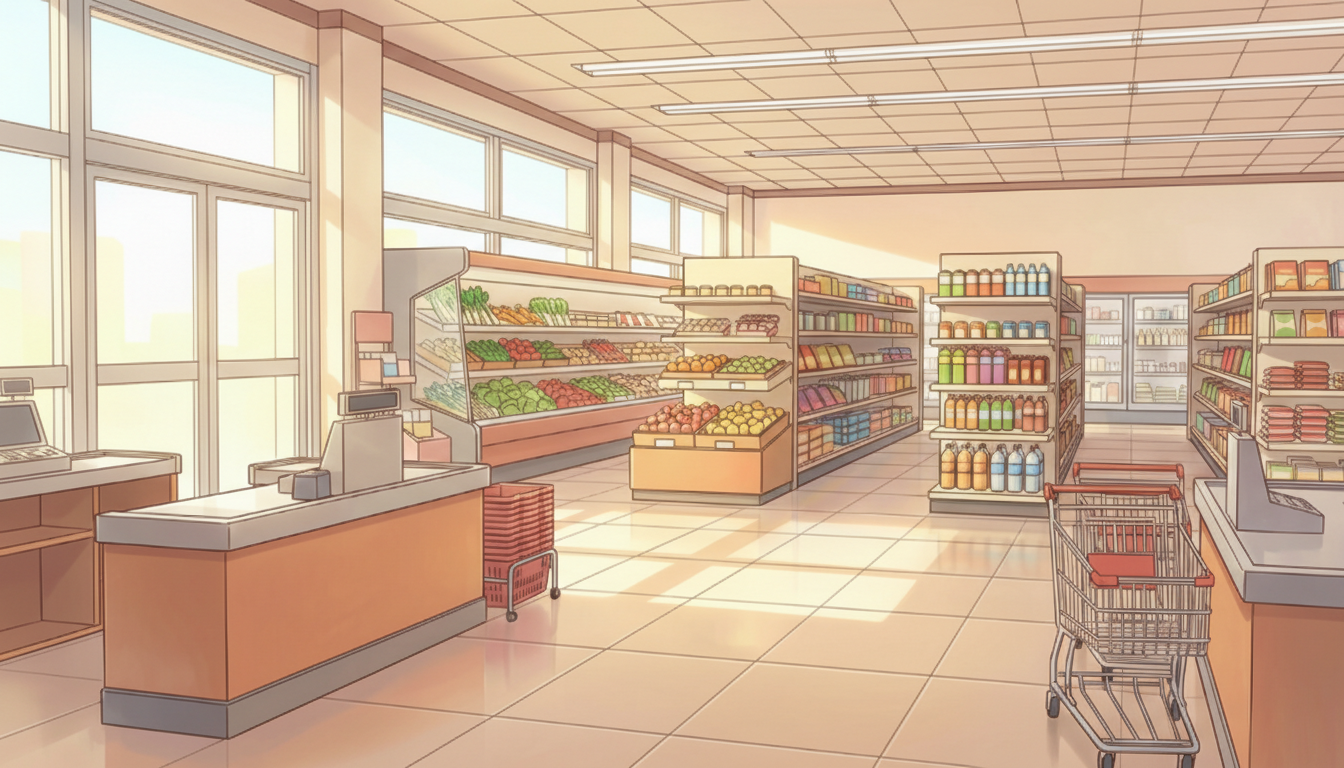
Supermarket Checkout Area at Dusk | End of the Day
Warm lighting fills the store—good for endings and lingering aftertaste.

Supermarket at Night | Quiet Grocery Area Before Closing
A grocery floor wrapped in bluish light—creates a calm pre-closing atmosphere.
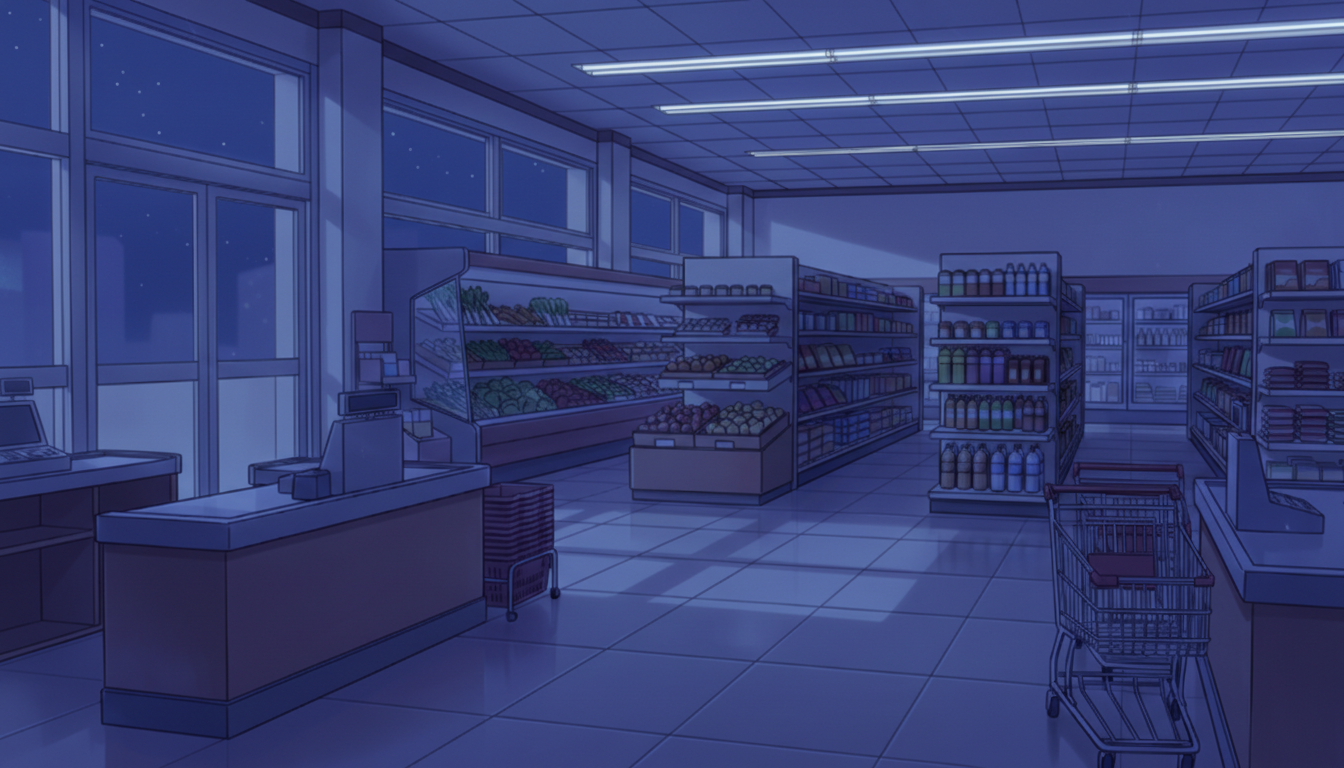
Supermarket Aisle (Morning) | Bright Shelves
Clean aisles with natural light—ideal for everyday shopping scenes.
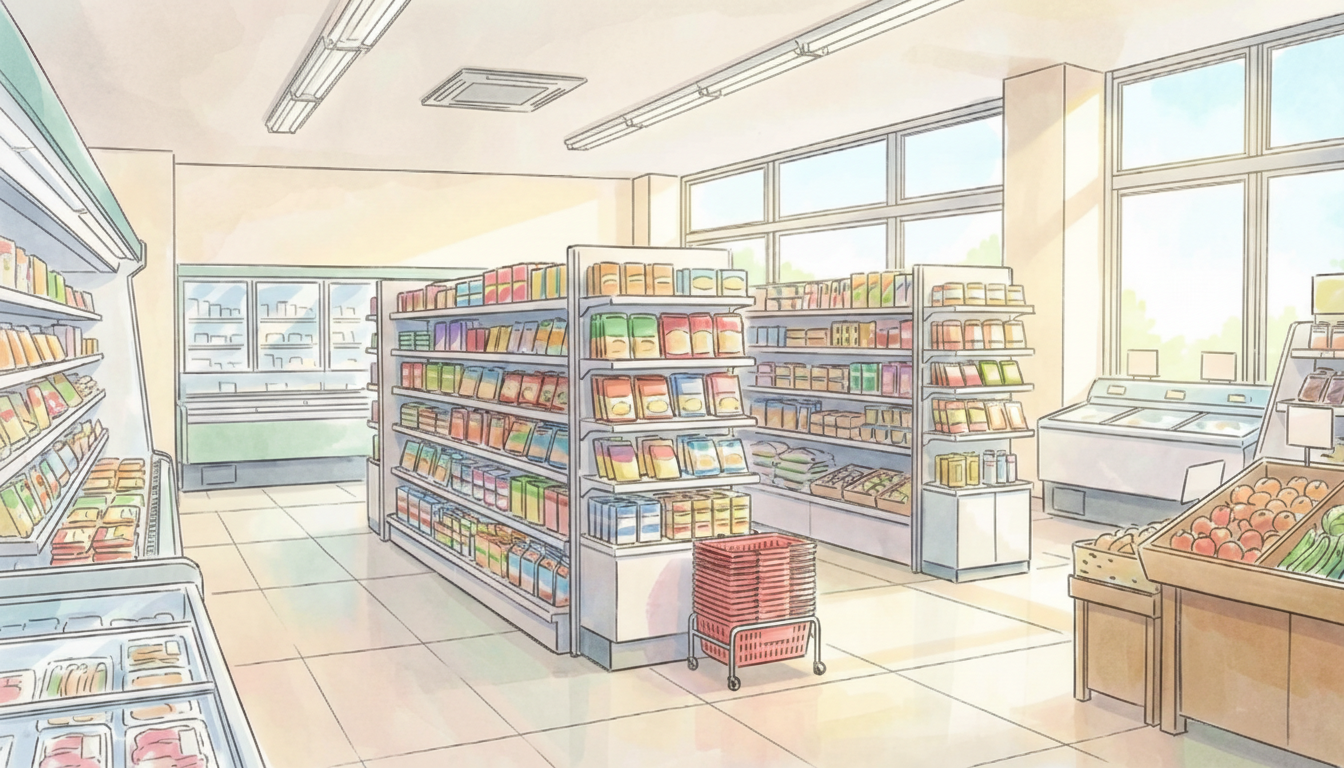
Supermarket Aisle at Dusk | Warm Time of Day
Soft evening light highlights the shelves—adds a gentle, lived-in feel.
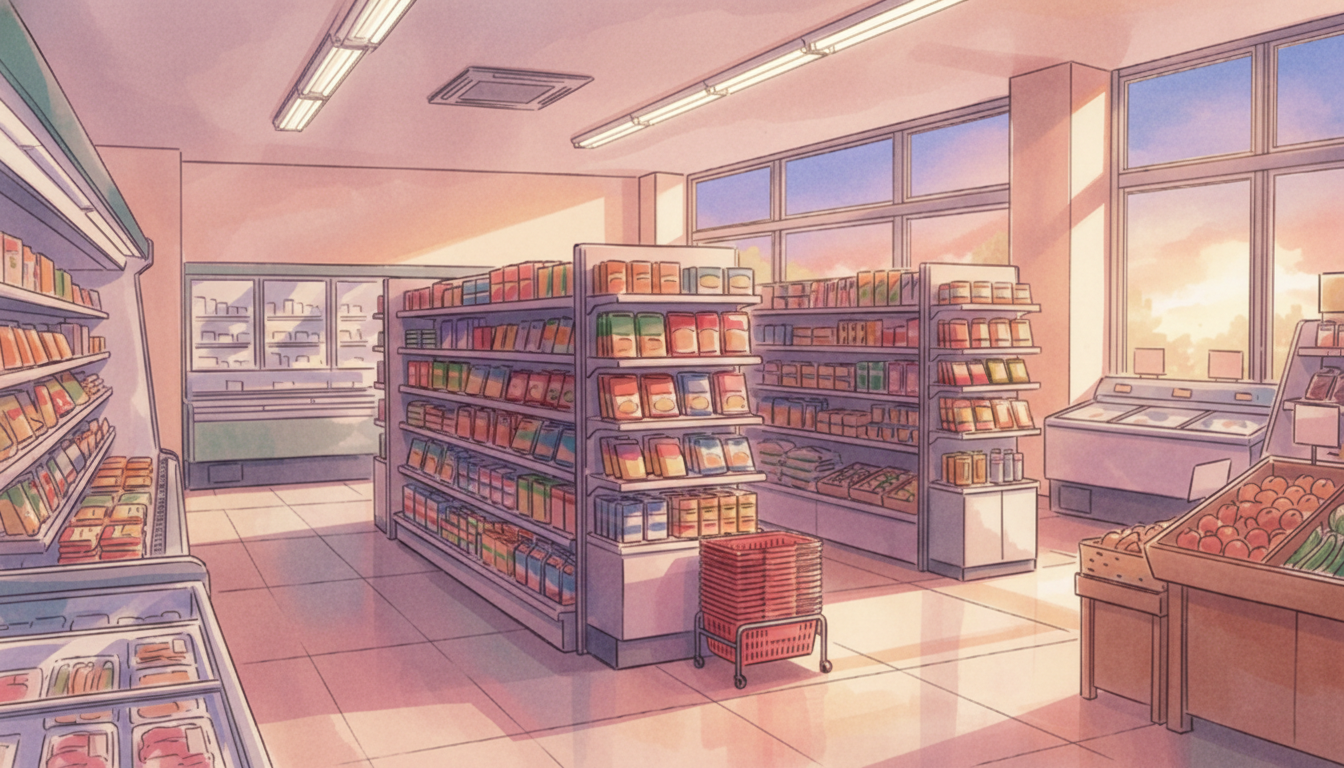
Supermarket Aisle at Night | Cool Night Mood
Darker tones emphasize a quiet interior—suited for calm nighttime scenes.
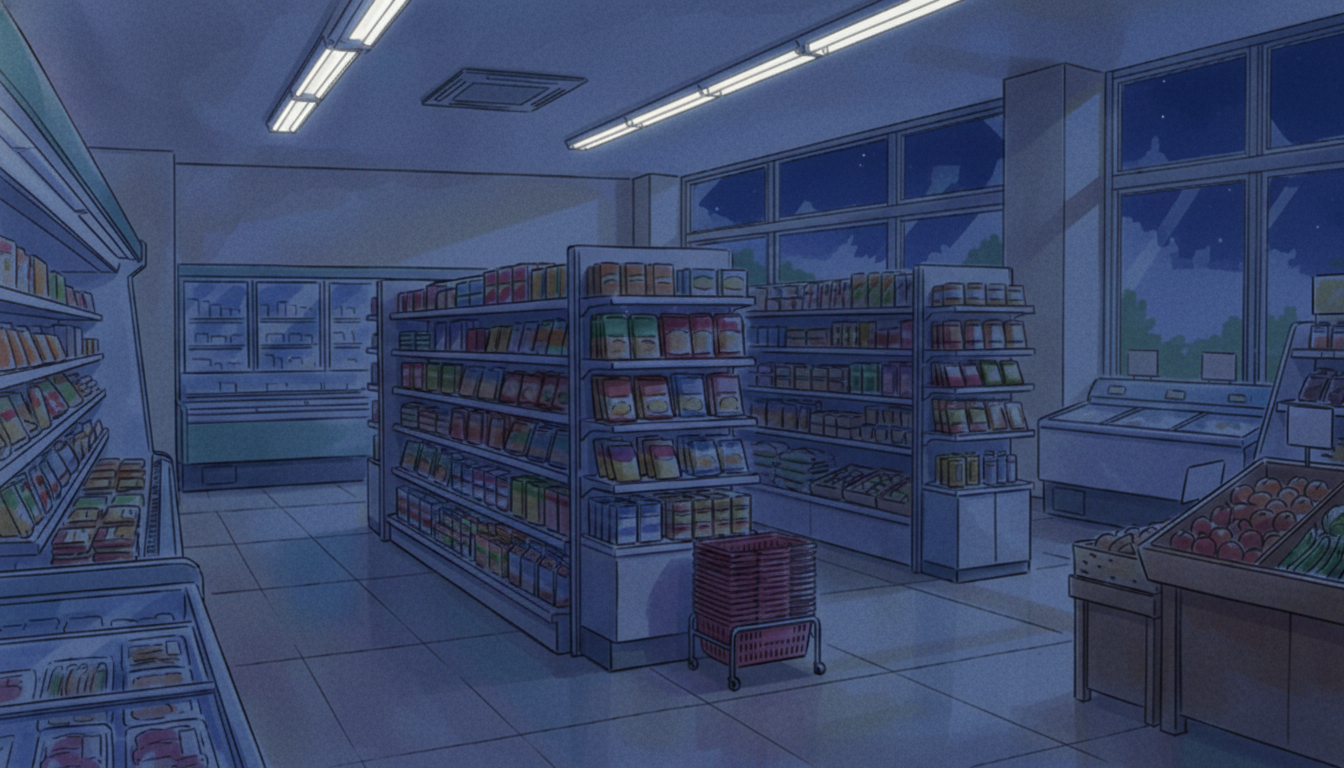
Supermarket Exterior (Day) | Blue Sky & Entrance
A bright storefront under a clear sky—useful for introductions and everyday depictions.
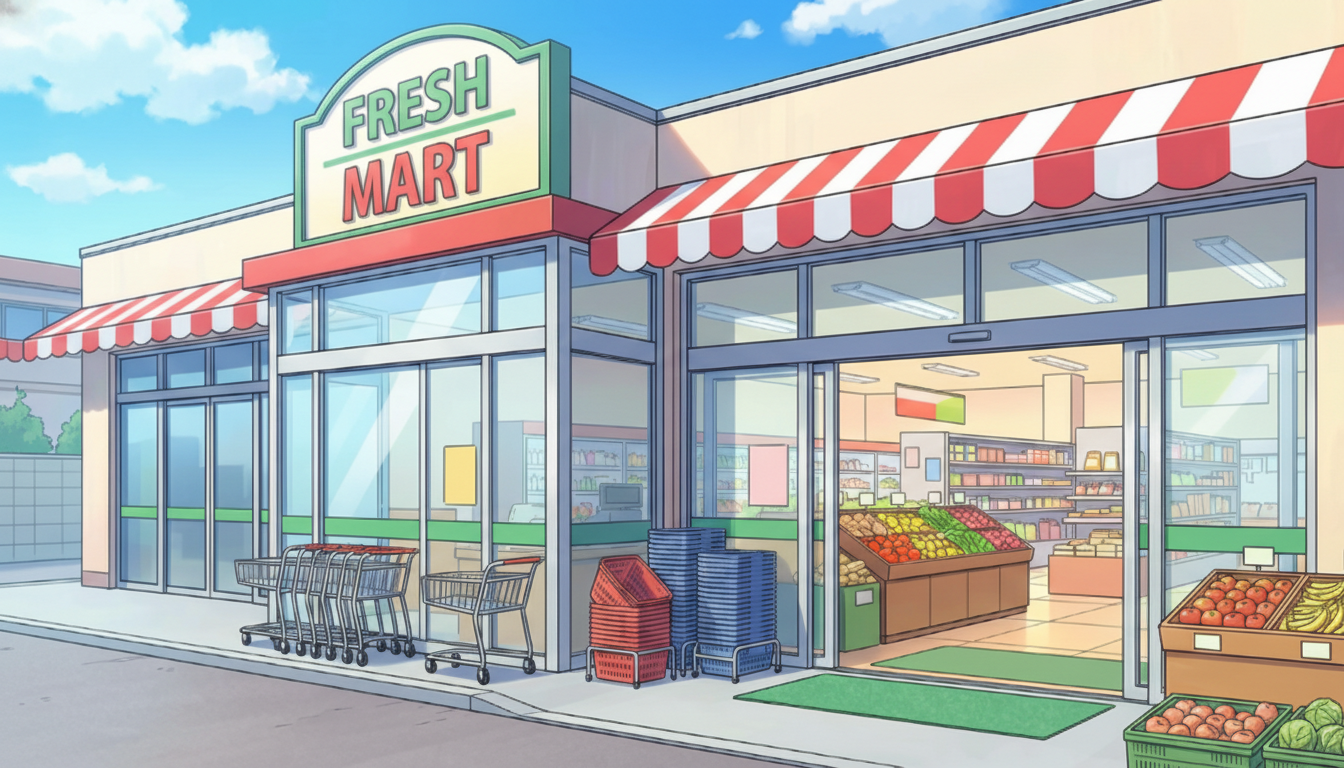
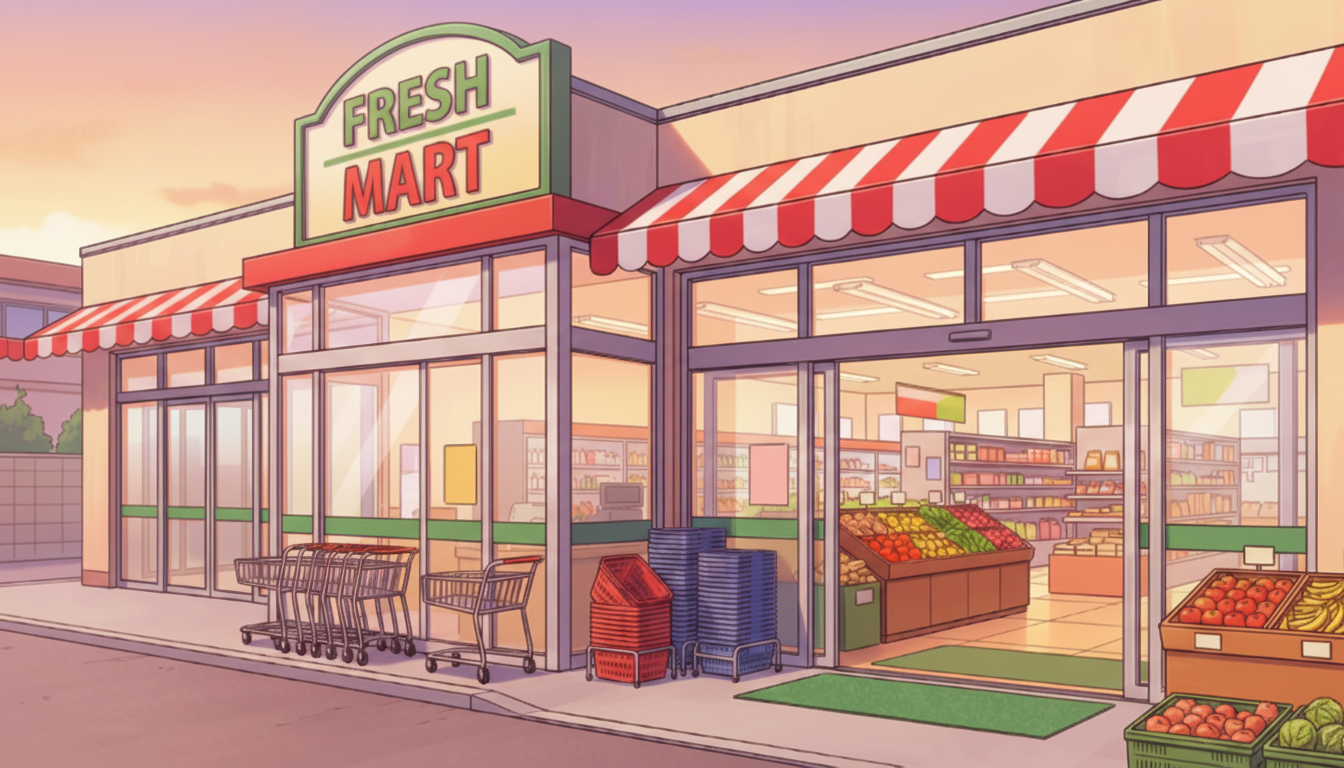
Supermarket Exterior (Evening) | Before Heading Home
A sunset-colored store and streetscape—captures after-school or after-work vibes.
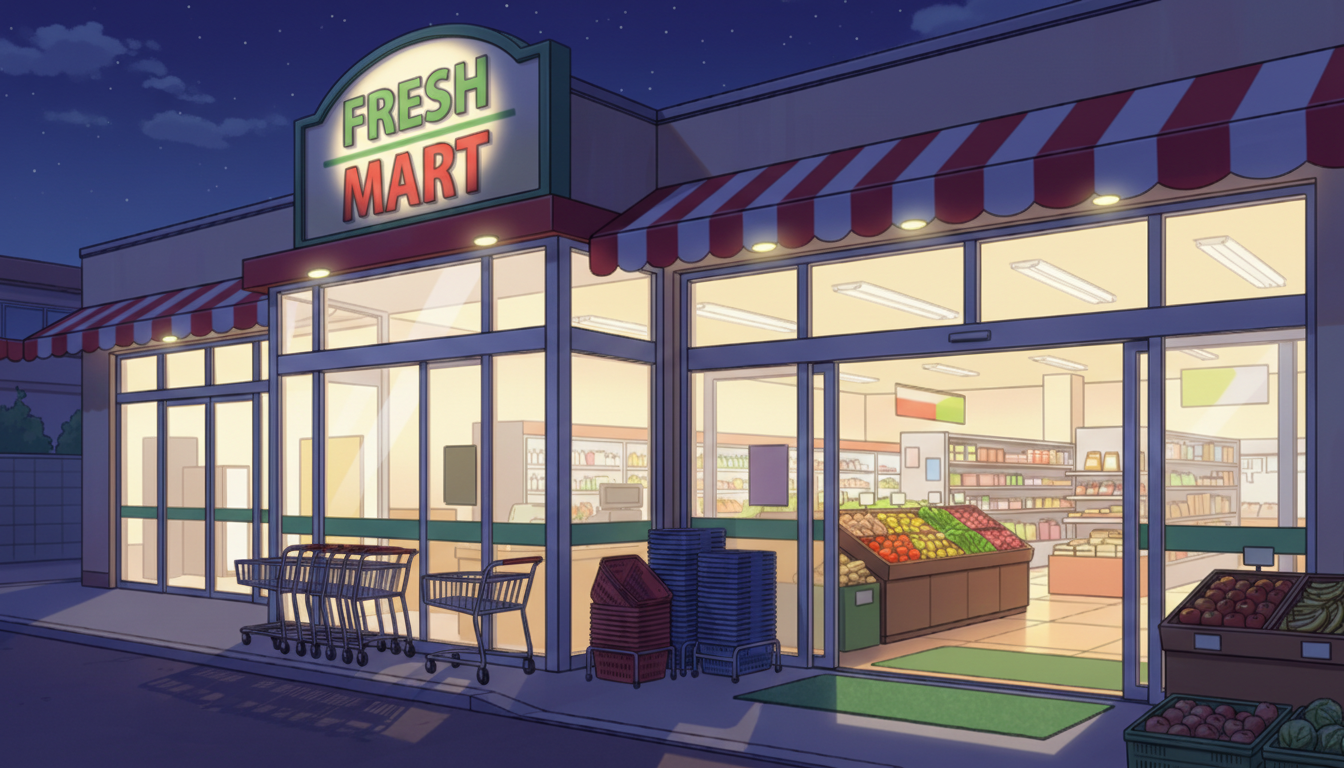
Supermarket Exterior (Night) | Store Lights Still On
Striking interior light—expresses a quiet town at night while the store remains open.
Fresh Foods Section (Day) | Lively Supermarket Interior
Neatly arranged produce and meat—perfect for everyday scenes full of real-life atmosphere.
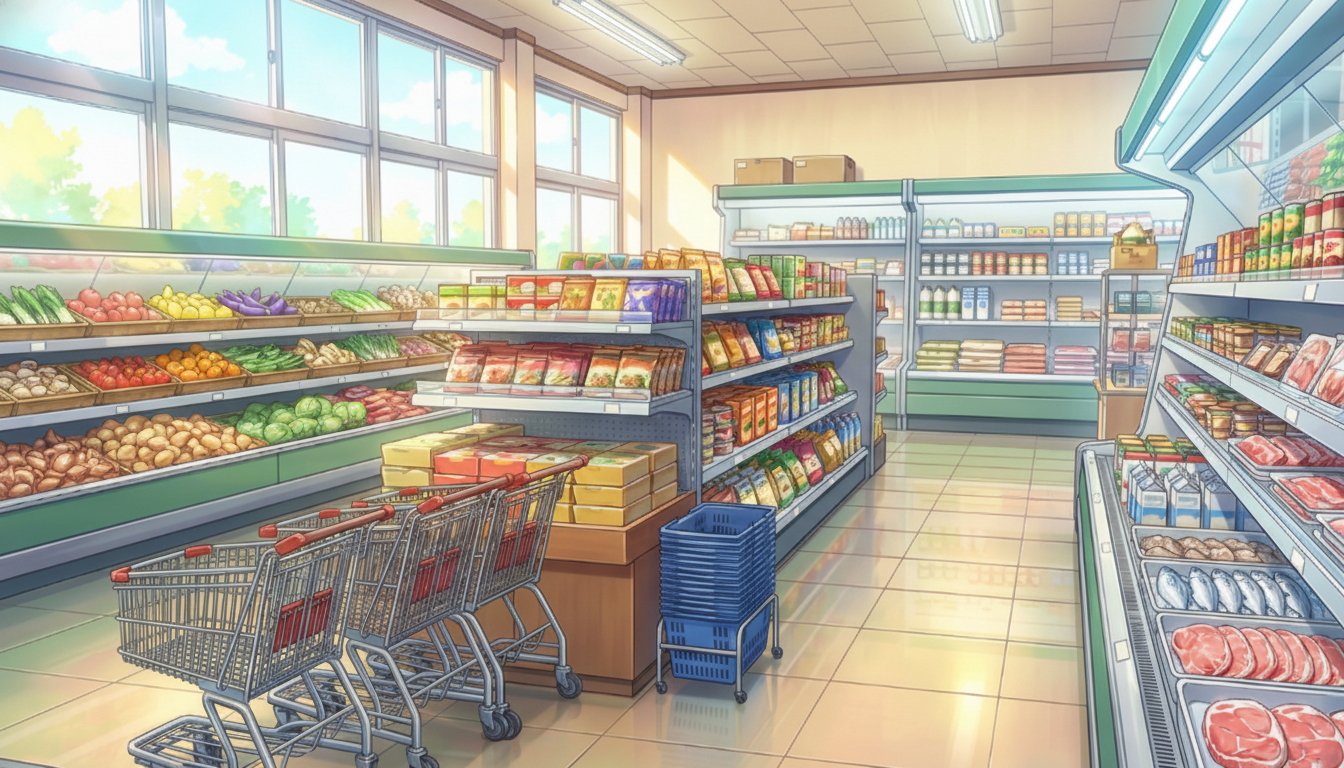
Fresh Foods Section at Dusk | Warm Interior
Evening light shines on the shelves—creates an end-of-day feeling.

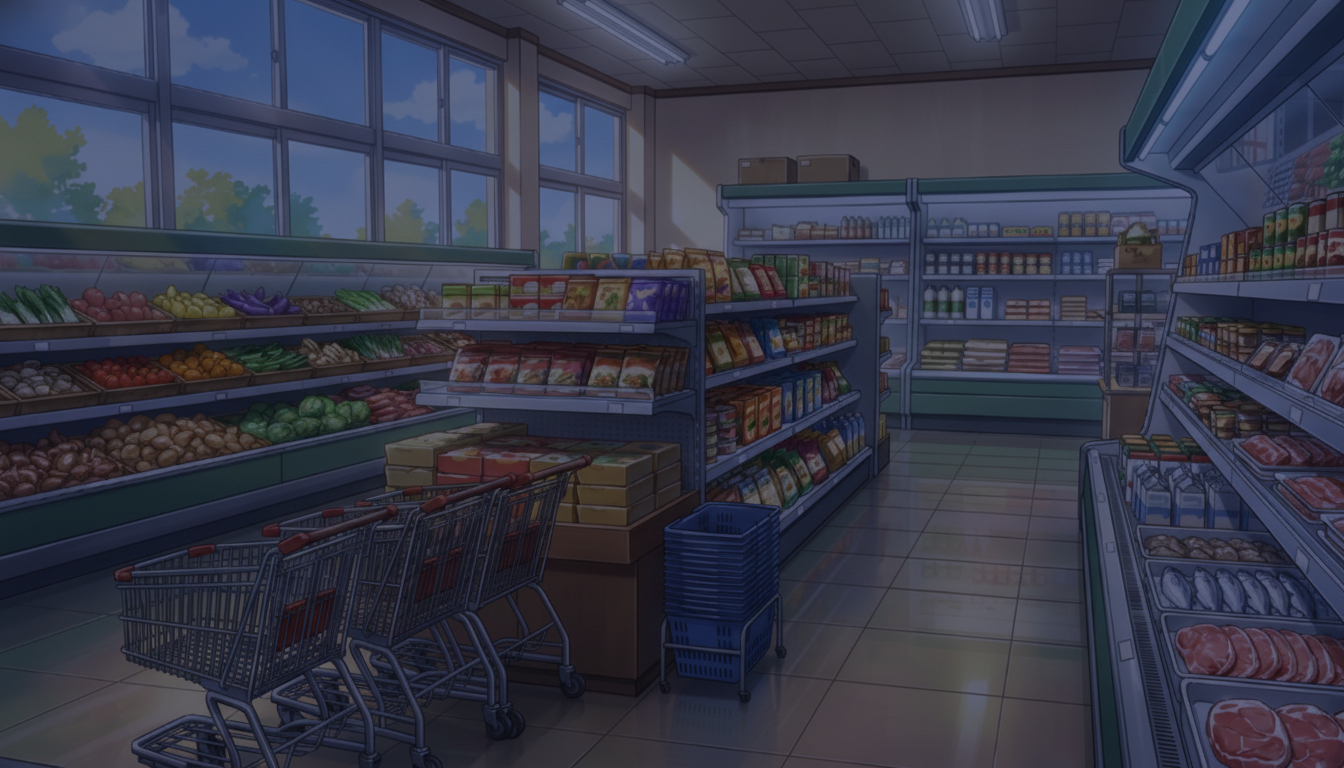
Fresh Foods Section at Night | Quiet Before Closing
A calmer, less crowded area—good for scenes with a lingering mood.
How to Use in copainter
Mass-produce variations with the AI Assistant
Download the images above and import them into copainter as reference images. You can optimize them for your work by changing the time of day (morning/evening/night), replacing the sky, and adding props.
Upscale to 4000 px or more with the Upscaling AI
Using the Upscaling AI, you can increase the resolution to a size suitable for most projects.
https://www.copainter.ai/ja/upscaling
Convert into manga-friendly backgrounds with the Inking AI
Load the image as a reference in the Inking AI to generate simplified lines that work well for manga backgrounds. Try selecting different pen touches to create a more original look.
https://www.copainter.ai/ja/inking
Change the aspect ratio with the AI Assistant
If you like an illustration but the aspect ratio makes it hard to use, you can ask the AI Assistant to adjust the aspect ratio for you.
Terms of Use (License)
- Eligible users: copainter subscribers
- Permitted use: Only for works created using copainter (commercial use allowed / free to use)
- Modifications: Allowed (cropping / redraws / color changes / vectorization, etc.)
- Credit: Not required
- Prohibited: Redistribution or sale of the assets themselves / claiming as your own / commercial use outside copainter
- Disclaimer: The provider assumes no responsibility for any damages or issues arising from the use of these materials.
FAQ
Q. I want higher-resolution materials.
A. Use copainter’s Upscaling AI. You can upscale up to 4× in both width and height, making it suitable for commercial use.
Q. Can I use these outside copainter?
A. If you are a copainter subscriber and use them for works created using copainter, commercial use is allowed and free of charge. Edits using external services are also fine as long as the purpose is to use them in works created with copainter. As long as copainter is used for some part of the production process, it is allowed.
Q. Can I use these in commercial projects?
A. Yes, if the work is produced using copainter, commercial use is allowed. You do not need to create the entire work solely with copainter. Redistribution or resale of the assets themselves is not permitted.
Q. Are there other free pose collections?
A. Yes. Please refer to the following:https://blog.copainter.ai/tag/assets-en/
If you haven’t used copainter yet, this is a great opportunity—please sign up for copainter using the link below!
You can find copainter Learn, our media hub packed with tips and best practices for using copainter effectively, at the link below.
![[Free Download] Chibi Character Battle Pose Collection — Free for Copainter Users, Including Commercial Use](/content/images/size/w720/2026/03/header_pose-collection_battle-of-deformation-character-1.png)
![[Free Download] Female Battle Pose Collection — Free for Copainter Users, Including Commercial Use](/content/images/size/w720/2026/03/header_pose-collection_battle-of-woman-1.png)
![[Free Download] Male Battle Pose Collection — Free for Copainter Users, Including Commercial Use](/content/images/size/w720/2026/03/header_pose-collection_battle-of-man-1.png)