
Announcing the Release of Our New Feature: “Pose Transfer”
copainter released a new “Pose Transfer” feature that lets users easily change character poses without training, improving workflows for manga, webtoon, anime, and game production.
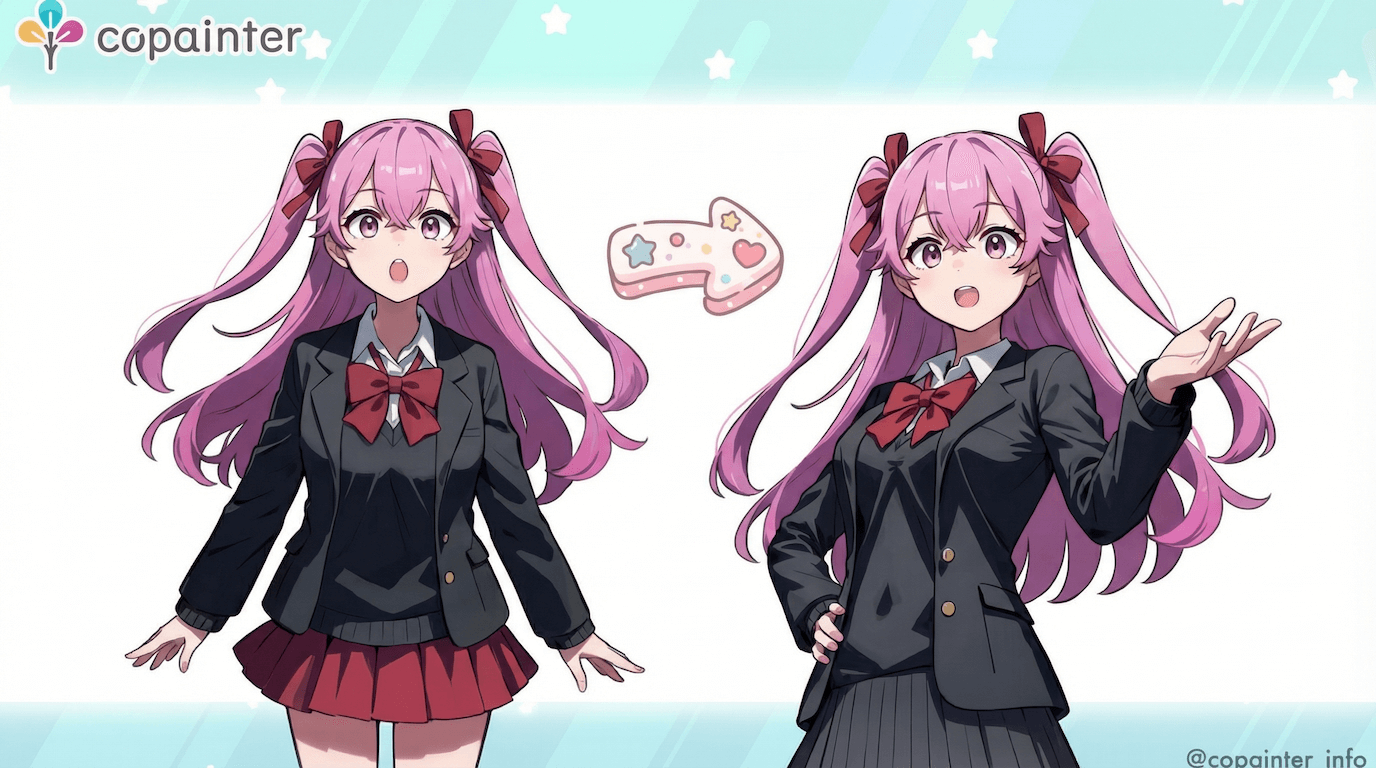
Thank you for always using copainter.
Today, we’re excited to announce the release of a new feature: “Pose Transfer.”
Have you ever wanted to change only the pose of a character?
With this new feature, you can easily adjust a character’s pose without using the training feature, making pose changes quick and accessible.
How to Use “Pose Transfer”
1) Upload a Character Image
Upload an image that clearly shows the character’s design.

2) Upload a Pose Image
Upload an image of the pose you want the character to take, then click “Submit.”
You can use pose images from 3D models, or even your own hand-drawn rough sketches—both work effectively.
We also provide free pose collections for copainter users.
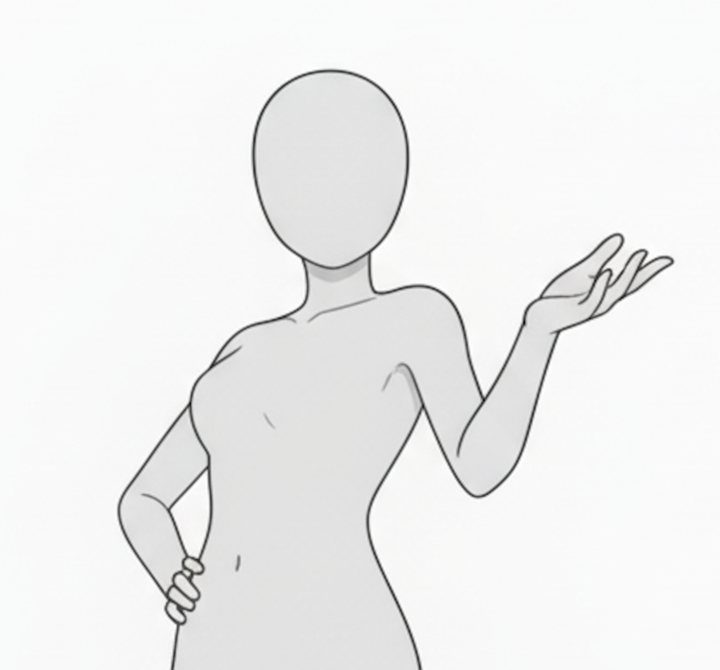
3) Done
Your character illustration with the new pose will be generated!

This feature can be used for everything from creating character pose variations to full manga production.
Pose Transfer Examples
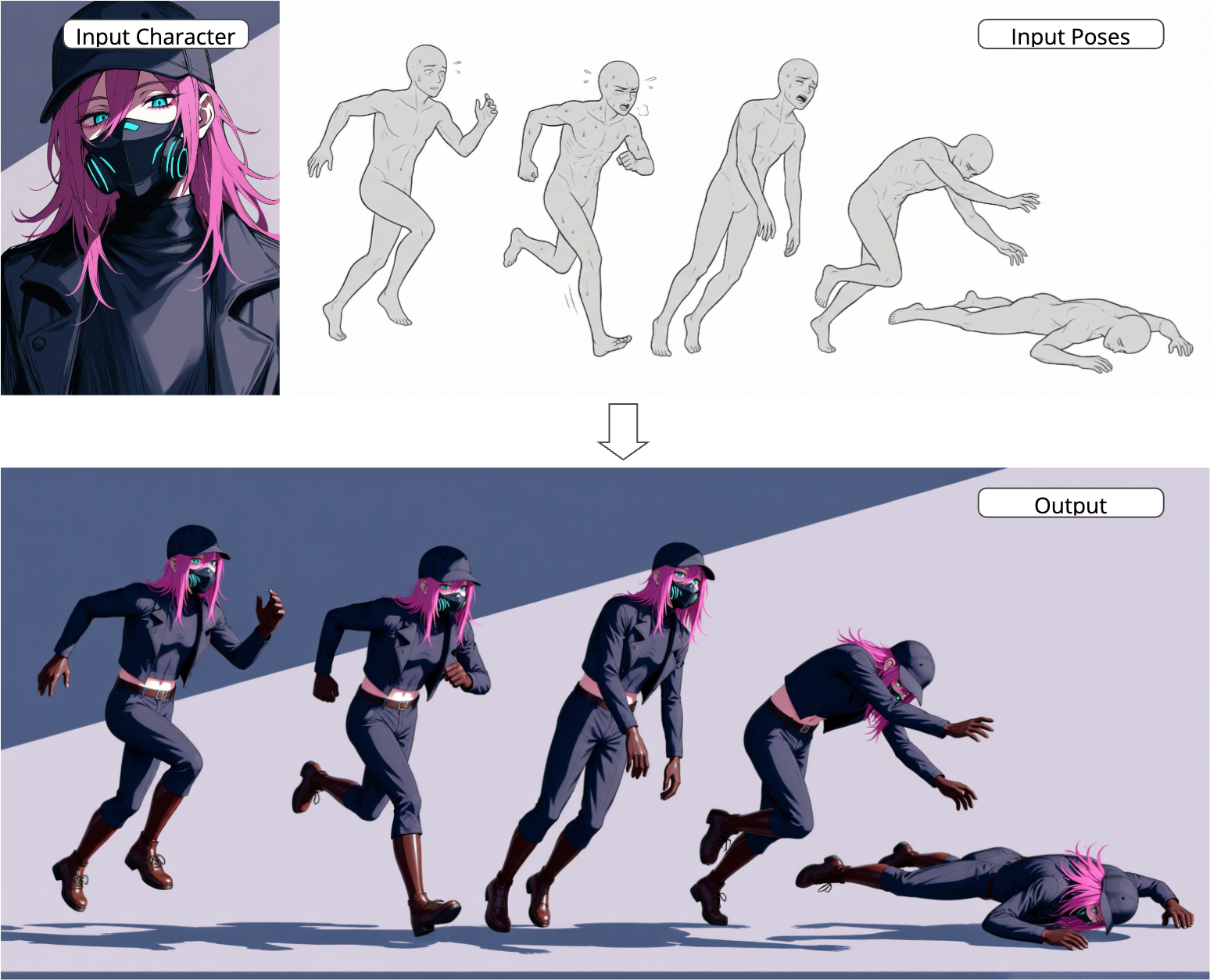
• Running to Falling Motion
Using the input character and multiple pose references, copainter accurately reproduces the motion from running to falling. The character’s key traits—hairstyle, outfit, and colors—are preserved while naturally adapting to each pose.
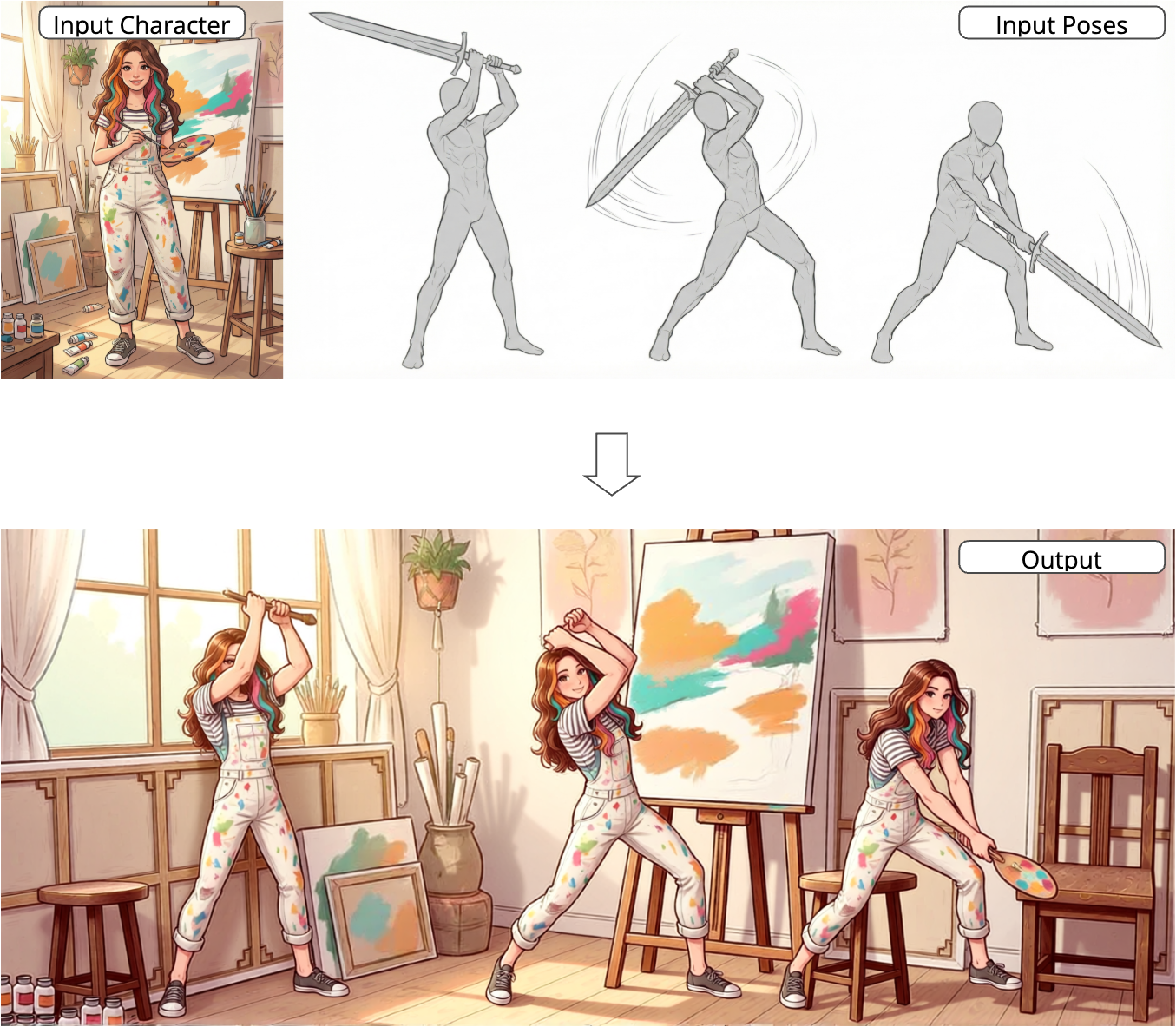
• Sword Swing Motion
By referencing multiple sword-swing poses, the downward attack motion is faithfully recreated with dynamic accuracy.
With the release of Pose Transfer, copainter becomes even more powerful for manga, webtoon, anime, and game production.
We hope you’ll take advantage of this convenient new feature.
![[Free Download] Chibi Character Battle Pose Collection — Free for Copainter Users, Including Commercial Use](/content/images/size/w720/2026/03/header_pose-collection_battle-of-deformation-character-1.png)
![[Free Download] Female Battle Pose Collection — Free for Copainter Users, Including Commercial Use](/content/images/size/w720/2026/03/header_pose-collection_battle-of-woman-1.png)
![[Free Download] Male Battle Pose Collection — Free for Copainter Users, Including Commercial Use](/content/images/size/w720/2026/03/header_pose-collection_battle-of-man-1.png)