
Change the season while keeping the background consistent: streamline background variations with copainter’s AI Assistant.
copainter’s AI Assistant lets creators efficiently generate seasonal background variations while preserving composition and world consistency, reducing production time and costs for manga, anime, games, and Webtoons.
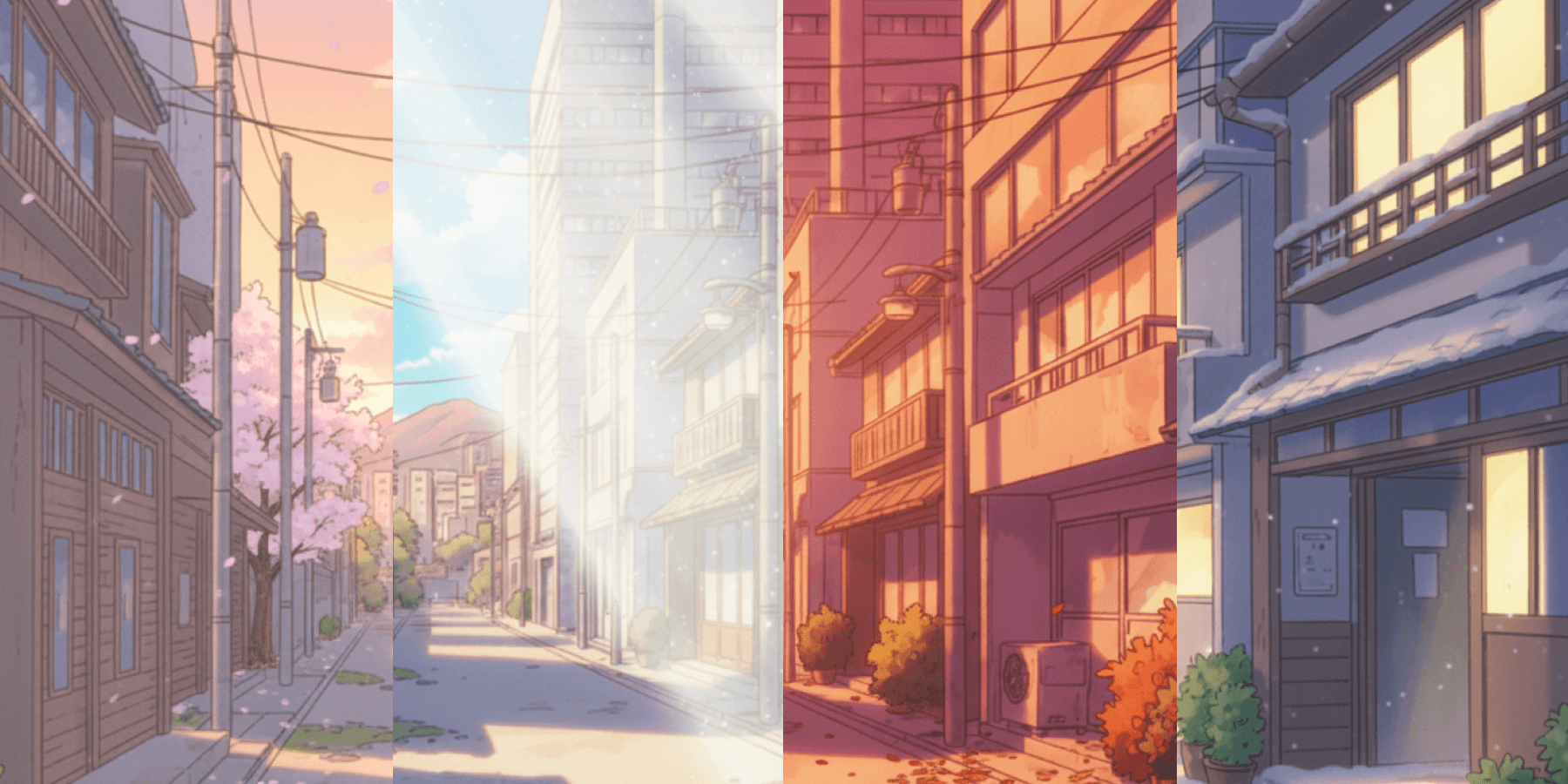
Backgrounds are essential for establishing a strong world and atmosphere in manga, anime, games, and Webtoons—but creating seasonal variations of the same location by hand is time-consuming and costly. copainter’s AI Assistant helps solve this by letting you change only the season (and even time of day) while keeping the composition and structure consistent.
This article explains how to efficiently create seasonal background variations with AI, along with the benefits and practical tips.
What Is copainter’s AI Assistant?
copainter’s AI Assistant is designed to support creators. In addition to character-design tools like turnarounds and facial expression variations, it can also generate seasonal and time-of-day background variations.
Because the AI generates results based on the original illustration while maintaining consistency, you can quickly produce backgrounds such as spring → summer → autumn → winter without breaking the underlying structure of streets, interiors, or landscapes.
Benefits of Changing Seasons with the AI Assistant
1) Dramatically reduces production time
Traditionally, drawing the same background in four seasons required four times the work.
With the AI Assistant, you prepare one base background, then generate seasonal versions in minutes to tens of minutes.
Examples:
- Spring street → summer festival version → autumn foliage → snowy winter version
- Daytime classroom → pre-summer-break mood → cultural festival season → winter exam atmosphere
2) Maintains consistency
Since the AI modifies only seasonal elements, it’s easier to keep a consistent world across:
- Long-running manga and series backgrounds
- Seasonal variations of the same game map
- Vertical scroll Webtoon backgrounds
3) Lowers revision costs
Because the seasonal versions follow the original structure, you can reduce major revisions such as:
- Redrawing buildings
- Reworking interior layouts
- Rebuilding perspective
You can focus edits only on seasonal points like “turn trees red” or “add snow,” greatly lowering overall correction effort.
Seasonal Variation Examples
Seasonal changes commonly used in anime and manga include:
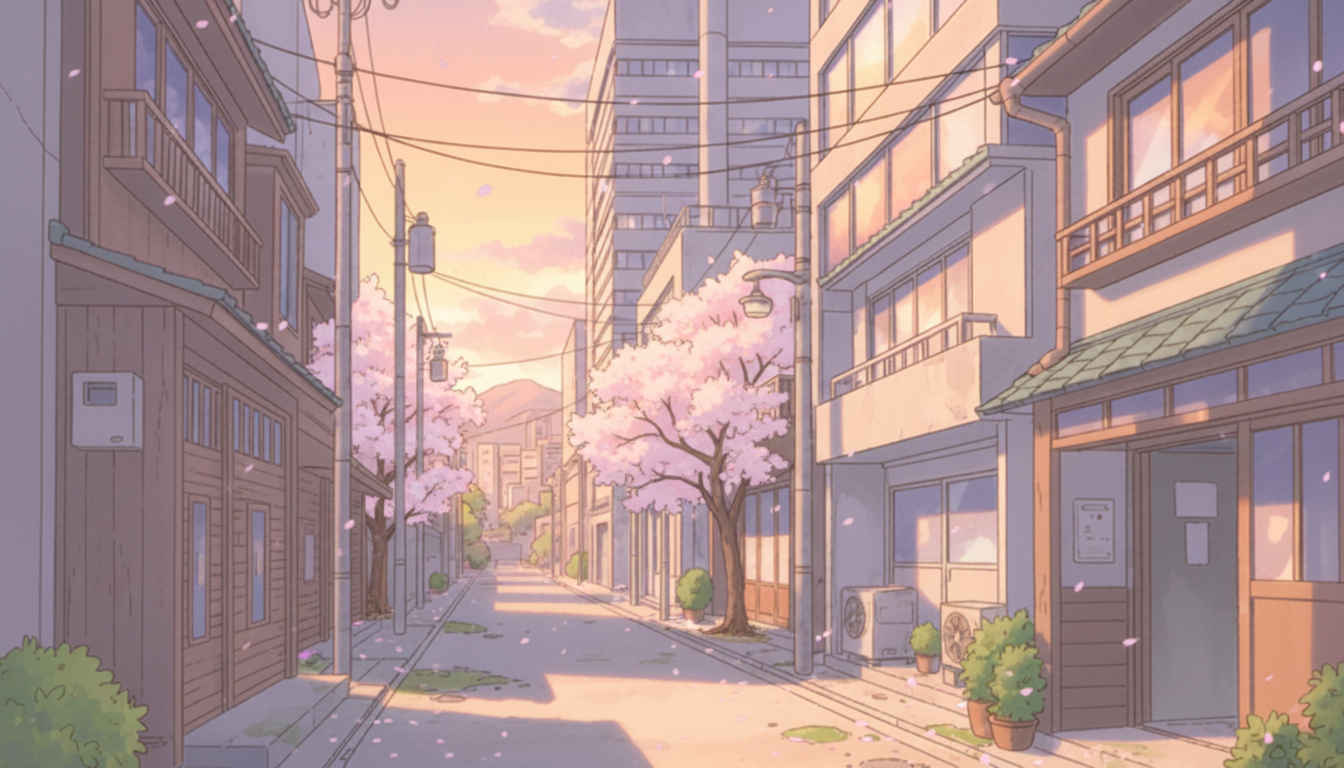
- Spring: cherry blossoms, soft light
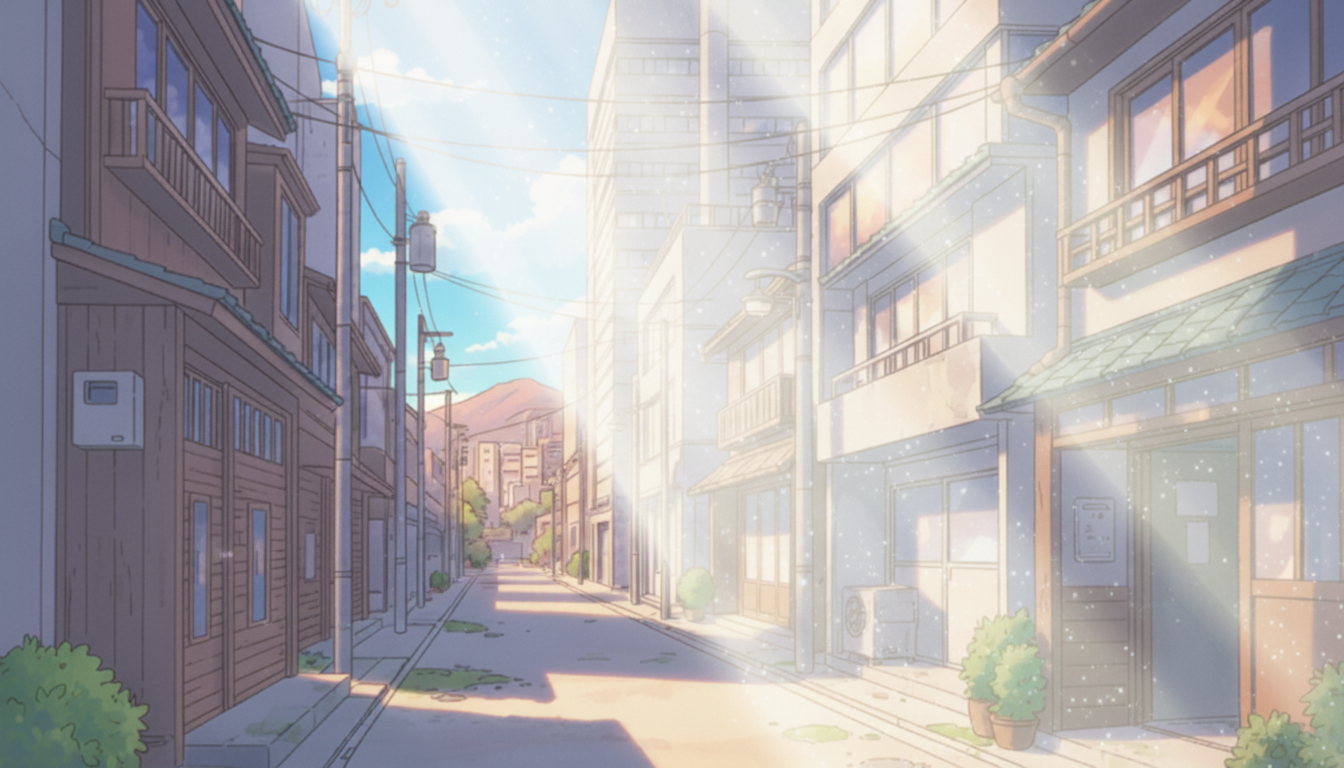
- Summer: lush green trees, strong sunlight
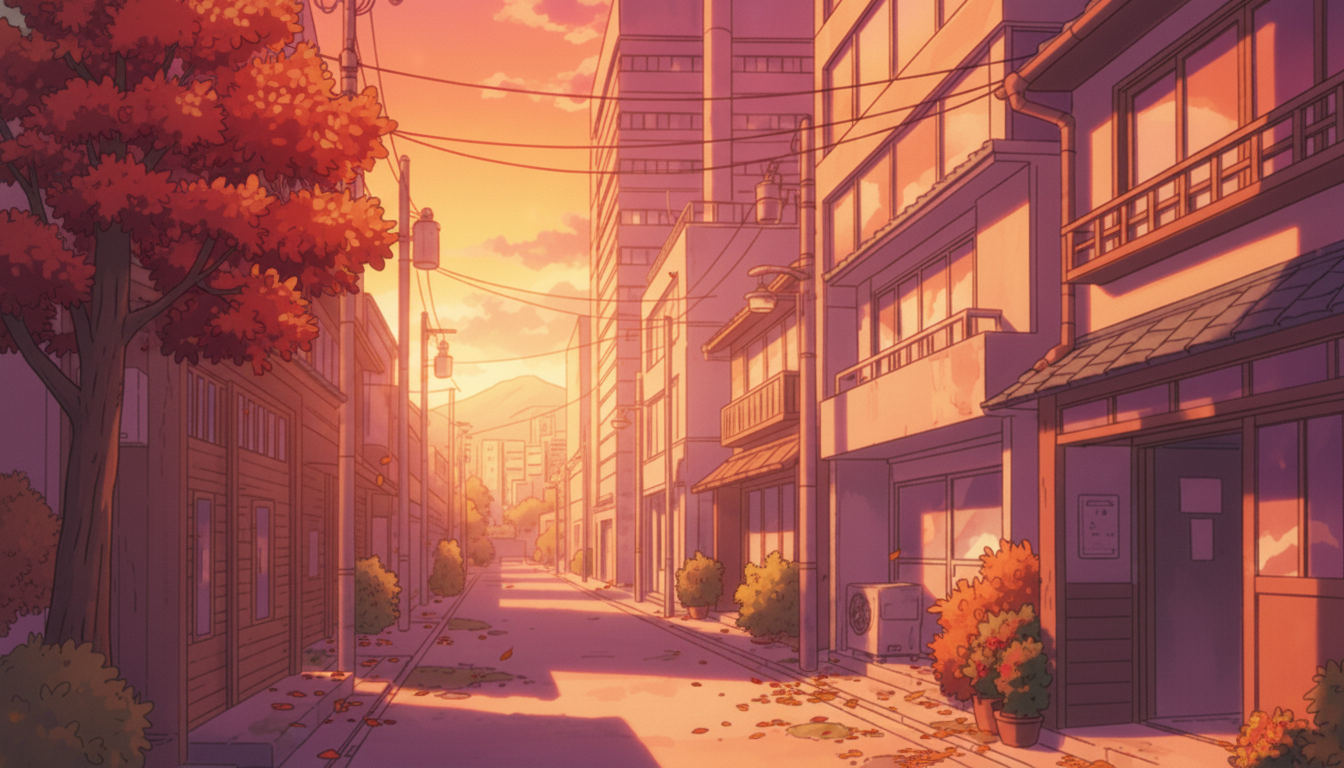
- Autumn: red/yellow leaves, golden sunset
- Winter: snow on roads and rooftops, cold atmosphere
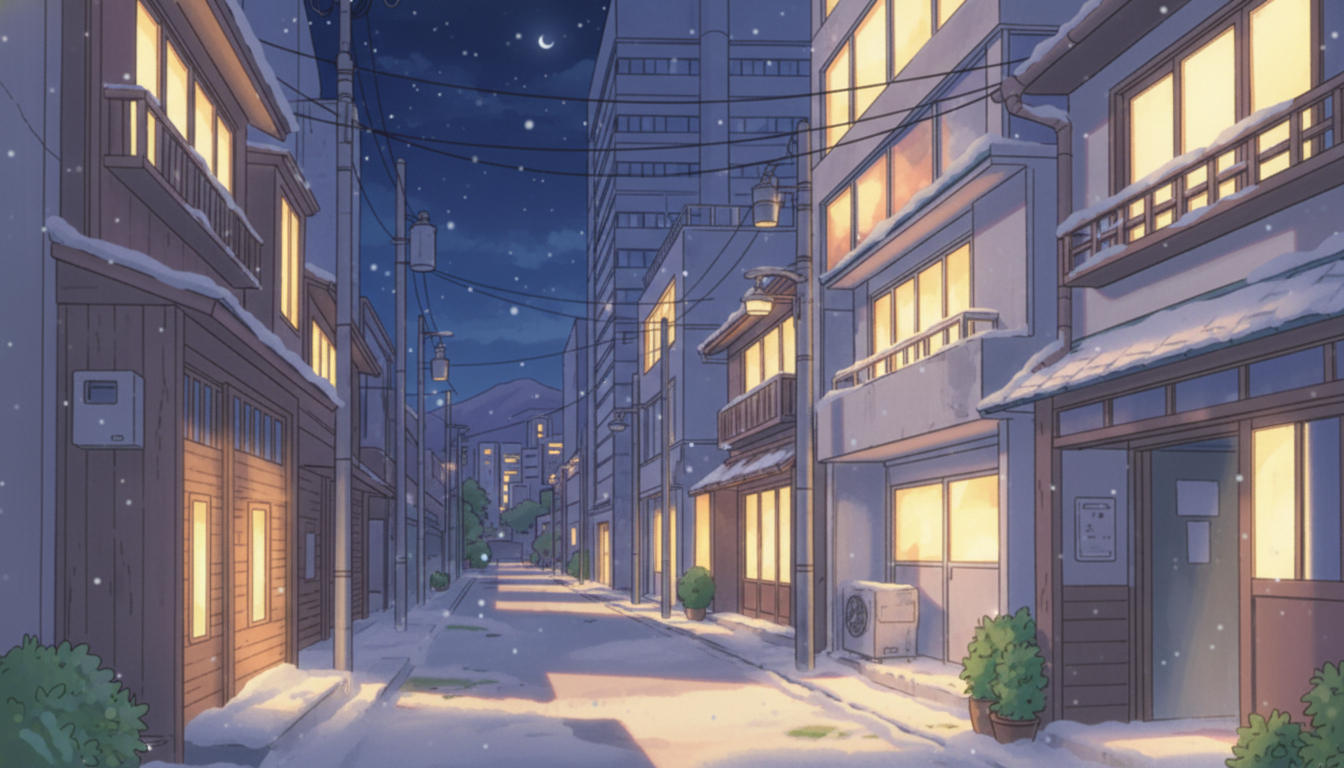
With the AI Assistant, you can simply give instructions like:
- “Make this street look like summer with greener trees and stronger sunlight.”
- “Keep the same composition, but change it to autumn with fall colors.”
- “Turn it into a snowy winter scene with street lights reflecting on the snow.”
Sample prompts
- Spring: “Change the season to spring and the time to morning. Match the coloring. Add cherry blossoms.”
- Summer: “Change the season to summer and the time to daytime. Match the coloring. Add slightly stronger white sunlight.”
- Autumn: “Change the season to autumn and the time to evening. Match the coloring. Add autumn leaves.”
- Winter: “Change the season to winter and the time to night. Match the coloring. Add snow on the ground.”
Step-by-Step: How to Create Seasonal Background Variations
- Prepare the base background illustration
- Upload it to copainter using the AI Assistant
- Select an aspect ratio (e.g., 4:3, 16:9) depending on your project
- Use prompts to specify the season with concrete details
- Generate multiple versions and review consistency, perspective, and seasonal cues
- Fine-tune brightness, color, props, and the amount of snow/leaves as needed
Tips for Better Results
- Be specific about seasonal details
Instead of only “make it winter,” include keywords like:- Summer: lush green trees, strong sunlight, towering clouds
- Autumn: fall leaves, scattered leaves, warm evening light
- Winter: snow, frosty air, cloudy skies
- Add reference images if text prompts aren’t enough
- Iterate with small adjustments (prompt wording, seasonal keywords, reference swaps)
You’ll usually achieve multiple seasonal backgrounds faster than drawing them all from scratch.
Use Cases
- Game development: create event map variants (summer festival, Halloween, Christmas) and rotate lobby backgrounds seasonally
- Manga/Webtoon: visually show time passing and highlight seasonal events (entrance ceremonies, cultural festivals, Christmas)
- Anime production: build seasonal location sets (station, shopping street, classroom) for layouts and direction sharing
- Education/ads/SNS creatives: produce seasonal campaigns with the same composition for consistent branding
Summary
Seasonal background variations greatly strengthen immersion, but they’ve traditionally been expensive to produce by hand. With copainter’s AI Assistant, you can prepare one base background and generate spring/summer/autumn/winter versions quickly—while keeping the composition and world consistent—dramatically improving production efficiency and quality.
![[Free Download] Chibi Character Battle Pose Collection — Free for Copainter Users, Including Commercial Use](/content/images/size/w720/2026/03/header_pose-collection_battle-of-deformation-character-1.png)
![[Free Download] Female Battle Pose Collection — Free for Copainter Users, Including Commercial Use](/content/images/size/w720/2026/03/header_pose-collection_battle-of-woman-1.png)
![[Free Download] Male Battle Pose Collection — Free for Copainter Users, Including Commercial Use](/content/images/size/w720/2026/03/header_pose-collection_battle-of-man-1.png)