
[Free Download] Pose Pack: Women Playing Guitar — copainter users can use it free of charge, including for commercial use.
A free pose reference set of female characters playing guitar, ideal for illustrations, manga, anime, games, and Webtoons. Available to copainter users for commercial use, with editing and tracing allowed.
![[Free Download] Pose Pack: Women Playing Guitar — copainter users can use it free of charge, including for commercial use.](/content/images/size/w1200/2026/01/header_pose-collection_playing-guitar.png)
We’re releasing a free set of base body templates featuring female background characters playing the guitar, designed to be easy to use for creating illustrations, manga, anime, games, and Webtoons.
Please use these assets when generating illustrations with pose prompts in copainter (Copainter), or when sketching/roughing out character illustrations. Tracing and edits/additions are also OK.
The license for the images downloadable from this page is listed further down in the body text.
File Overview
- Format: PNG (white background)
- Resolution: 1024 × 1024 px (square)
- How to download: Please download and save the attached images in the body of this article as they are, and use them directly.
Guitar-Playing Pose Collection (Download Available)
Front wide-stance guitar pose | A basic composition that emphasizes live performance energy
A standard pose of strumming the guitar with feet apart. Great for conveying stability and stage presence.
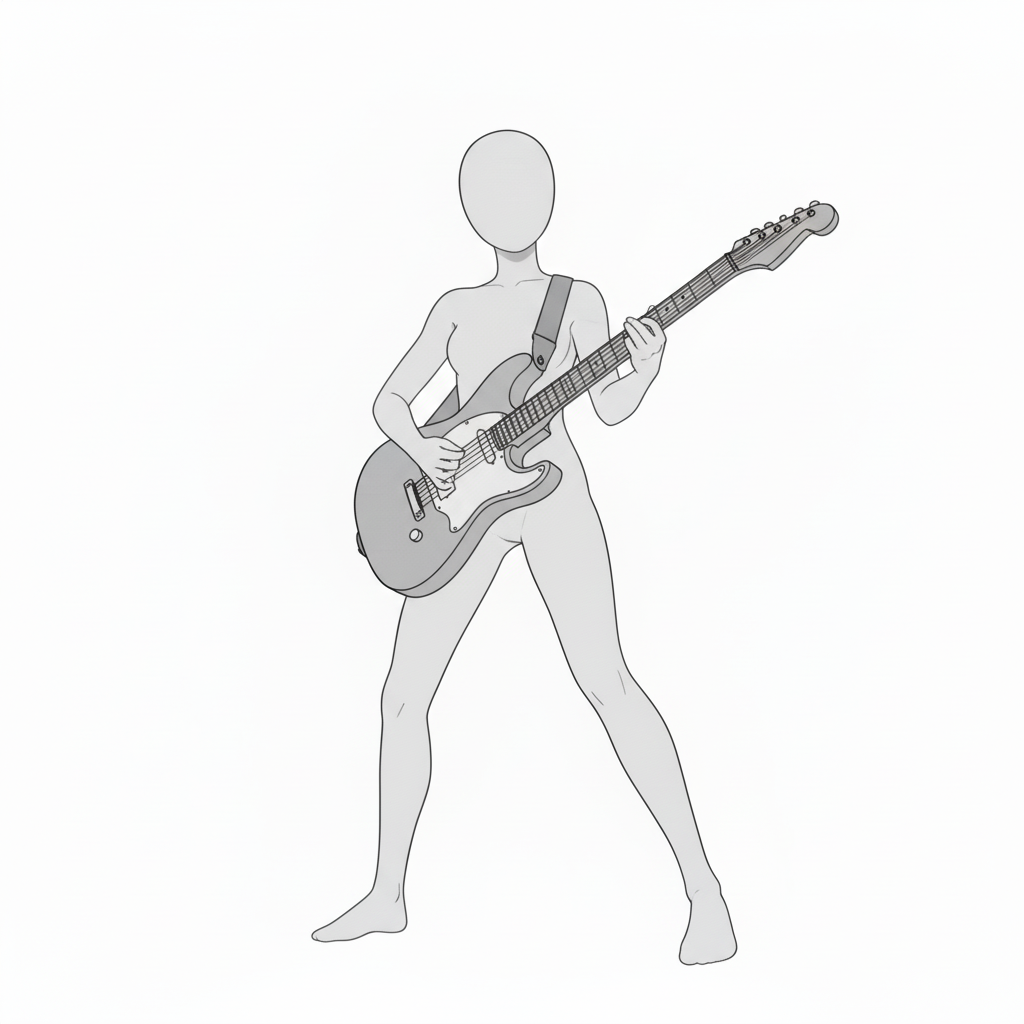
Lead-playing pose from a front diagonal angle | Shows both picking and fingering clearly
A standing pose at a diagonal angle where hand positions are easy to read. Ideal for adding depth and dimension.
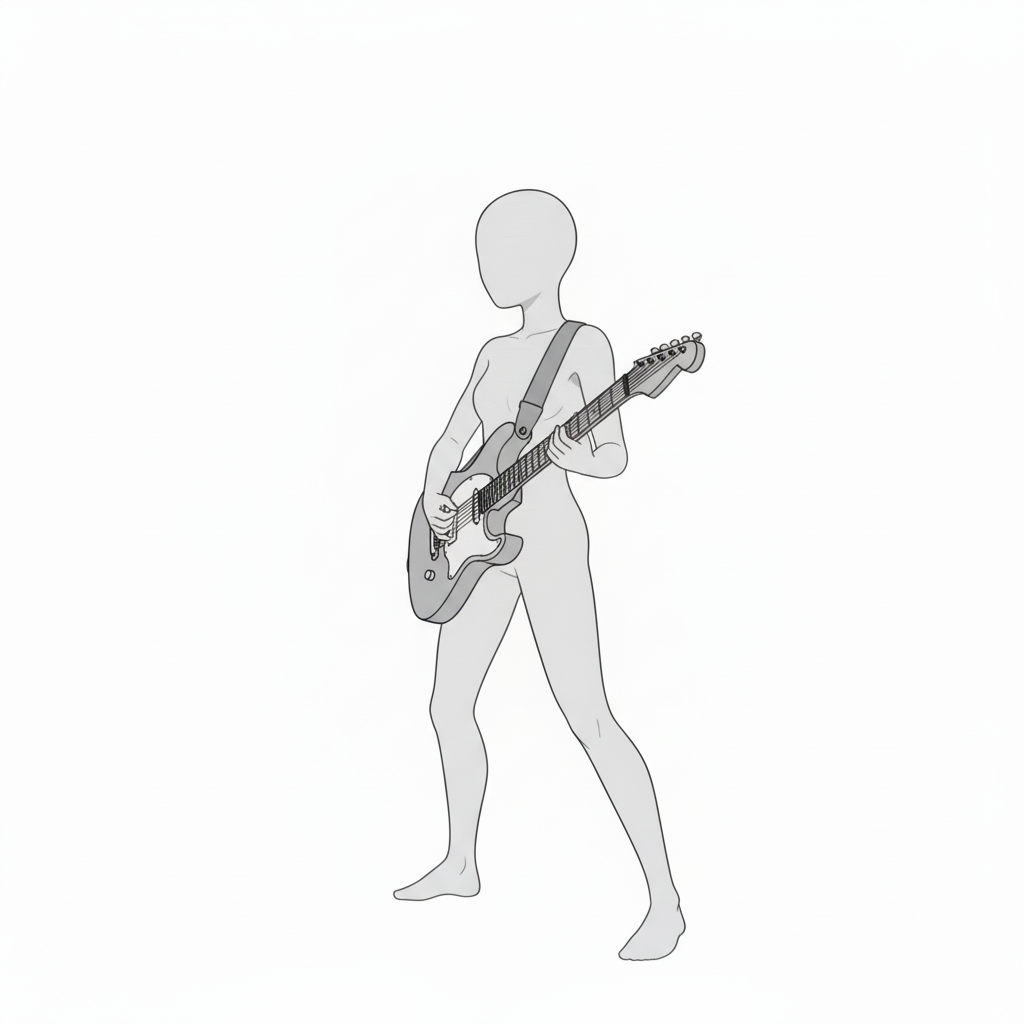
Side-view pose highlighting neck work | Useful for checking arm angles
A composition that clearly shows the relationship between the guitar and hand positions from the side. Great when drawing the profile view together.
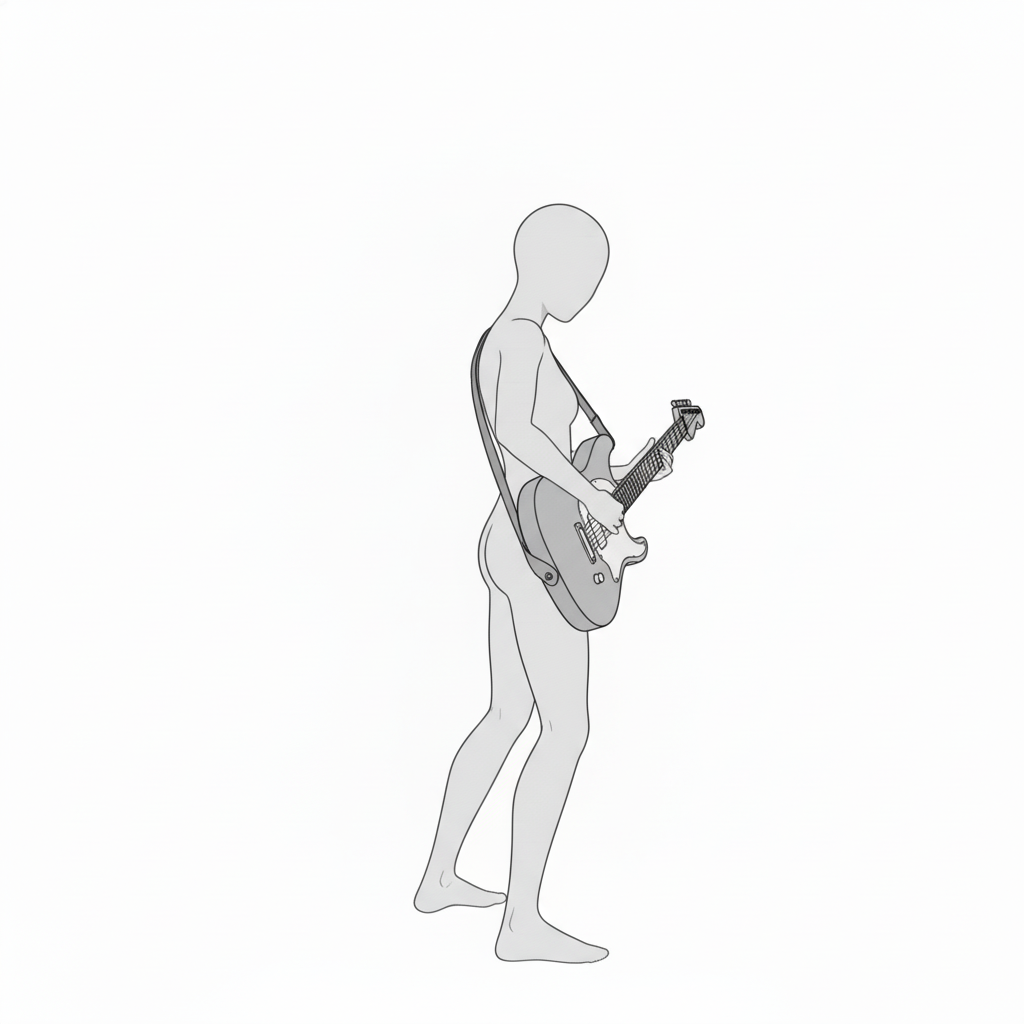
Overhead rock strumming pose | Recommended for a dynamic stage feel
A wide-stance pose seen from above, emphasizing the picking position. Suitable for impactful, energetic scenes.
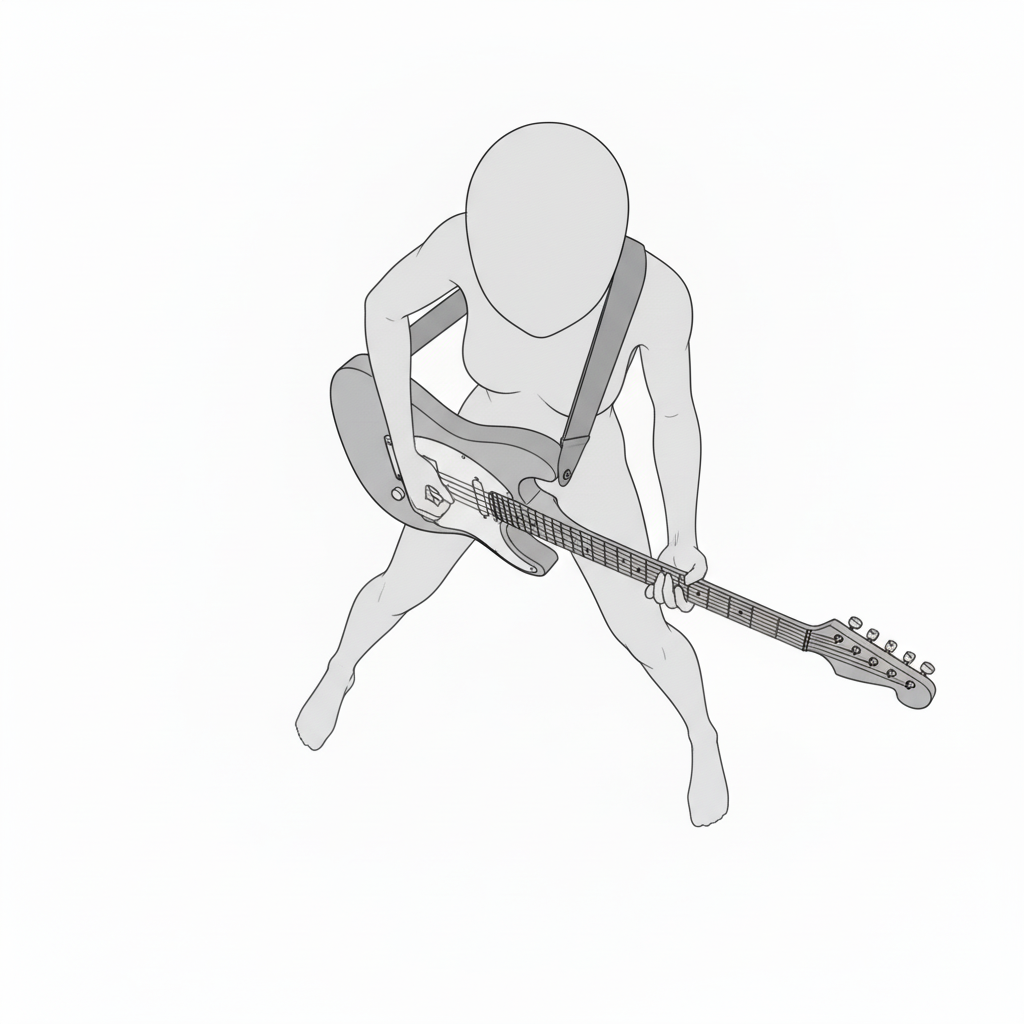
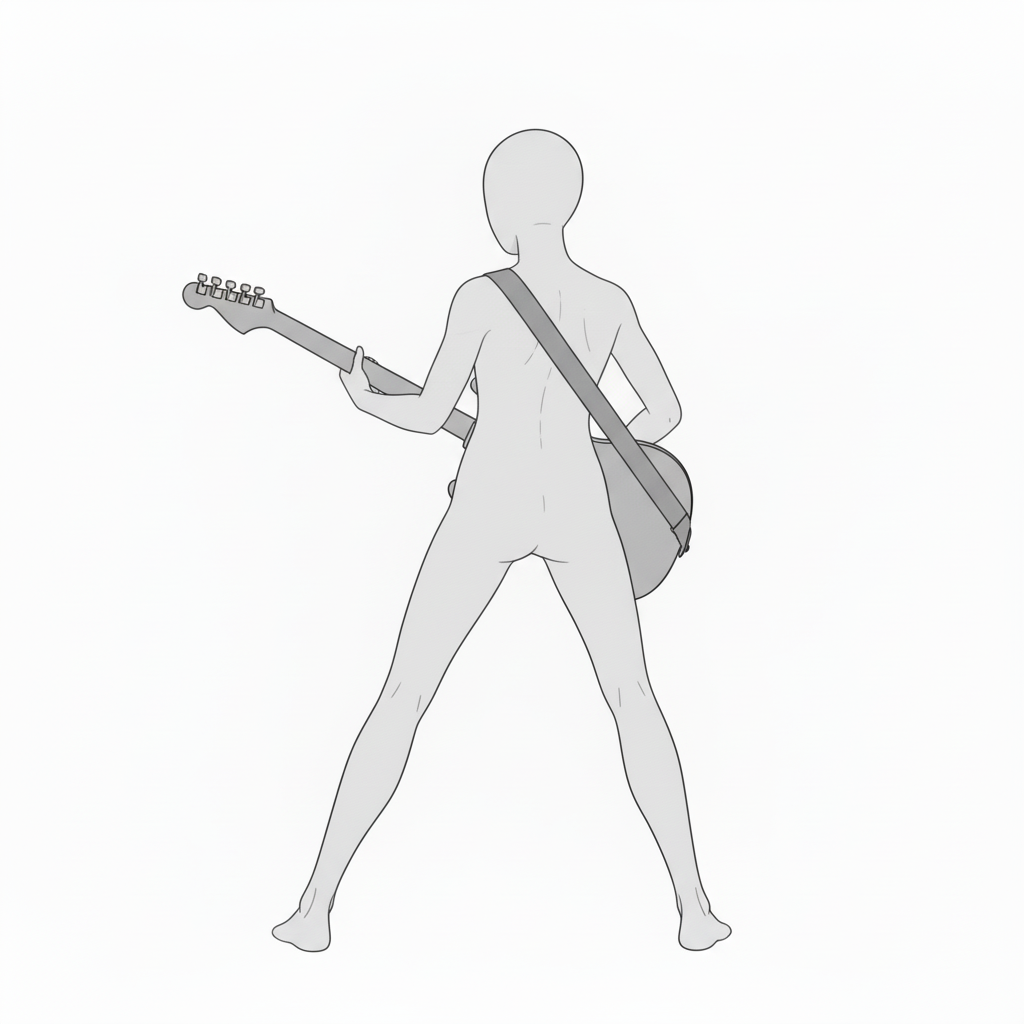
Back-view staging pose | Helps understand strap placement
A full-body pose from behind. Useful reference for live performance staging.
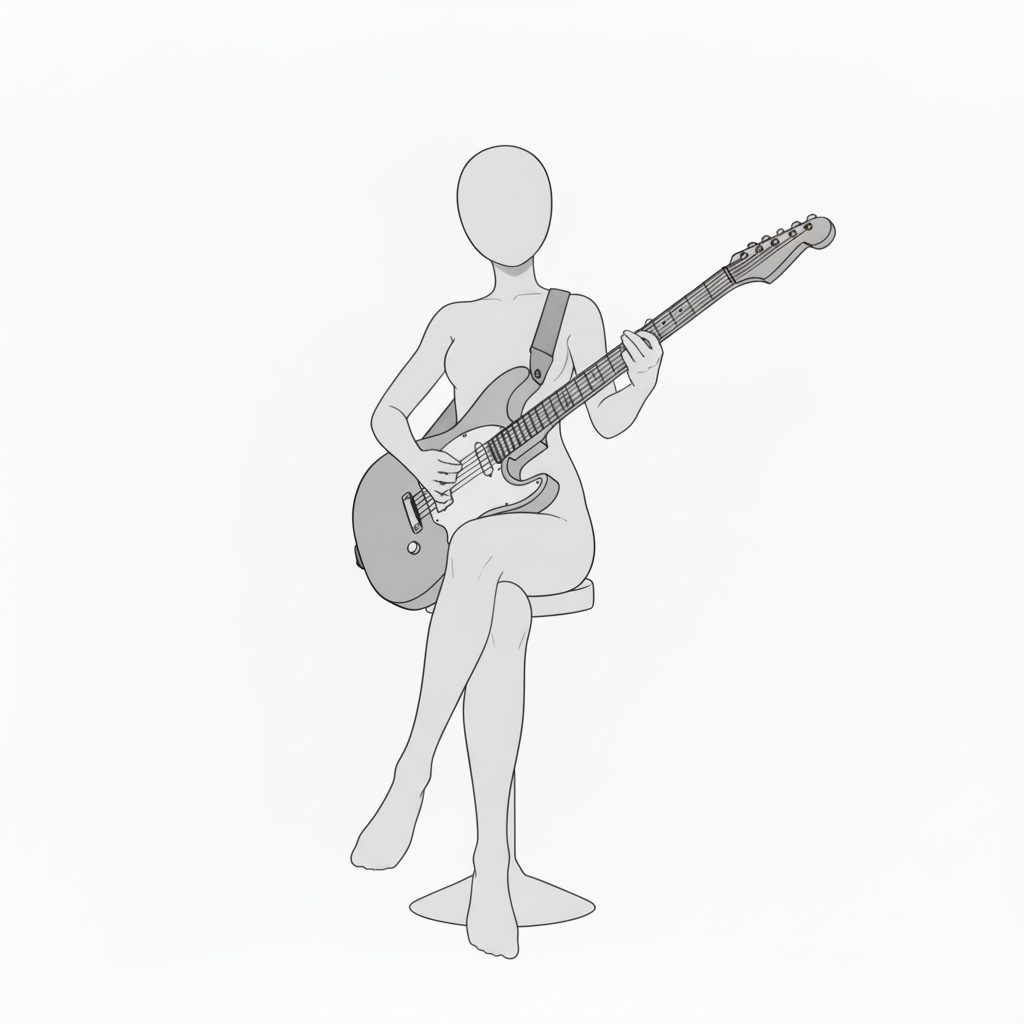
Front seated pose | Ideal for calm performance scenes
A composition of playing while sitting with legs crossed. Helps you depict a stable playing form.
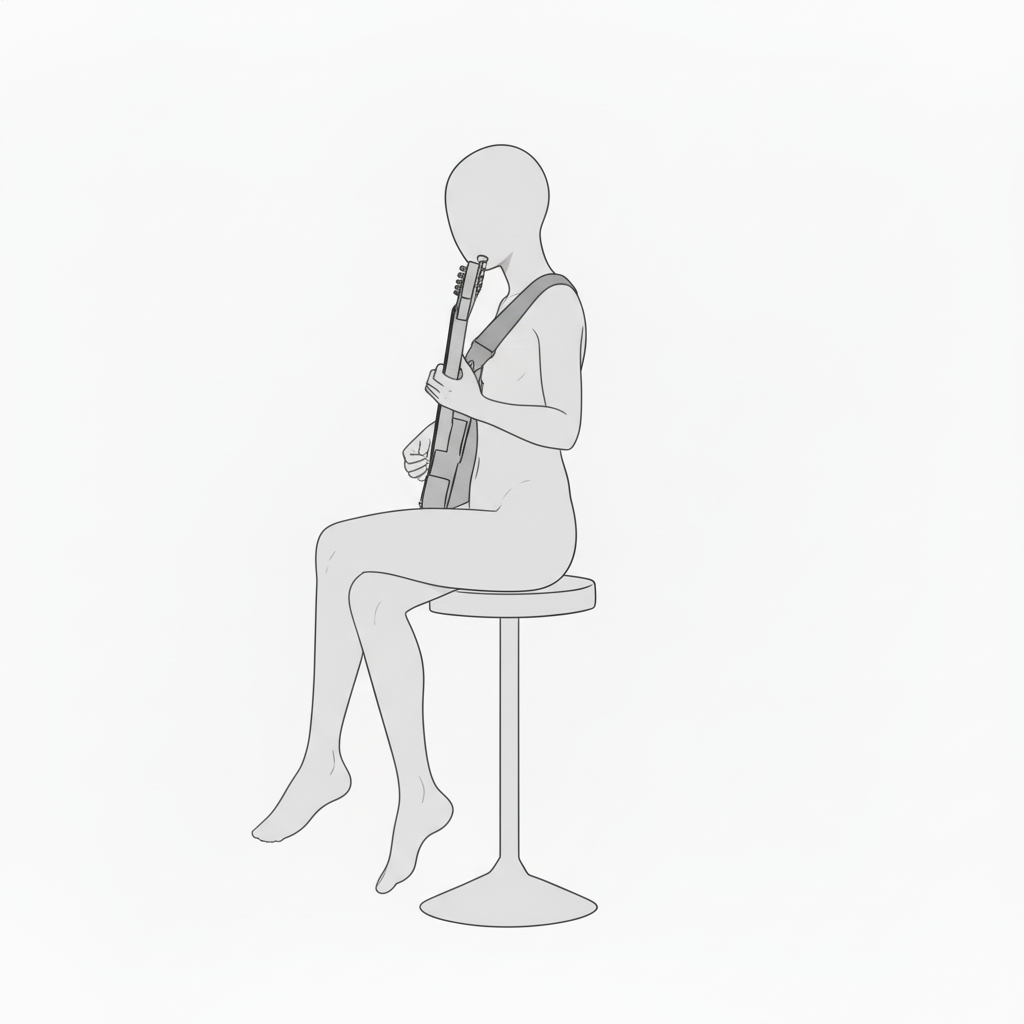
Side-view seated classical-style form | Natural posture with the neck angled upward
A seated side view where left-hand fretting and right-hand position are easy to see. Perfect for practice scenes.
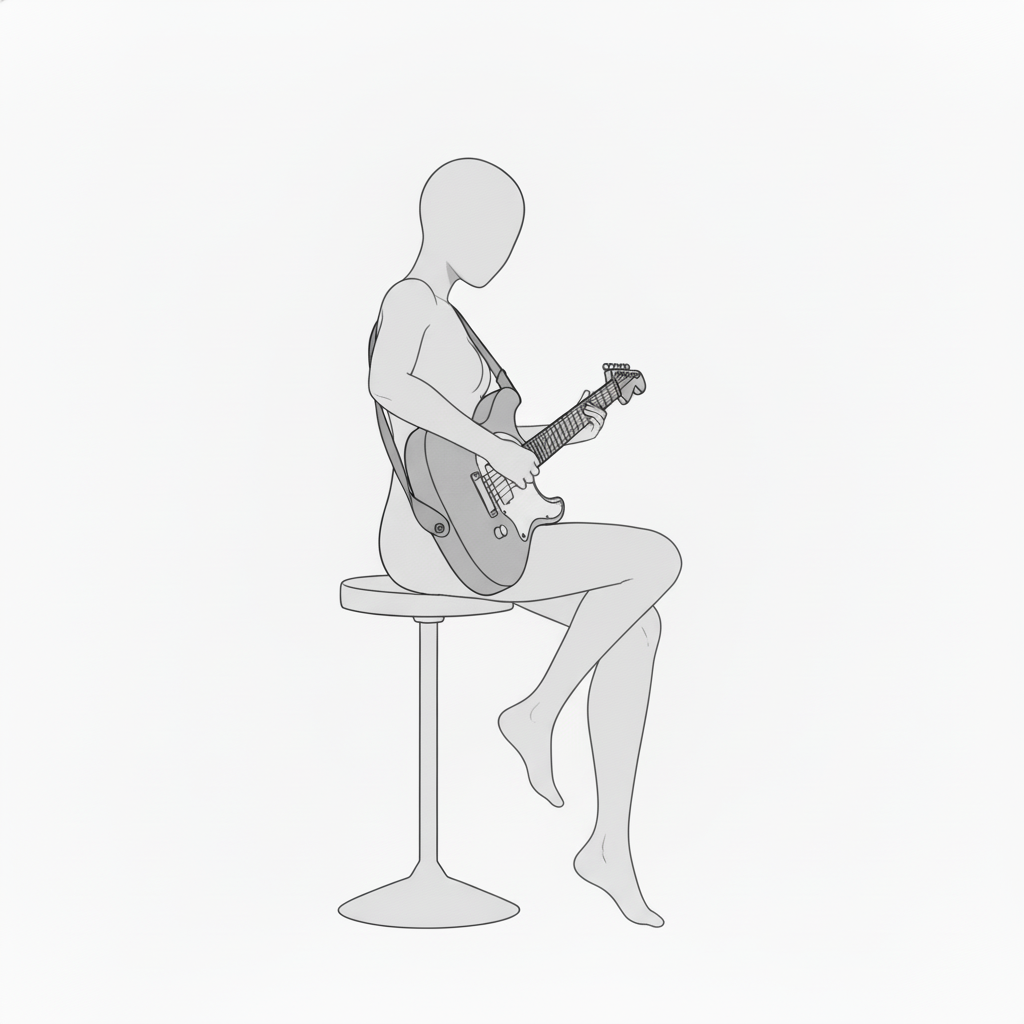
Seated backing pose from a rear diagonal angle | Captures the right-hand strumming path
A rear diagonal view that helps you check the form. Useful for depicting rhythm guitar.
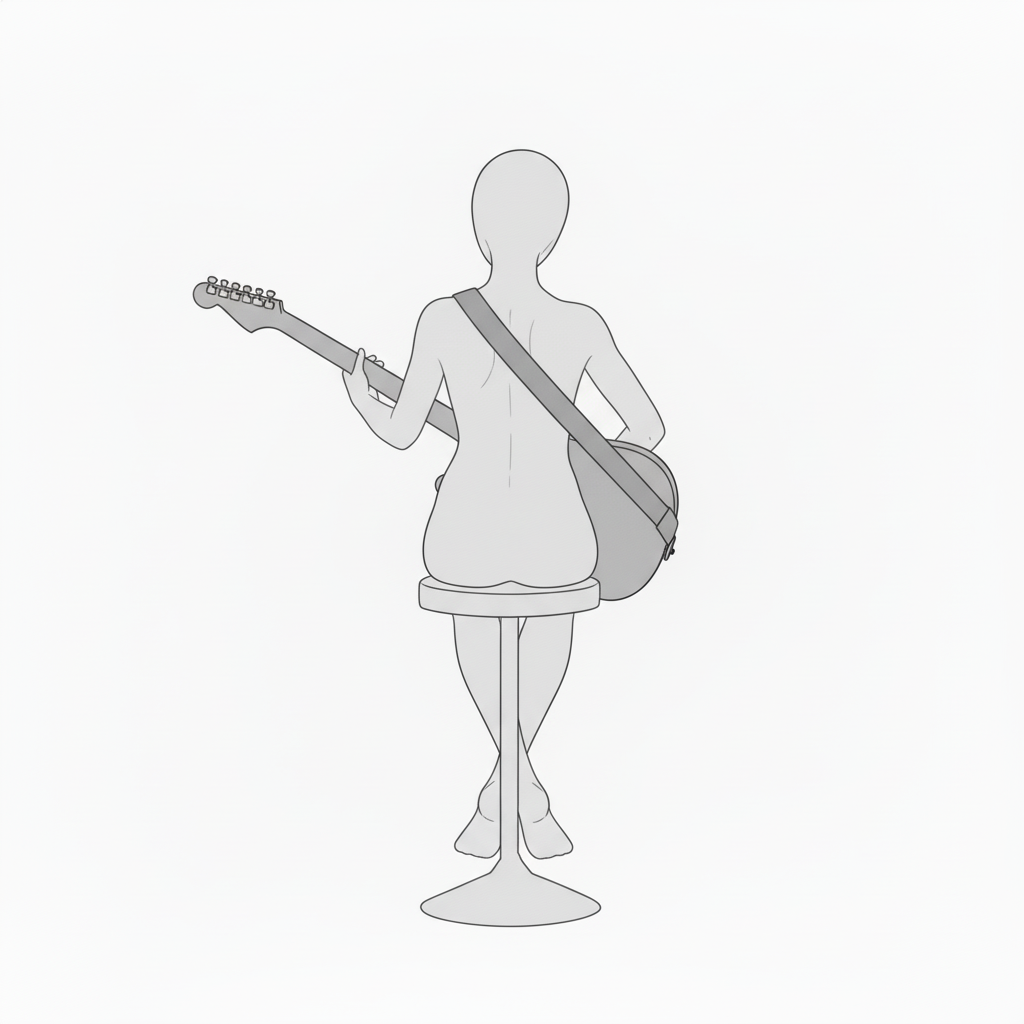
Back-view seated form check | Check strap length and upper-body lines
A seated pose viewed from behind. Great for references on stability and posture adjustment.
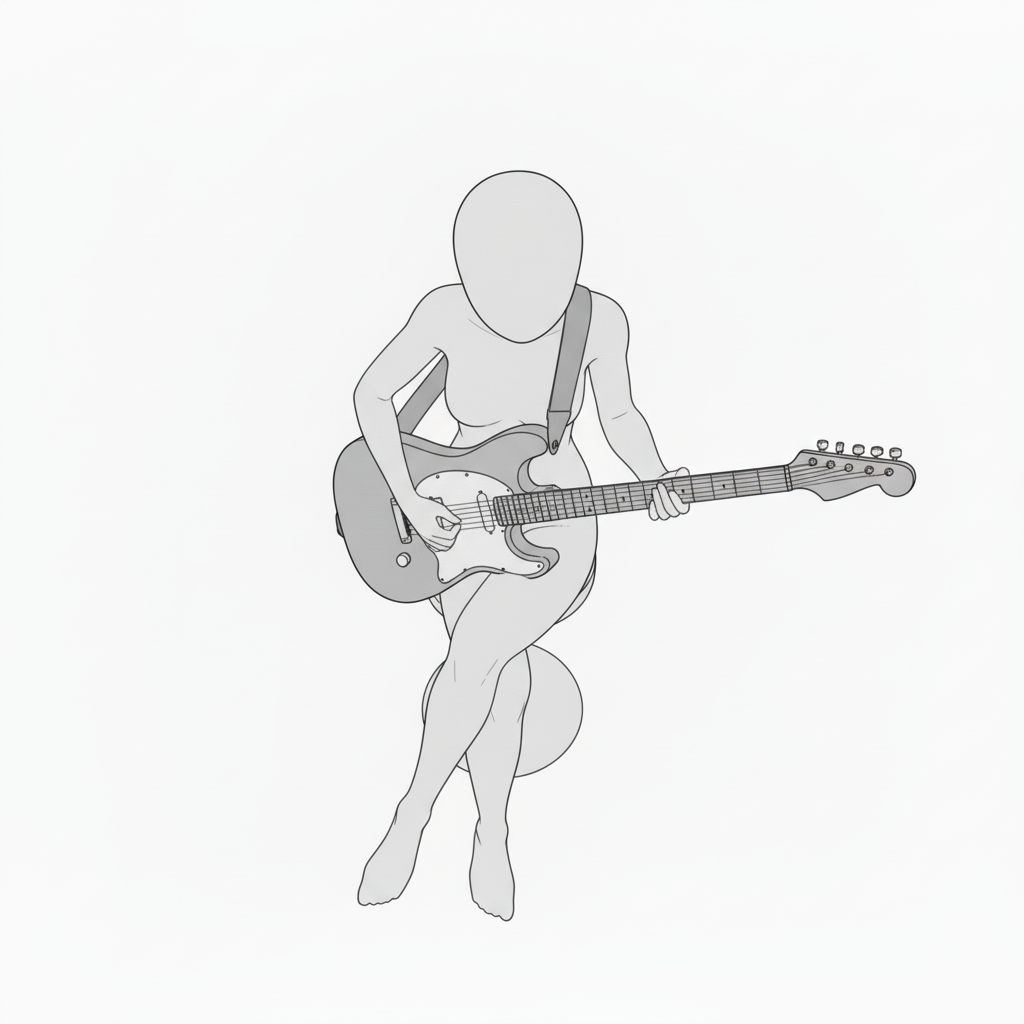
Overhead seated attack pose | Emphasizes forward lean and picking position
An overhead view that highlights crossed legs and the right-hand attack. Suitable for lively, dynamic expression.
How to Use in copainter
Quickly create pose variations with the AI Assistant
Import these as reference images to quickly generate pose variations such as angle changes, limb position adjustments, and left/right mirroring. Since this is pose-based, you can also use these images when specifying poses for male characters.
Maintain consistency with the Training feature (Enterprise plan only)
With trained models, specifying poses can be highly accurate. Pose precision that may be difficult to achieve with the AI Assistant alone can work effectively with trained models. Using an image-to-image AI workflow often yields better results.
Use as a base for Line Art AI to improve efficiency
Use these assets as rough layout guides before applying Line Art AI to speed up illustration production. You can refine the base in Photoshop or CLIP STUDIO PAINT, then run Line Art AI—making it useful even for difficult compositions.
Terms of Use (License)
- Eligible users: Users with an active copainter subscription
- Scope of use: Only for use within copainter; commercial use allowed and free of charge
- Modifications: Allowed (cropping / retouching / color changes / vectorization, etc.)
- Credit: Not required
- Prohibited: Redistributing or selling the asset files / claiming authorship / commercial use outside copainter
FAQ
Q. Can I use copainter for free?
A. Yes. There is a Free Plan where you can receive tickets with no monthly fee. If you want more usage, please use a higher-tier plan. See the plans here.
Q. Can I use these outside copainter?
A. If you are a copainter subscriber and use them within copainter, commercial use is allowed and they are free to use. Using external services for edits/retouching is fine as long as the purpose is to use them in copainter.
Q. Is it okay to use them in commercial works?
A. Yes, as long as you are producing the work using copainter, commercial use is allowed. You do not need to create the entire work solely with copainter. Note that redistribution or selling of the assets themselves is not permitted.
Q. Are there other free pose collections?
A. Yes. Please refer to the following:https://blog.copainter.ai/tag/assets-en/
Q. Are higher-resolution images available?
A. You can upscale images up to 4× in both width and height using the High-Resolution AI inside copainter. Please make use of it.
If you haven’t used copainter yet, this is a great opportunity—please sign up for copainter using the link below!
You can find copainter Learn, our media hub packed with tips and best practices for using copainter effectively, at the link below.
![[Free Download] Chibi Character Battle Pose Collection — Free for Copainter Users, Including Commercial Use](/content/images/size/w720/2026/03/header_pose-collection_battle-of-deformation-character-1.png)
![[Free Download] Female Battle Pose Collection — Free for Copainter Users, Including Commercial Use](/content/images/size/w720/2026/03/header_pose-collection_battle-of-woman-1.png)
![[Free Download] Male Battle Pose Collection — Free for Copainter Users, Including Commercial Use](/content/images/size/w720/2026/03/header_pose-collection_battle-of-man-1.png)