
What Makes copainter’s Image Generation Helpful for Illustration Creation? Tips and How to Use It!
copainter lets you generate illustrations from natural Japanese text—no complex prompts—ideal for references, character ideas, and backgrounds, with editable prompt history and safe commercial use.
copainter comes with an image generation feature designed to make illustration creation easier and more enjoyable. Its biggest appeal is that you can generate illustrations using natural Japanese sentences—without having to write complex prompts. It’s useful for creating background art and brainstorming character design ideas.
In this article, we’ll review the key ways copainter’s image generation helps, how to use it, and real-world examples of how creators can take advantage of it.
Try copainter, the AI illustration creation assistant (Copainter)
Let’s Try copainter’s Image Generation
copainter is an AI tool that supports everyone who enjoys creating illustrations. It includes helpful features like inking from rough sketches and automatic coloring—but did you know it became even more convenient after the image generation feature was released?
In the next section, we’ll explain how copainter’s image generation differs from other generative AI tools.
What Makes copainter’s Image Generation Different?
Key features of copainter’s image generation include:
- No complex prompts needed—just write in natural Japanese
- You can edit the AI-expanded detailed prompt
- Uploaded and generated images are not used for AI training
- Built for peace of mind: commercial use is allowed
Let’s take a closer look at each one.
No Complex Prompts Needed—Just Write in Natural Japanese
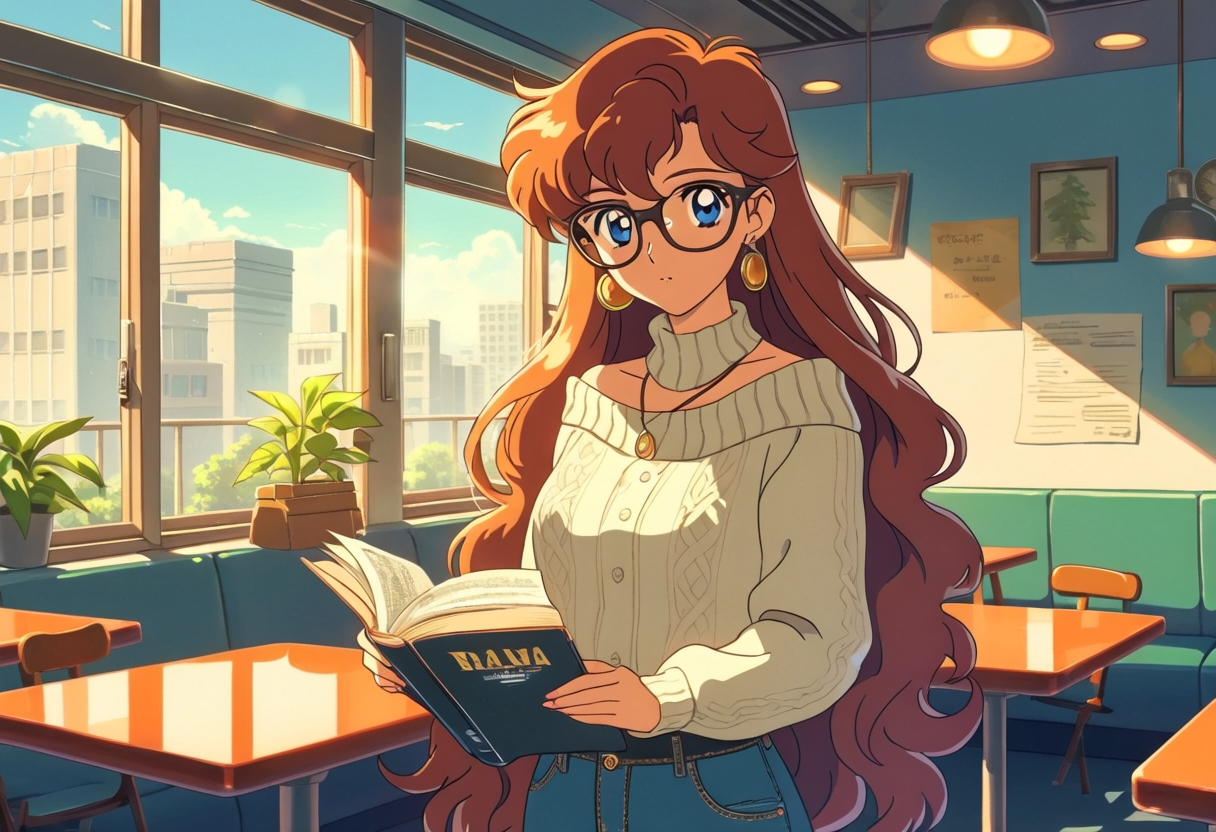
With copainter, you don’t have to craft complicated English prompts. You can simply describe what you want in natural Japanese, and it will generate an illustration from your description.
For example, just typing:
“A woman reading a book in a stylish café, 90s style”
can produce an illustration like the one shown above.
Because it doesn’t require specialized prompt knowledge, it’s especially helpful when you want to “turn a vague image in your head into an illustration.”
You Can Edit the AI-Expanded Detailed Prompt
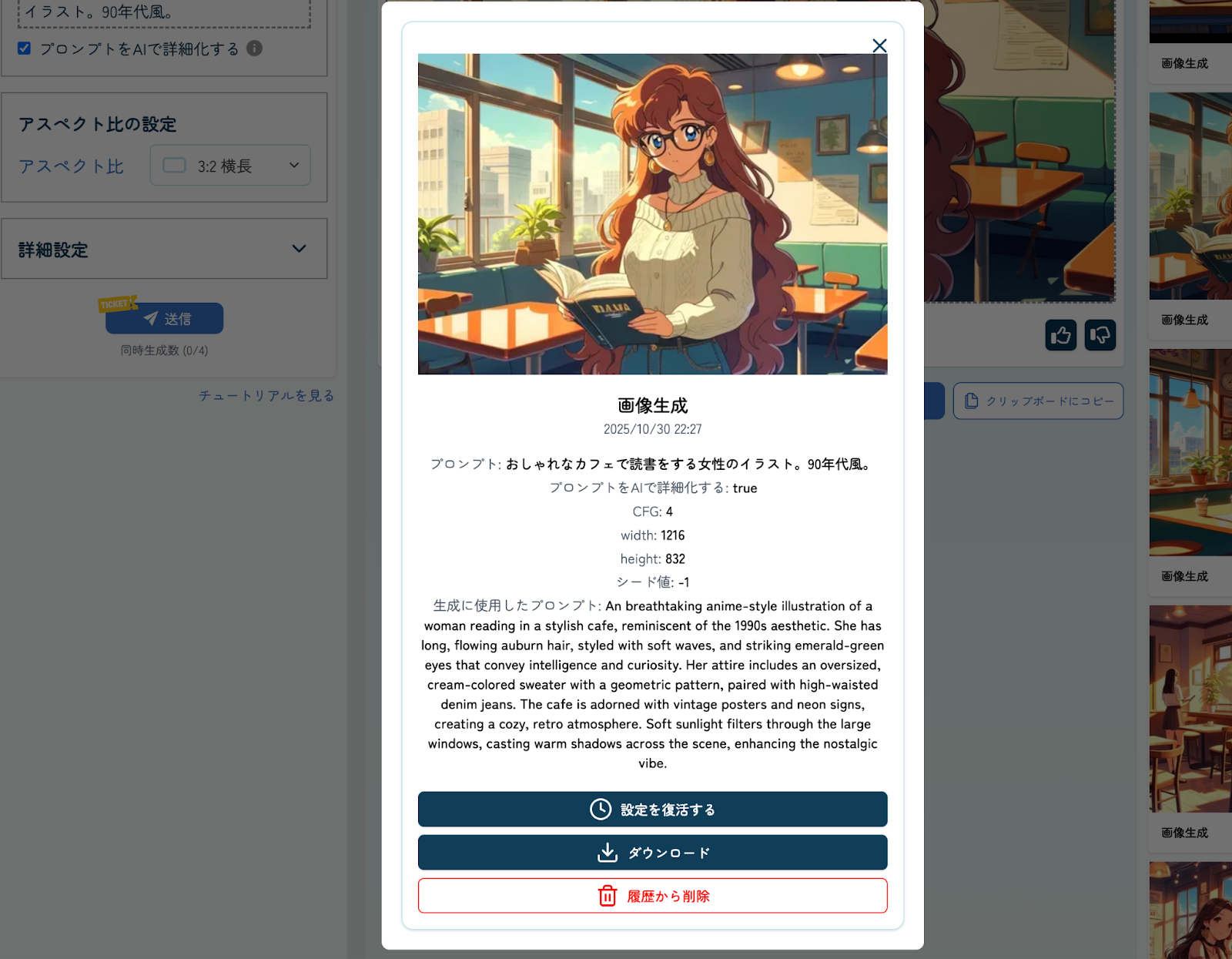
When you enter a Japanese prompt, you can check the option for “Have AI expand the prompt.” This lets you view the detailed English prompt generated by the AI.
The expanded prompt is saved in your history, so if you want something like “draw a different character in the same world as the illustration I generated before,” you can reuse the previous prompt and edit only the parts you need—then regenerate.
This is a major advantage: you can efficiently get results that match your intent without starting from scratch every time.
Uploaded and Generated Images Are Not Used for AI Training
Some free image-generation services state in their terms that user-uploaded images may be used for AI training. For many creators, that feels like giving up rights to their own artwork.
With copainter, uploaded images and generated images are not used for AI training, and they are automatically deleted after roughly one week. (This retention period is used to support user inquiries.)
Because it’s designed to protect your original artwork and ideas, you can use it with confidence.
Built for Peace of Mind: Commercial Use Is Allowed
copainter clearly states that commercial use is permitted, so you can safely use generated illustrations for professional work. In fact, it’s already used by 100+ game and animation production companies, with a proven track record in commercial settings.
The image generation feature is especially useful for tasks like creating backgrounds for games and Webtoons, and brainstorming character design ideas.
Since some tools restrict commercial use, copainter’s business-friendly policy is a big advantage for companies as well.
(For details on how to tell whether an AI tool allows commercial use, see the related article below.)
“Can Generative AI Be Used Commercially? How to Tell, Risks, and Why copainter Is Safe”
How to Use copainter’s Image Generation in 4 Steps
copainter’s UI is designed to be intuitive—no complicated steps required.
- Enter your prompt
- Set image size and other options
- Generate the image
- Download the image
1. Enter Your Prompt
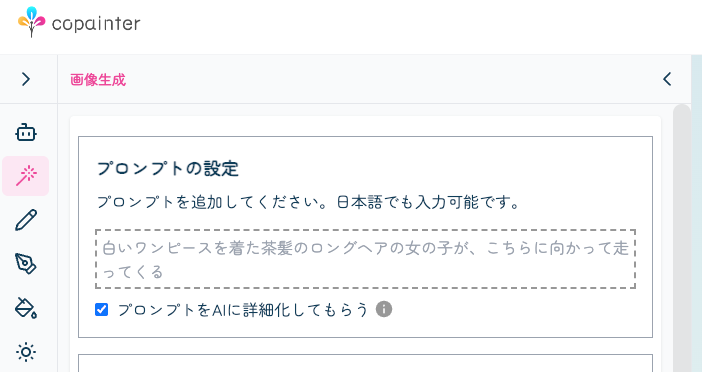
Type what you want to generate in natural Japanese. As mentioned above, enabling “Have AI expand the prompt” makes later fine-tuning easier.
2. Set Image Size and Other Options
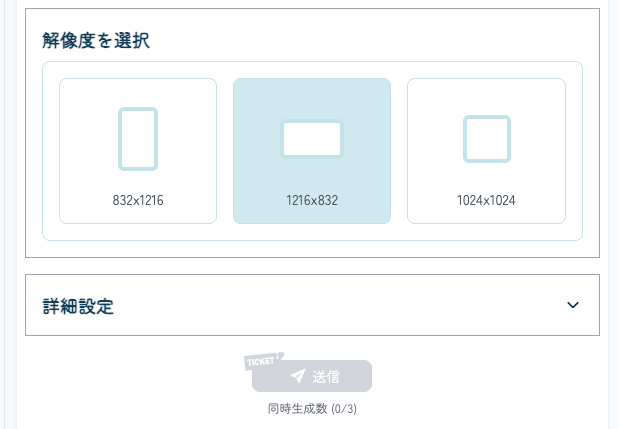
Choose the image size and aspect ratio based on your intended use.
There is an “Advanced Settings” section, but you usually don’t need to adjust it—copainter’s strength is that it can generate high-quality images from Japanese prompts alone.
3. Generate the Image
Click the “Send” button. The AI will complete the illustration in a few minutes, consuming one ticket.
Generated images appear in the “History” panel on the right. From there, you can review the expanded prompt or restore previous settings.
4. Download the Image
If you like the result, you can download it as a PNG. You can also send feedback using the “Like” button located just above the download button.
Try copainter, the AI illustration creation assistant (Copainter)
Use Cases for copainter’s Image Generation
copainter’s image generation is useful in many situations beyond simply “drawing an image.”
From preparing reference materials to brainstorming character designs and generating backgrounds, it supports both professionals and hobbyists. Because you can generate images easily with natural Japanese input, it’s a powerful tool when you want to work efficiently.
Below are some examples.
Create Reference Material for Illustration
If you’ve ever thought:
- “I know the world setting, but I can’t picture the small details…”
- “I want a reference of a girl in a yellow dress running, viewed from an upper angle—but I can’t find one…”
copainter can help. Just describe what you need in text, and you’ll get reference images you can use to plan composition and color.
Even details like fabric wrinkles and highlight placement can improve the realism of your original illustrations when used as reference.
Brainstorm Character and Costume Design
Turning an initial concept into a clear design can be difficult. You may also feel stuck in your own habits or preferences and struggle to broaden your character designs.
With copainter, you can enter the mood and key traits in Japanese, and it will generate a complete character-design-like image. It’s great when you want to expand your ideas with designs you wouldn’t have come up with on your own.
Generate Background Illustrations
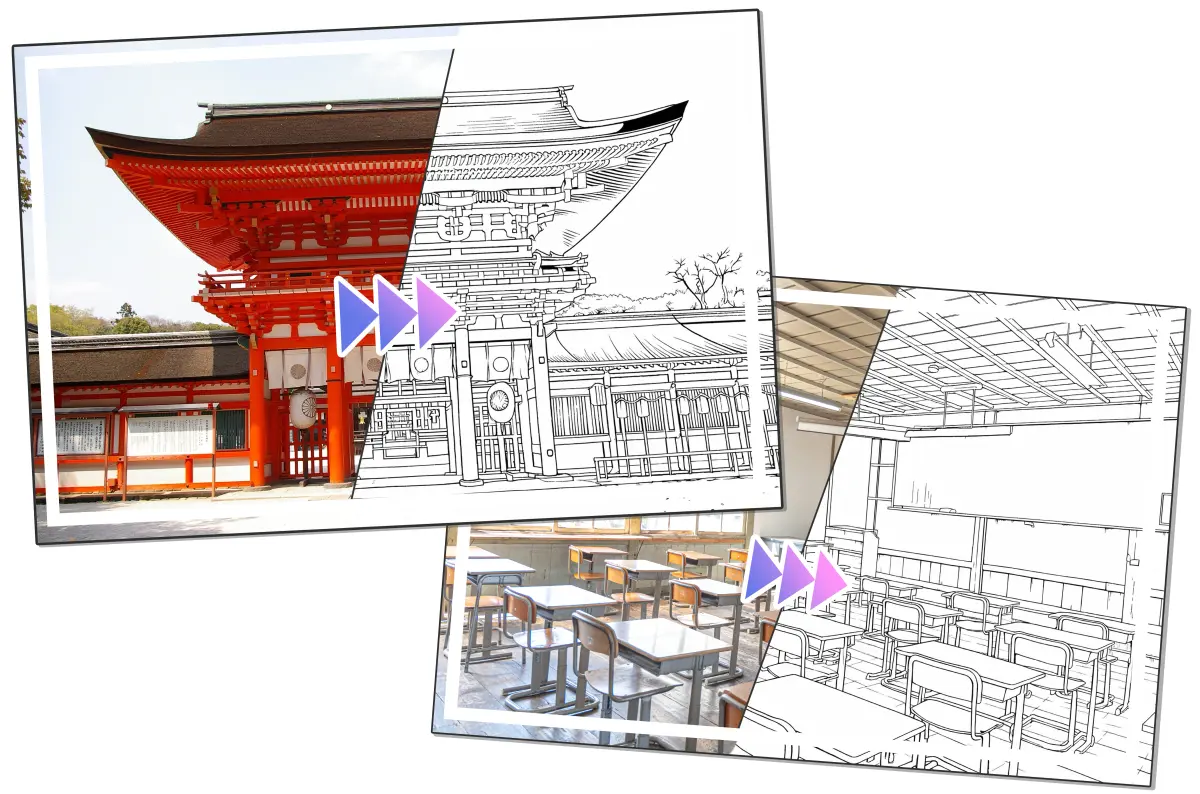
Creating a background that matches your character illustration from scratch can be time-consuming—but with copainter’s image generation, you can produce one in just a few clicks.
It can automatically generate a wide range of backgrounds, such as landscapes and city scenes, helping raise the overall quality of your work. It’s especially useful for reference or prototyping, when you want a strong atmosphere without spending a lot of time.
“Photo-to-Background Conversion” Is Also Recommended
If you want to turn a specific real-world scene into a background illustration, try the Photo-to-Background Conversion feature in addition to image generation.
By uploading a photo, you can convert it into a manga- or anime-style background—eliminating the effort of tracing a photo for background drawing.
There are two styles:
- Manga Background: outlines are emphasized so it can be used as line art
- Anime Background: keeps the photo’s atmosphere while converting it into an anime style
If You Want to Use copainter More: The Pro Plan
If you’re thinking, “I want to use copainter’s image generation a lot right away,” the Pro Plan is recommended. It’s an unlimited plan chosen by creators who actively use copainter for serious creative work.
Because you don’t have to worry about generation limits, you can quickly turn ideas into visuals—whether for hobbies or business.
Save up to ¥9,600 with the Annual Plan
The Pro Plan is available as both monthly and discounted annual subscriptions.
With the annual plan, you can save up to ¥9,600 compared to paying monthly. If you plan to keep using copainter long-term, it’s a strong cost advantage and helps you focus on creating with peace of mind.
Learn more about copainter plans here
Summary
copainter’s image generation stands out for its ease of use—creating illustrations from natural Japanese input—its flexibility through prompt history and editable expanded prompts, and the reassurance of commercial-use support.
It’s helpful in many situations, from reference creation to character design brainstorming and background generation, expanding what creators can do. With the Pro Plan, you can use it without worrying about generation limits, and the annual plan offers even better value.
Whether you’re trying copainter for the first time or coming back after a while, log in and experience the latest features.
Try copainter, the AI illustration creation assistant (Copainter)
![[Free Download] Chibi Character Battle Pose Collection — Free for Copainter Users, Including Commercial Use](/content/images/size/w720/2026/03/header_pose-collection_battle-of-deformation-character-1.png)
![[Free Download] Female Battle Pose Collection — Free for Copainter Users, Including Commercial Use](/content/images/size/w720/2026/03/header_pose-collection_battle-of-woman-1.png)
![[Free Download] Male Battle Pose Collection — Free for Copainter Users, Including Commercial Use](/content/images/size/w720/2026/03/header_pose-collection_battle-of-man-1.png)