
[Free Download] Dance Signature Pose Collection — copainter users may use it commercially and free of charge
A free collection of female dance signature poses for illustrations, manga, anime, games, and Webtoons. Commercial use, tracing, and editing are allowed for copainter users.
![[Free Download] Dance Signature Pose Collection — copainter users may use it commercially and free of charge](/content/images/size/w1200/2026/01/copainter_posecollection_210.png)
We are distributing a free base-body pose set of female NPC-style characters striking dance “signature” poses, designed for use in creating illustrations, manga, anime, games, and webtoons (Webtoon). Please use it when generating illustrations with pose control in copainter (CoPainter) or when sketching character illustrations. Tracing and edits/retouching are also OK.
The license for images downloadable from this page is stated further down in the main text.
■ File Overview
- File format: PNG (white background)
- Resolution: 1024 × 1024 px (square)
- Download: Please download and save the attached images in the body text as-is and use them.
■ Dance Signature Pose Collection (Download Available)
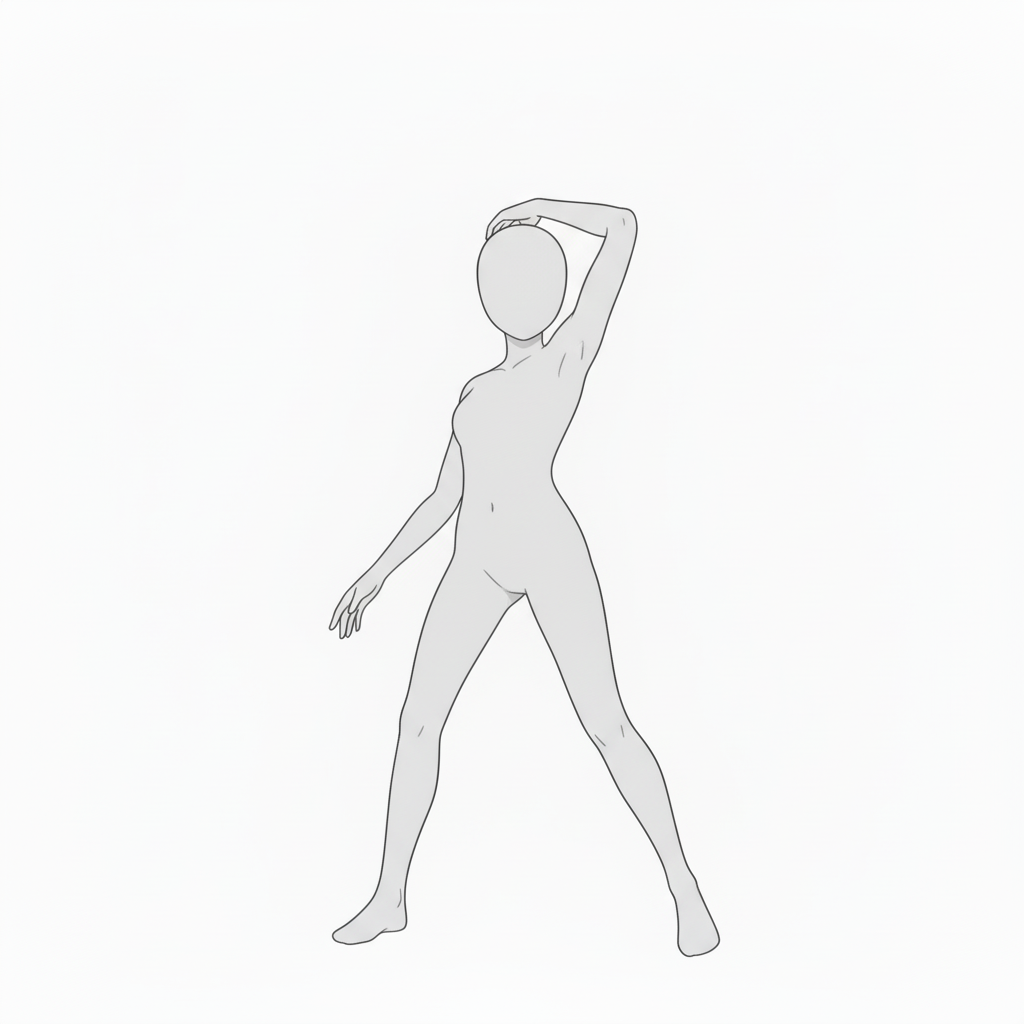
Cool standing pose | A simple, beautiful basic dance stance
A pose with one hand placed on the head. Helps bring out a female character’s confidence and charm.
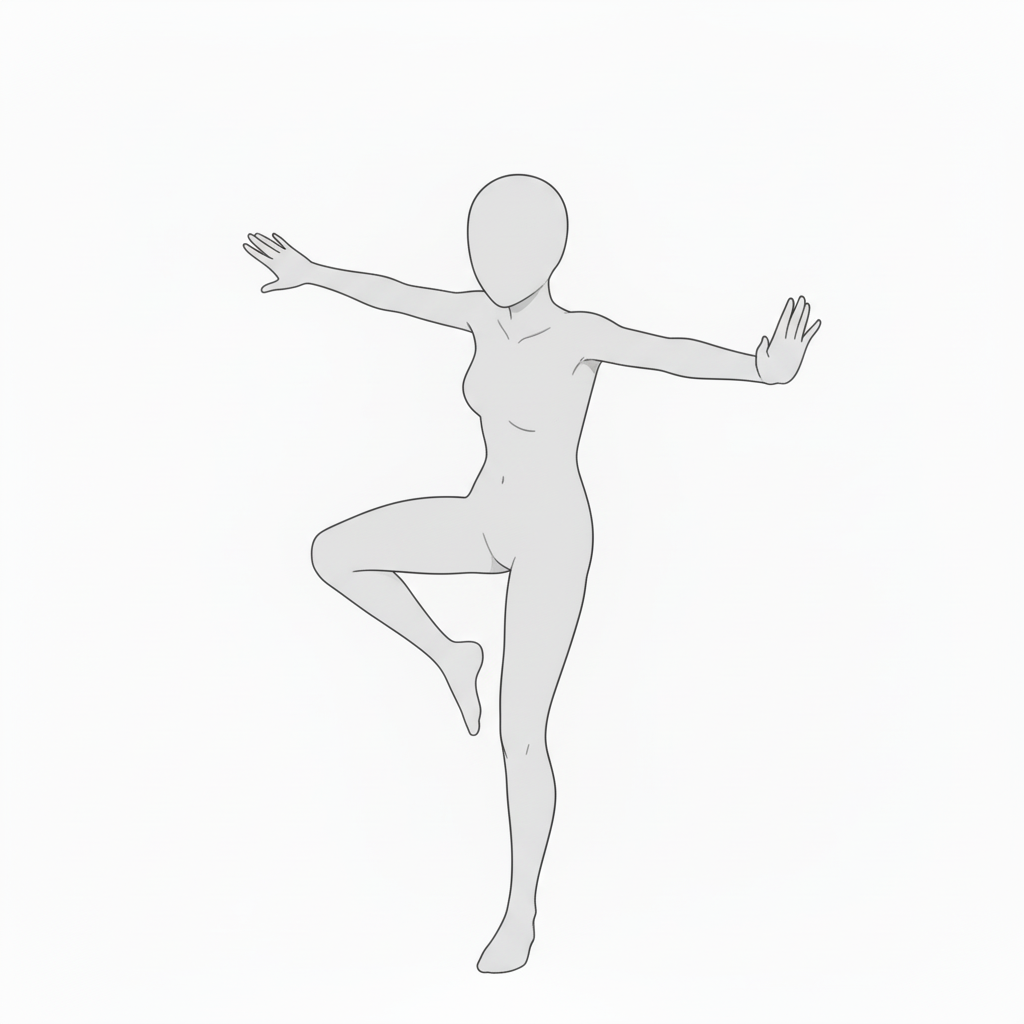
Balancing step pose | Recreating a light dance moment
A composition standing on one leg with both arms spread. Recommended for scenes that need both rhythm and stability.
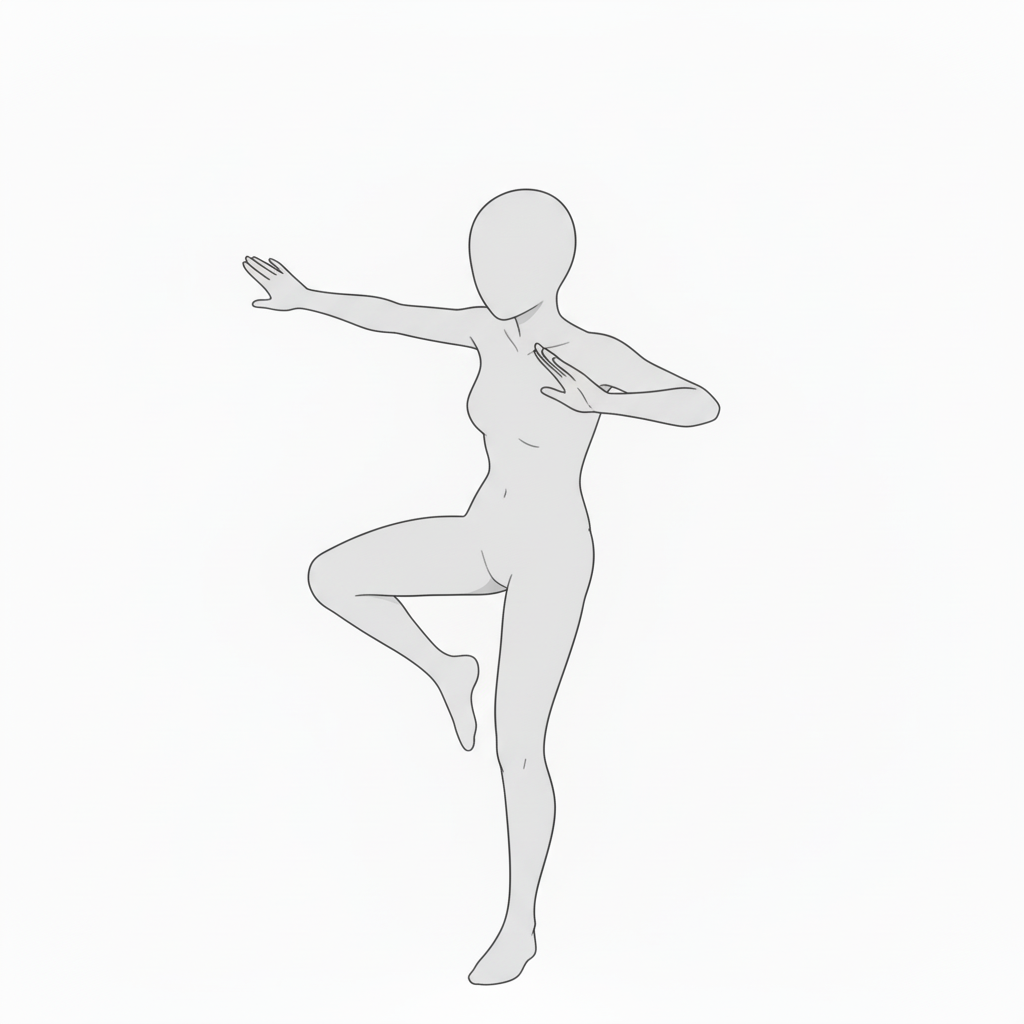
Dance pose emphasizing hand movement | For expressing flowing choreography
A supple pose with one hand placed near the chest. Ideal for depicting idol or stage performances.
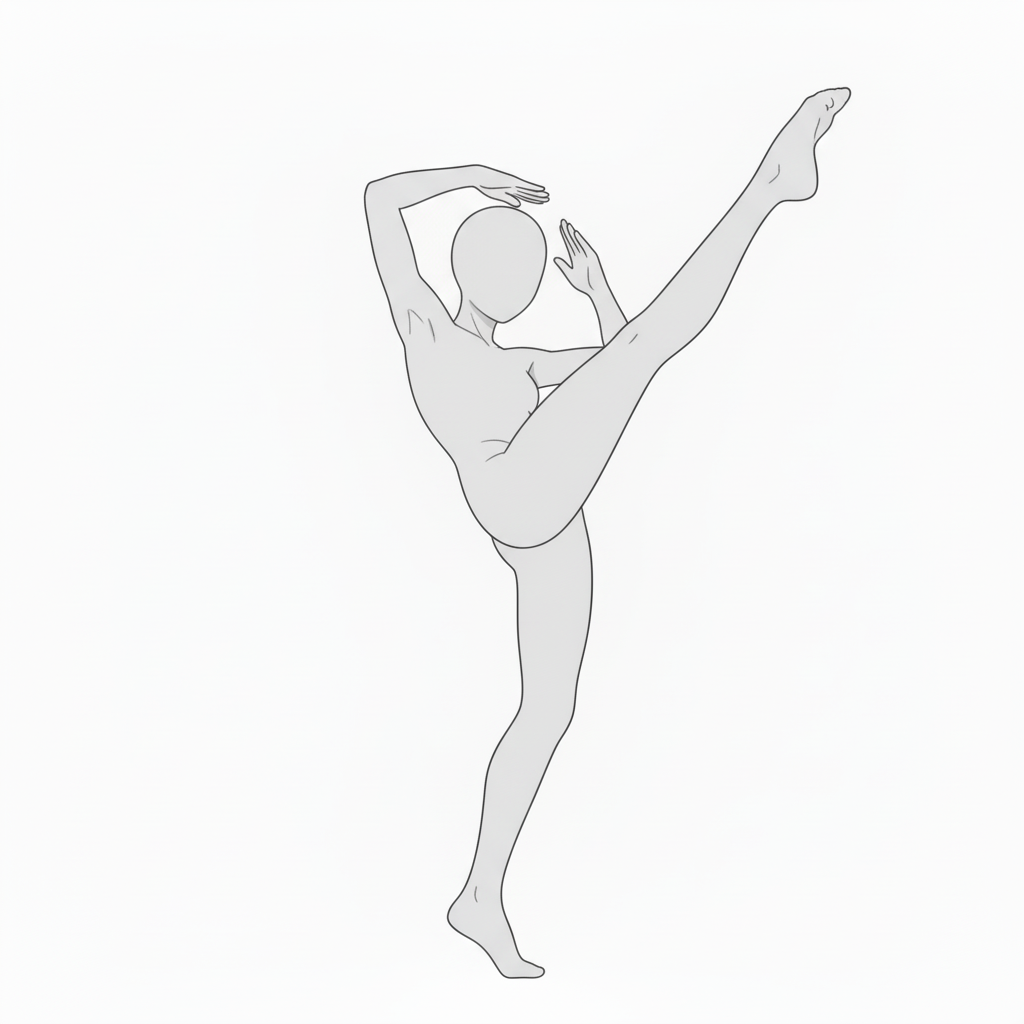
Ballet-style high leg pose | Flexibility and beauty in one
An elegant stance lifting one leg high. Perfect when you want to highlight body lines in dance or action scenes.
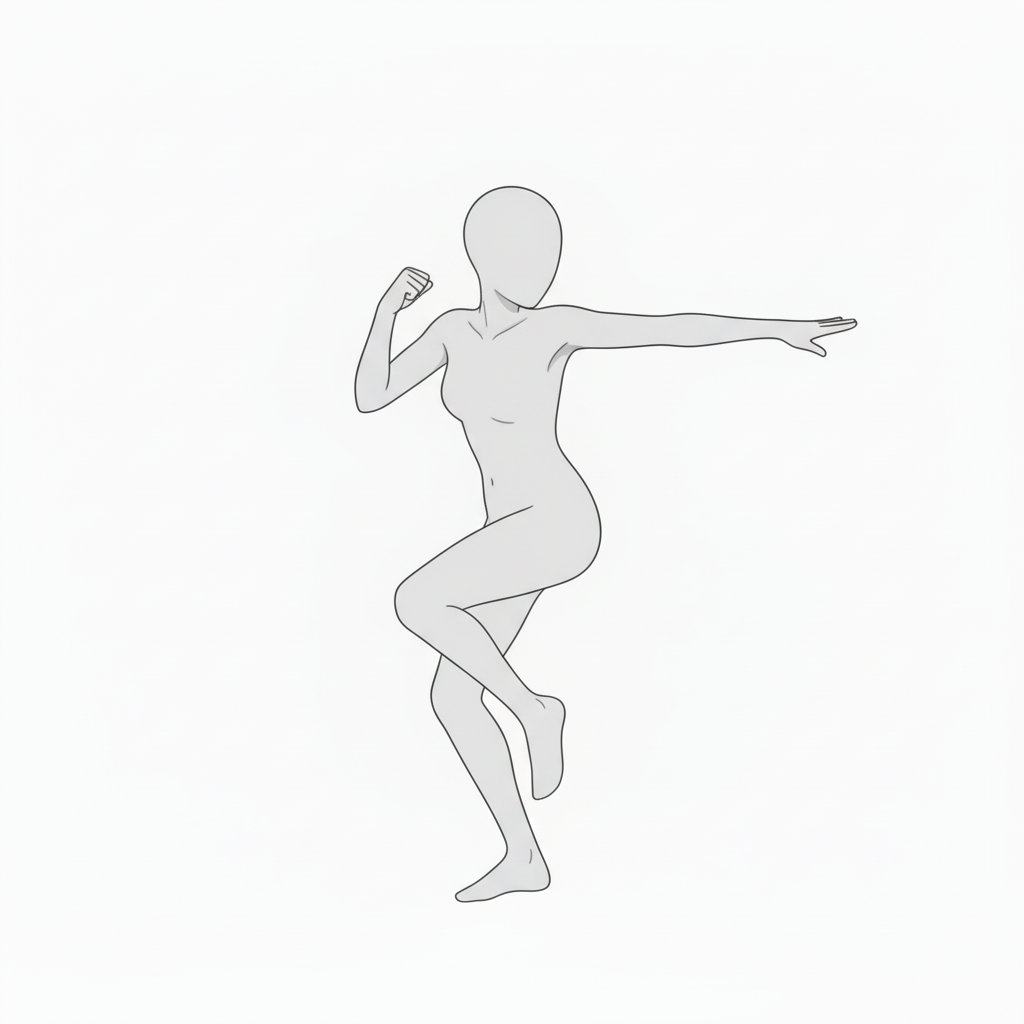
Powerful stepping dance motion | An active, dynamic composition
Features an arm thrust forward and a twisted hip movement. Great reference for rhythmic choreography.
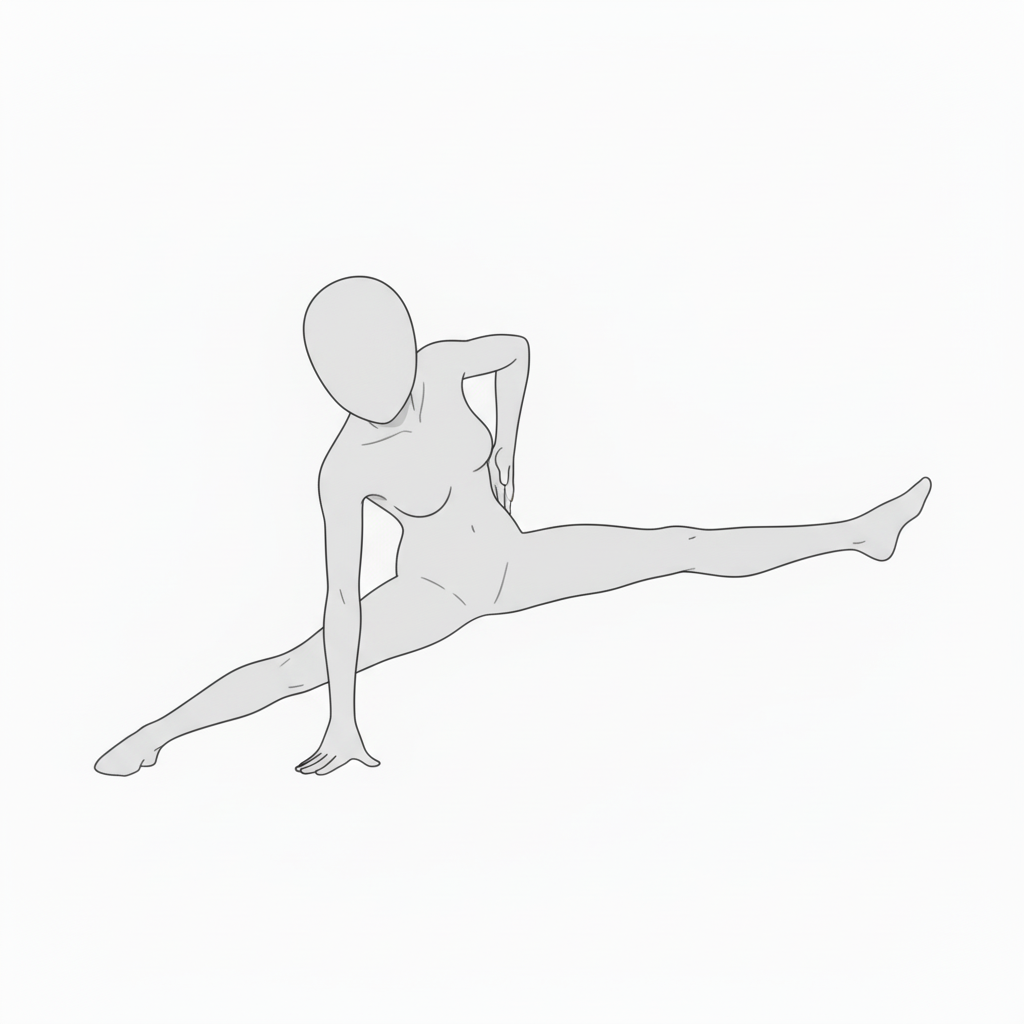
Flexible split pose | For floor-based dance staging
A composition doing a split while supporting the body. Expands expressive range with both flexibility and a clear center of gravity.
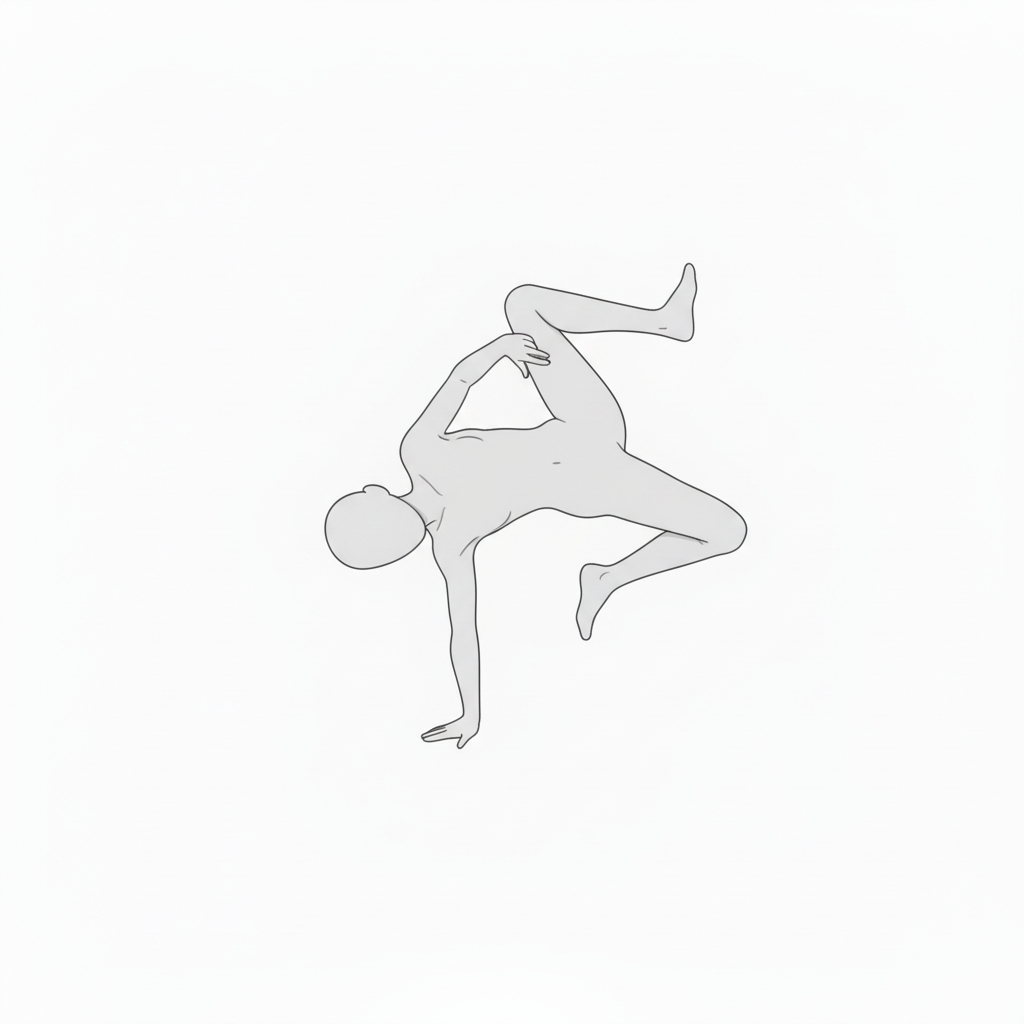
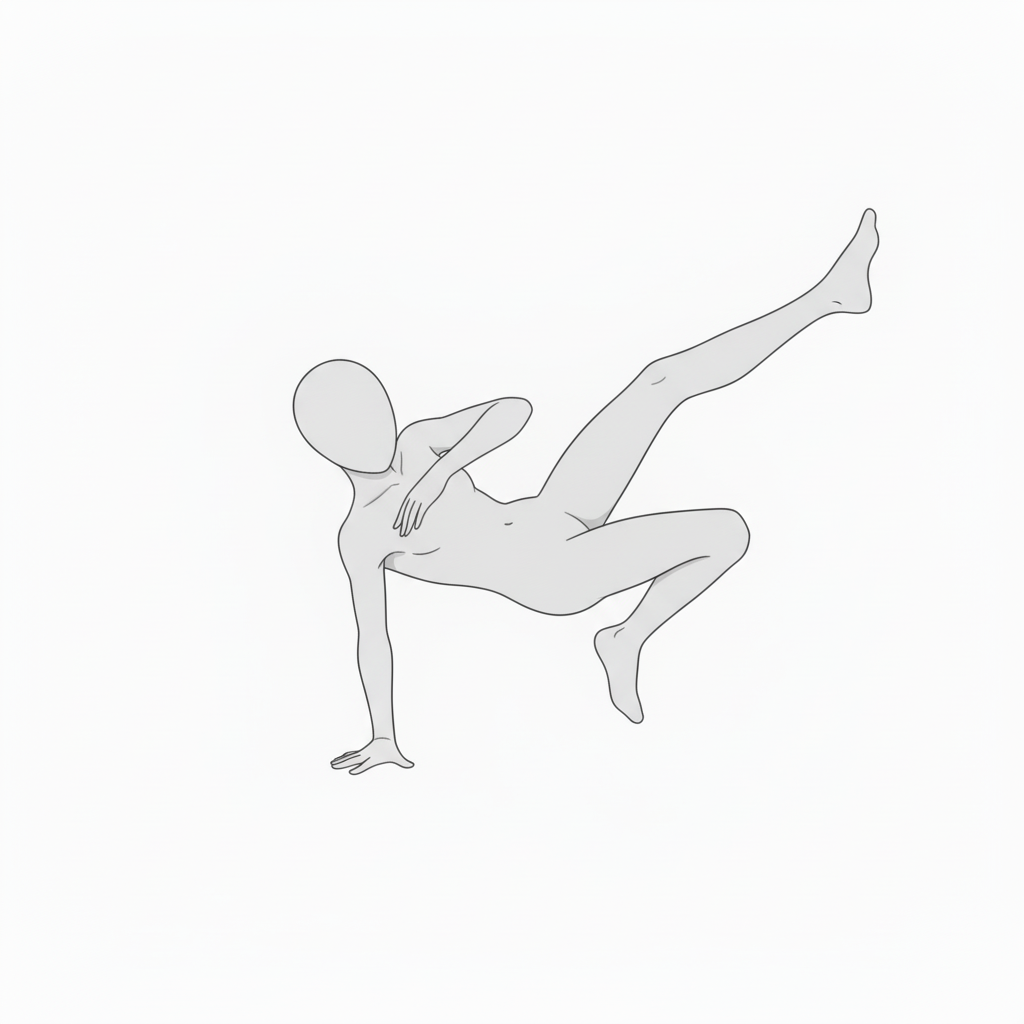
One-hand balance pose mid-break | Recreating the impact of aerial movement
A pose supporting the body with one hand while twisting. Useful for action or breakdance movements.
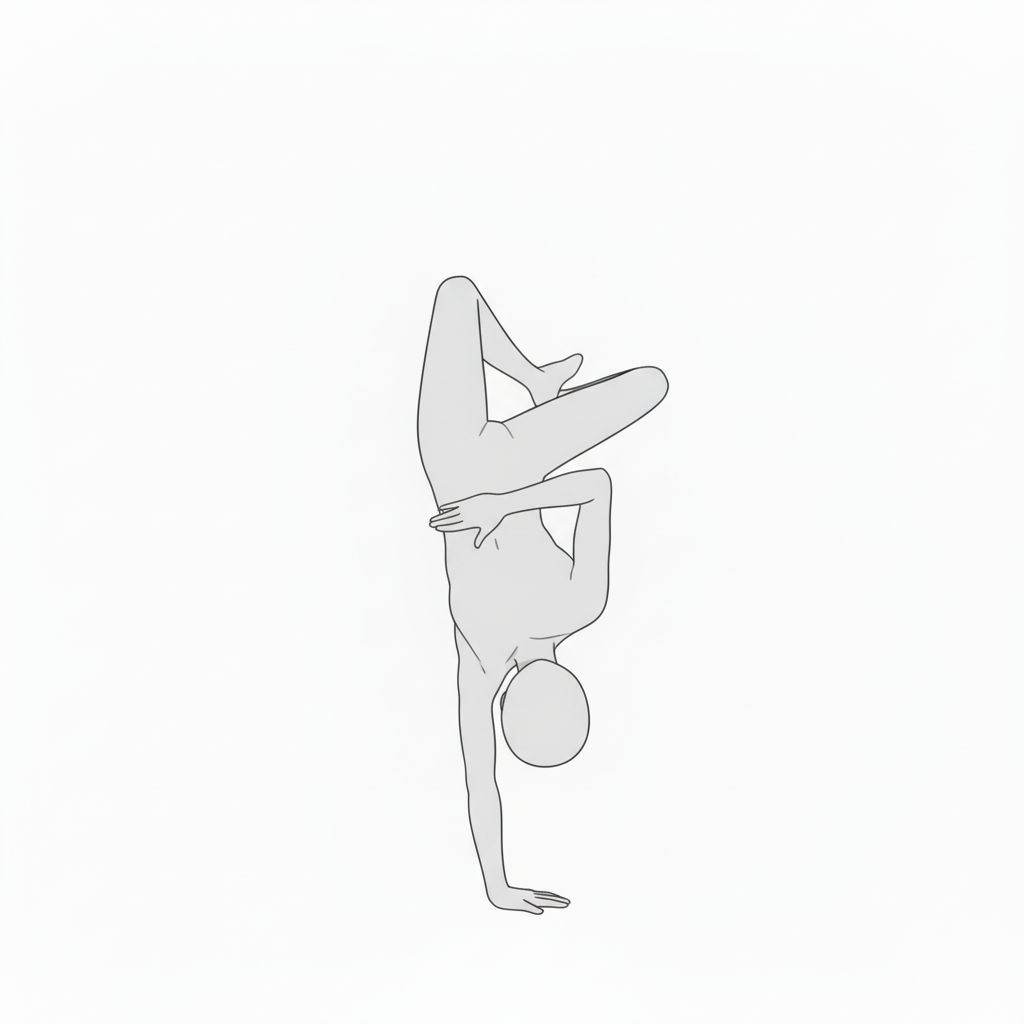
Handstand art pose | Acrobatic expression with beautiful lines
A one-hand handstand with legs crossed. Recommended when you want to draw a dynamic yet graceful pose.
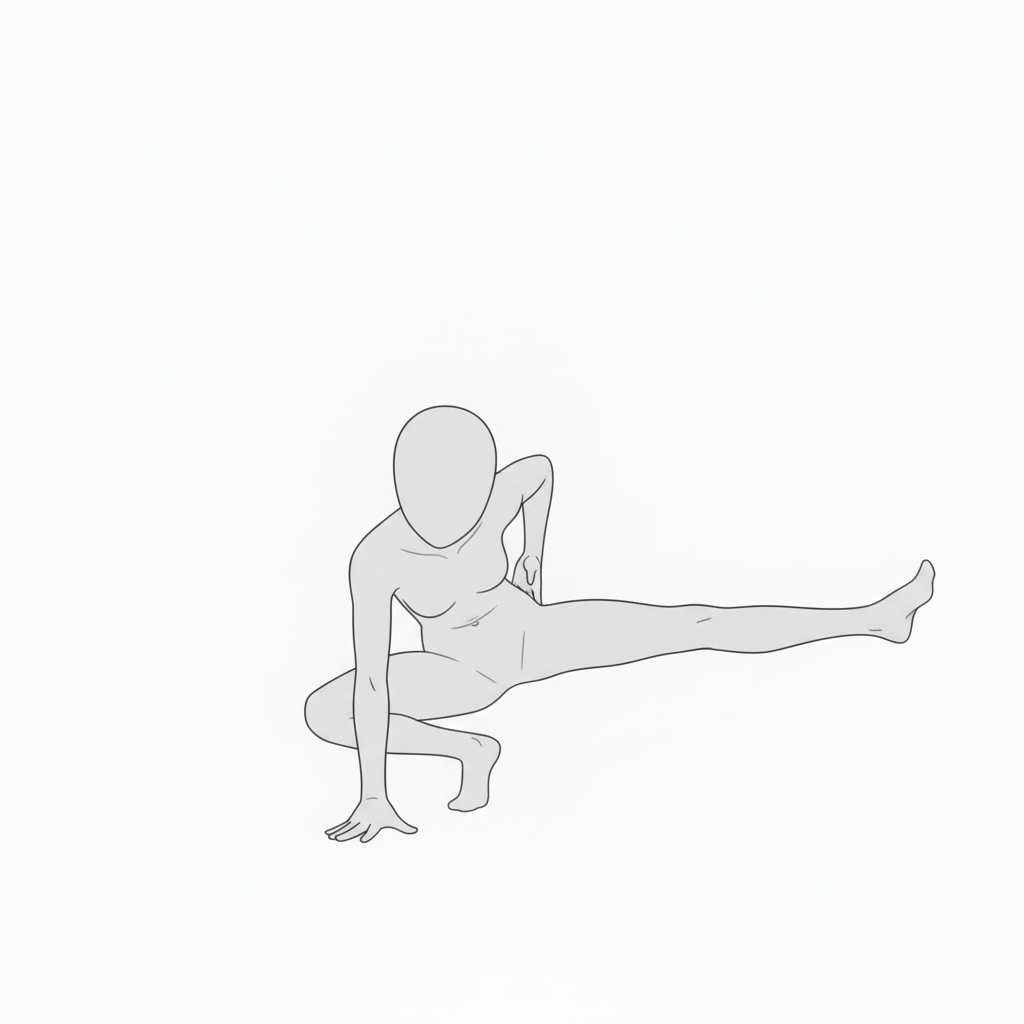
Low-action pose using the floor as a pivot | Practice for drawing weight flow
A posture extending one leg while supporting the body with one hand. Ideal for understanding direction and force flow.
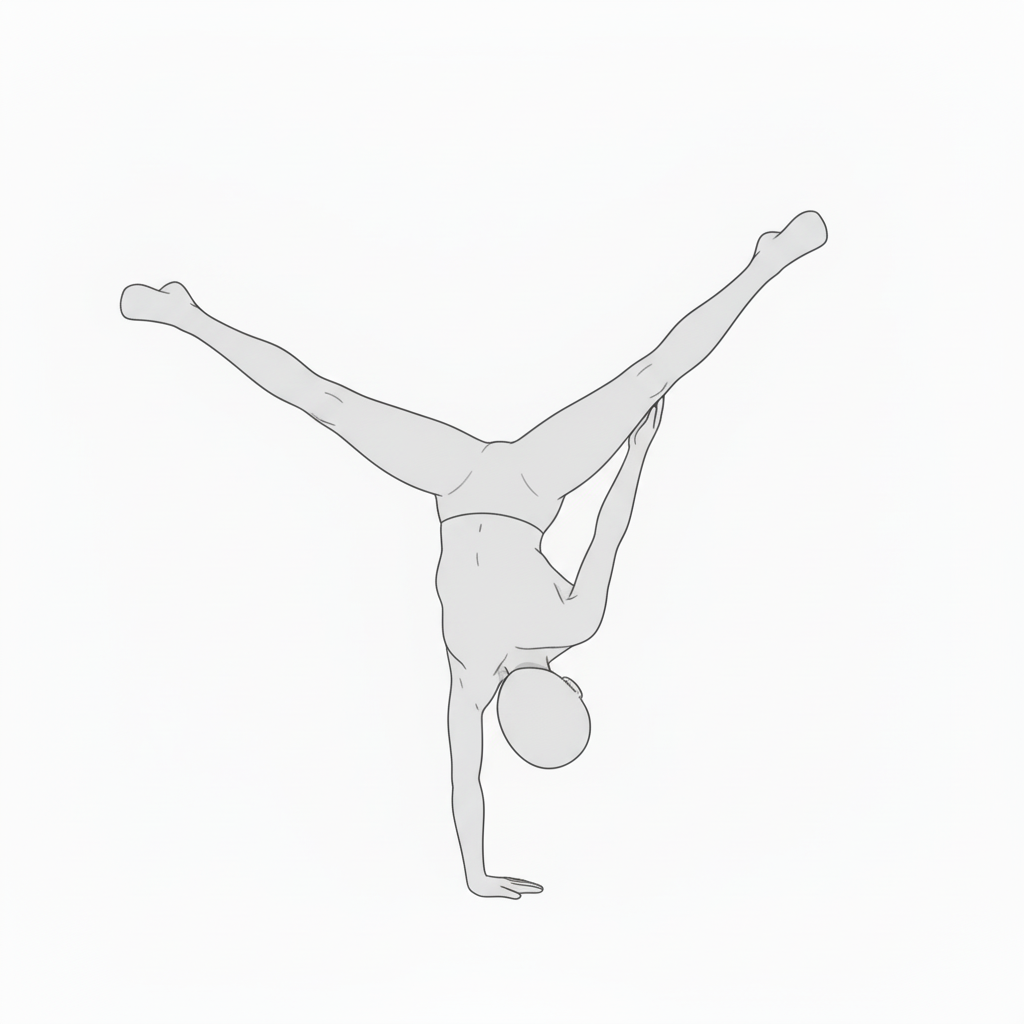
Spread handstand pose | A powerful upside-down composition that showcases motion
A one-hand handstand with legs spread wide. A striking composition for action manga or dance battle scenes.
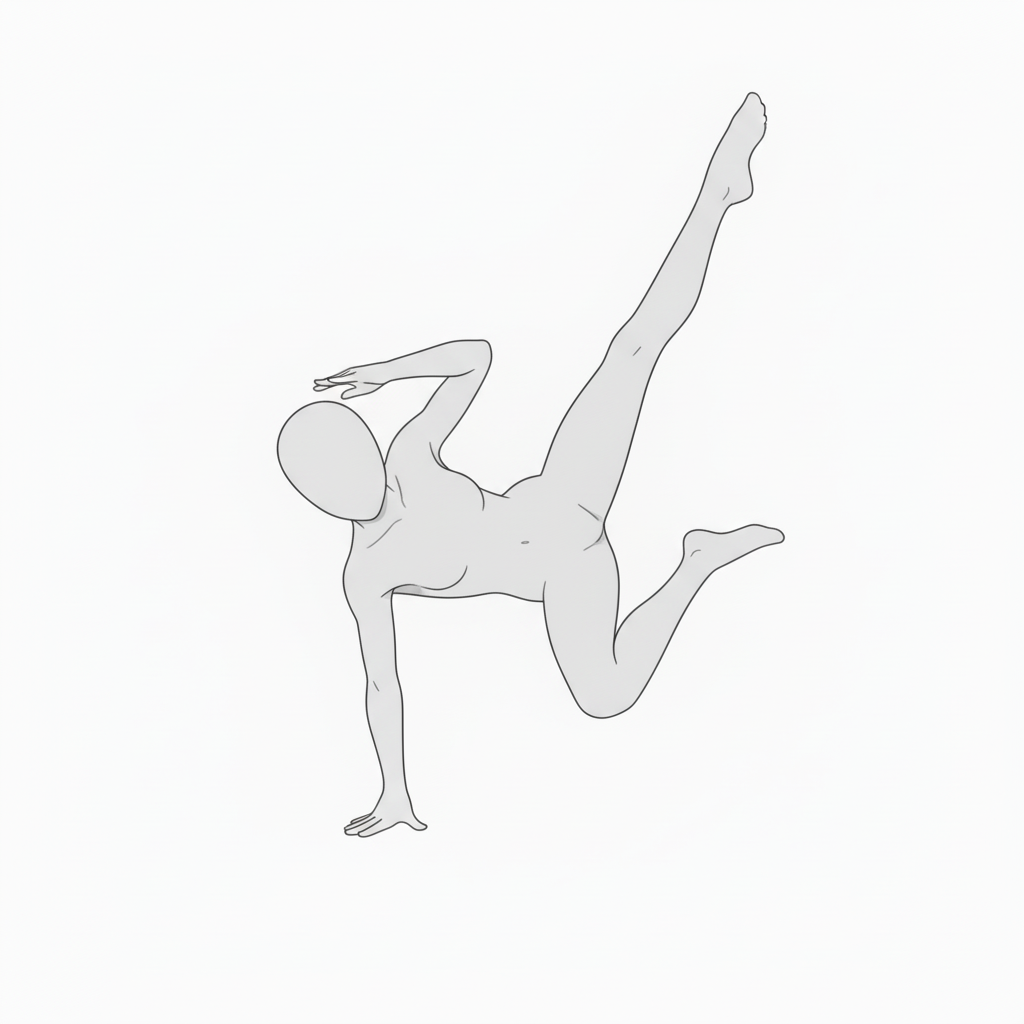
One-hand support dance pose | Drawing a moment full of energy
A breakdance-style pose lifting a leg high while supporting the body with one hand. Emphasizes impact and motion.
Point handstand balance pose | A composition that stands out in action scenes
Features a beautifully extended leg and strong core line. Perfect for “finishing” moments in anime or illustrations.
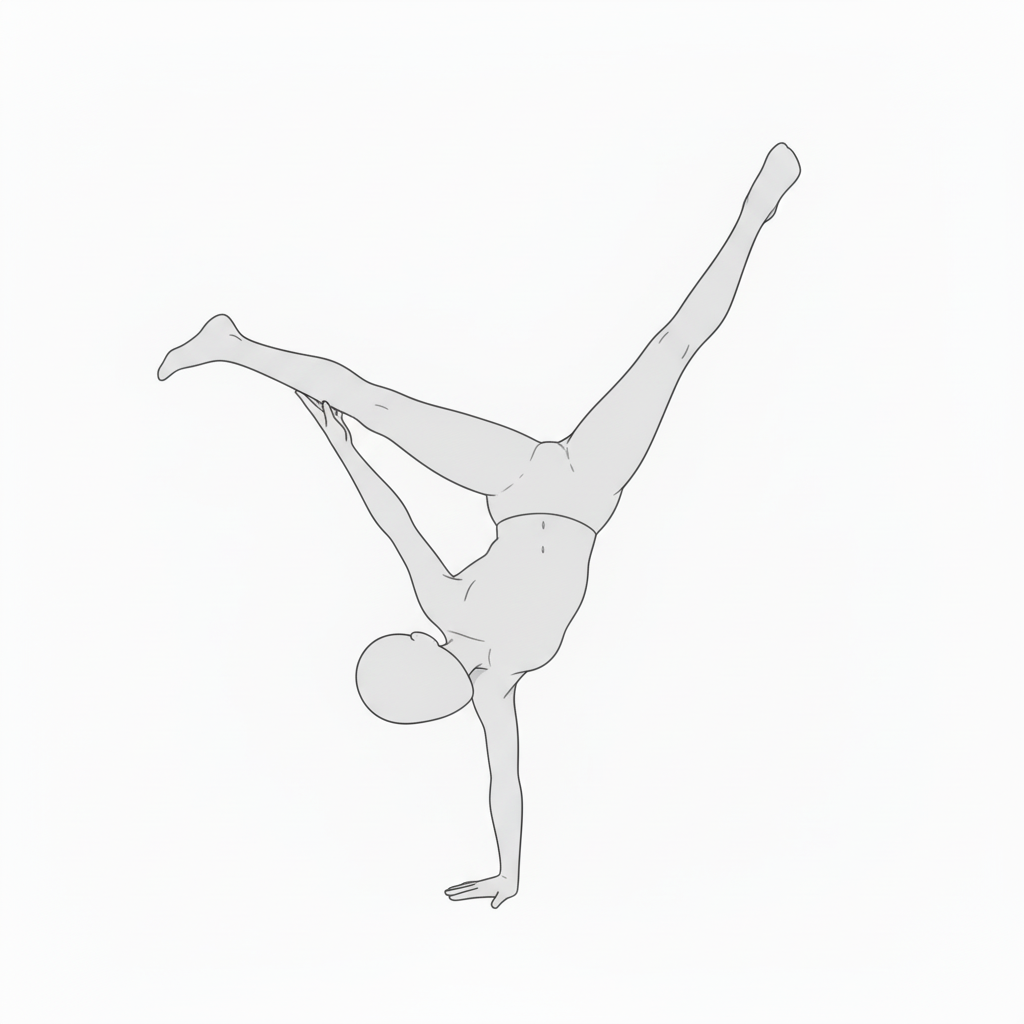
Split handstand pose | A composition expressing dynamic movement
A one-hand handstand with legs split. Useful for powerful moments in battle or performance scenes.
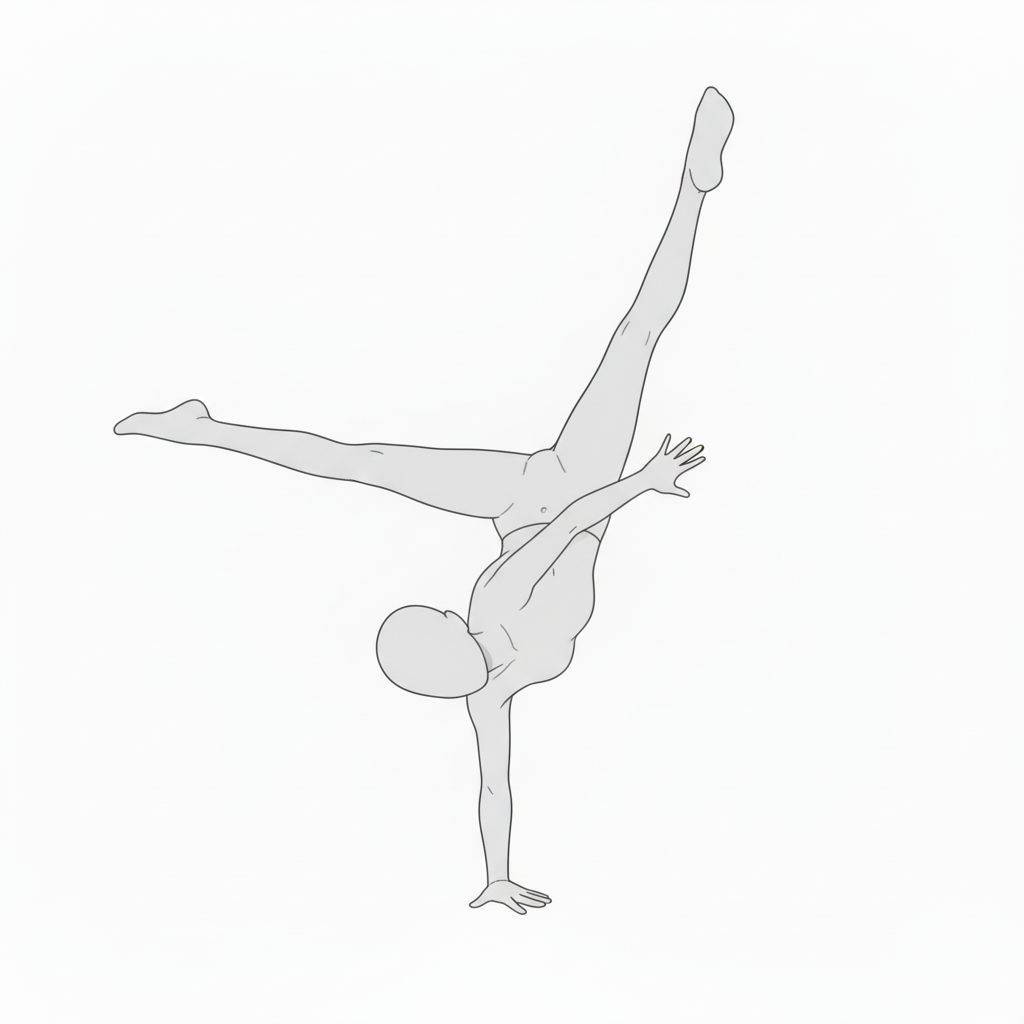
Mid-move breakdance pose | A composition to learn shifting center of gravity
An intermediate motion twisting the upper body while one hand touches the floor. Recommended for drawing motion flow.
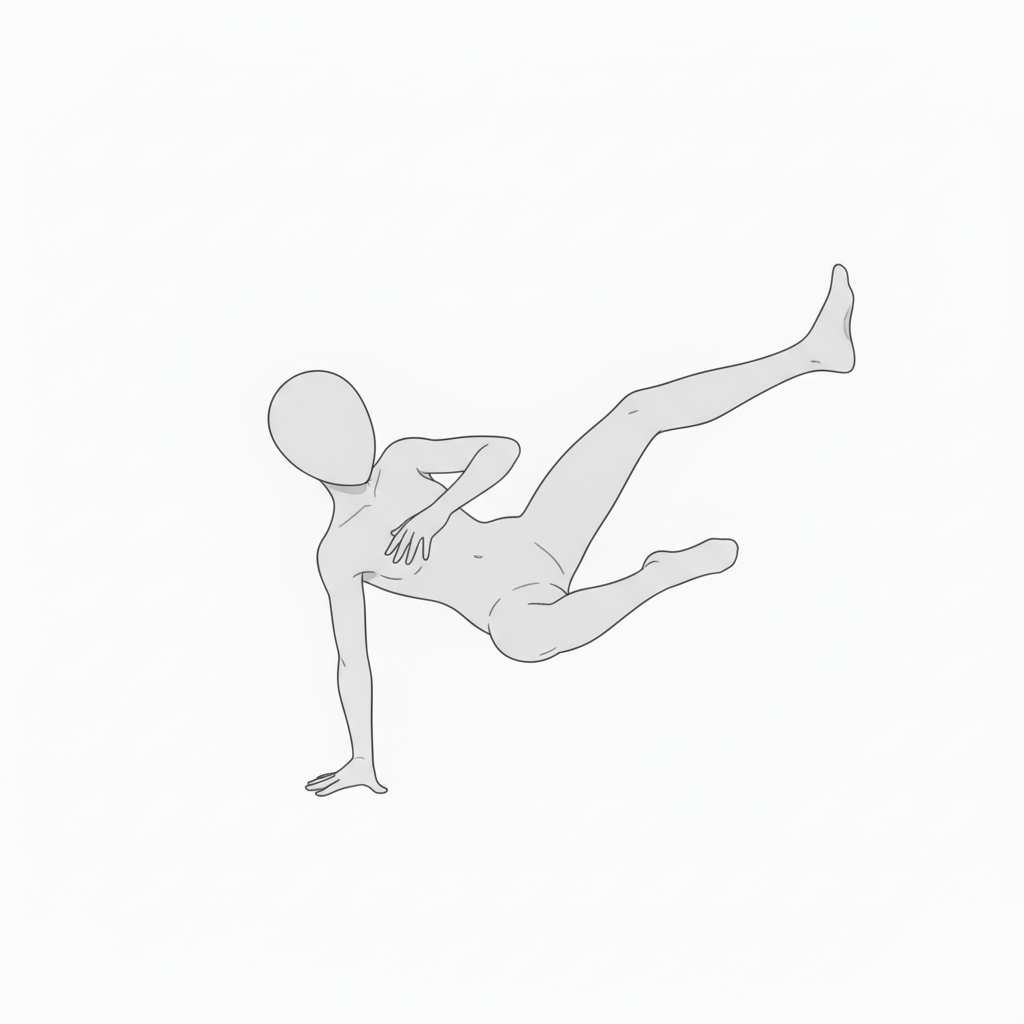
Balancing midair pose | Capturing a moment during a break move
A one-hand supported intermediate action with a beautiful torso twist and leg angle. Great for practicing fluidity.
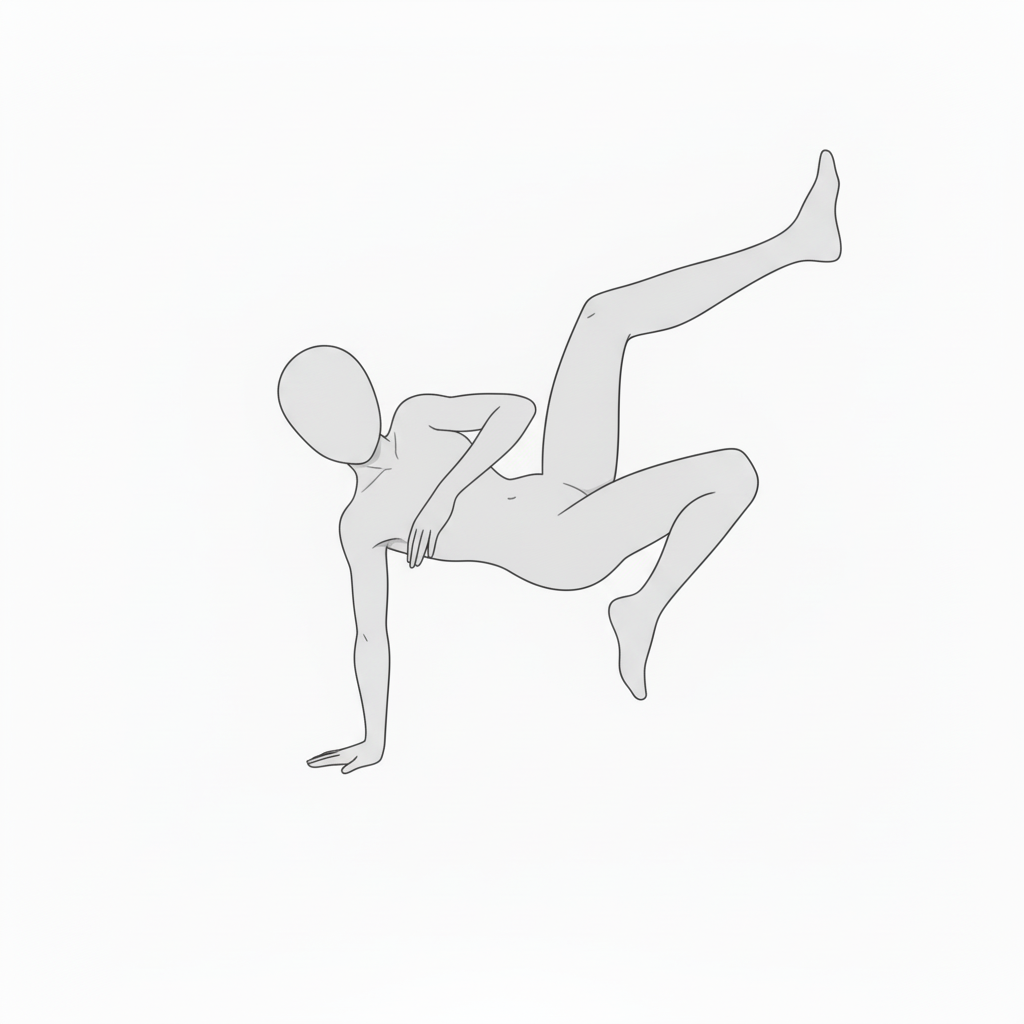
Acrobatic handstand pose | Body expression that conveys gravity
A handstand with legs folded in. Useful reference for distinguishing flexibility and muscle tension.
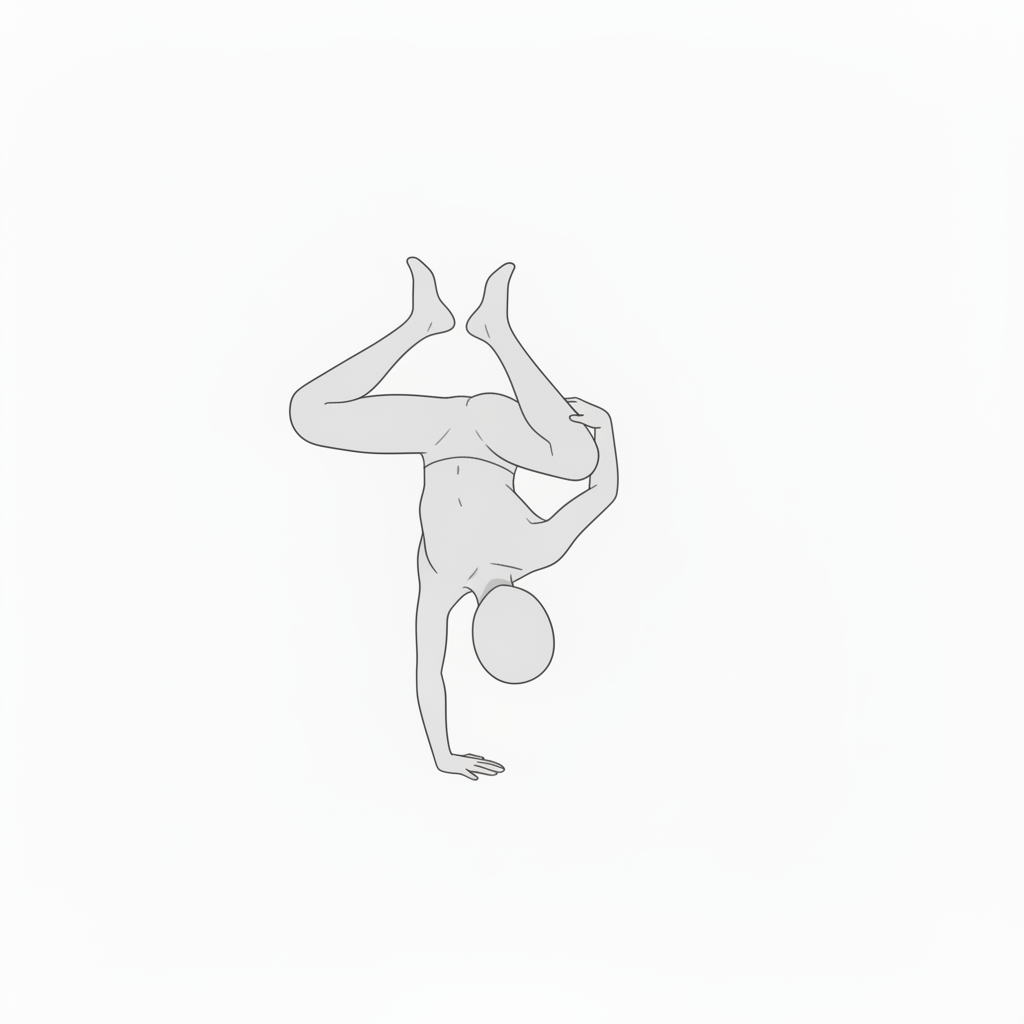
Dynamic break action pose | A composition capturing a split-second of motion
A powerful yet supple pose twisting the body around a one-hand pivot. Helps express a character’s momentum.
■ Using These in copainter
Change poses with the AI Assistant
Load the images as reference and quickly generate pose variations such as angle changes, limb position adjustments, and horizontal flipping. Because it’s pose specification, you can also use these images even when specifying poses for male characters.
Ensure consistency with the training feature (Enterprise plan only)
By specifying poses for a trained model, you can achieve high-accuracy pose control. Even highly precise pose control that the AI assistant can’t express can work effectively with trained models. Using an image-to-image AI often yields better results.
Improve efficiency by using them as a base for line-art AI
Use these as rough layouts before applying a line-art AI to speed up production. While using this material as a base, you can retouch and edit in tools like Photoshop or Clip Studio Paint, then run the line-art AI—useful even for difficult compositions.
■ Terms of Use (License)
- Eligible users: copainter subscribers
- Usage scope: Commercial and free use allowed only within copainter
- Modification: Allowed (cropping / edits / color changes / vectorization, etc.)
- Credit: Not required
- Prohibited: Redistribution or sale of the asset data / claiming authorship / commercial use outside copainter
■ FAQ
Q. Can I use copainter for free?
A. Yes. There is a free plan where you can receive tickets with no monthly fee. If you want to increase usage, please use a higher-tier plan. Please see the plans here.
Q. Can I use these outside copainter?
A. If you are a copainter subscriber and use them within copainter, commercial and free use are allowed. However, using external services to retouch/edit for the purpose of using them in copainter is fine.
Q. Is it OK to use them in commercial works?
A. Yes, if you create the work using copainter. You don’t have to create the entire work with copainter. Note that redistribution or sale of the assets themselves is not allowed.
Q. Are there other free pose collections?
A. Yes. Please refer to the following:https://blog.copainter.ai/tag/assets-en/
Q. Are higher-resolution images available?
A. You can upscale images up to 4× in both width and height using the High-Resolution AI inside copainter. Please make use of it.
If you haven’t used copainter yet, this is a great opportunity—please sign up for copainter using the link below!
You can find copainter Learn, our media hub packed with tips and best practices for using copainter effectively, at the link below.
![[Free Download] Chibi Character Battle Pose Collection — Free for Copainter Users, Including Commercial Use](/content/images/size/w720/2026/03/header_pose-collection_battle-of-deformation-character-1.png)
![[Free Download] Female Battle Pose Collection — Free for Copainter Users, Including Commercial Use](/content/images/size/w720/2026/03/header_pose-collection_battle-of-woman-1.png)
![[Free Download] Male Battle Pose Collection — Free for Copainter Users, Including Commercial Use](/content/images/size/w720/2026/03/header_pose-collection_battle-of-man-1.png)