
Entering the Era of Creating Manga with AI — Double Your Production Speed with copainter!
Using copainter, manga creators can cut production time in half by integrating AI for storyboards, line art, and coloring, boosting speed and efficiency.
Double Your Manga Production Speed with copainter
Create Manga with AI for Unmatched Efficiency
By using copainter, you can double your manga production speed. Designing manga with AI as a core part of the workflow enables dramatically higher efficiency—in theory, up to 75% of the work can be handled by AI.
In this article, we’ll walk through a real example using Shibuya_Zensen <Yoiyami>.
The one-shot manga “Shibuya_Zensen <Yoiyami>”, released on August 20, 2025, was created using copainter, an AI service specialized in creative support.
Using the first four pages as an example, let’s take a look at the manga production workflow with copainter.
1. Storyboards (Name)
First, prepare the storyboard for input.
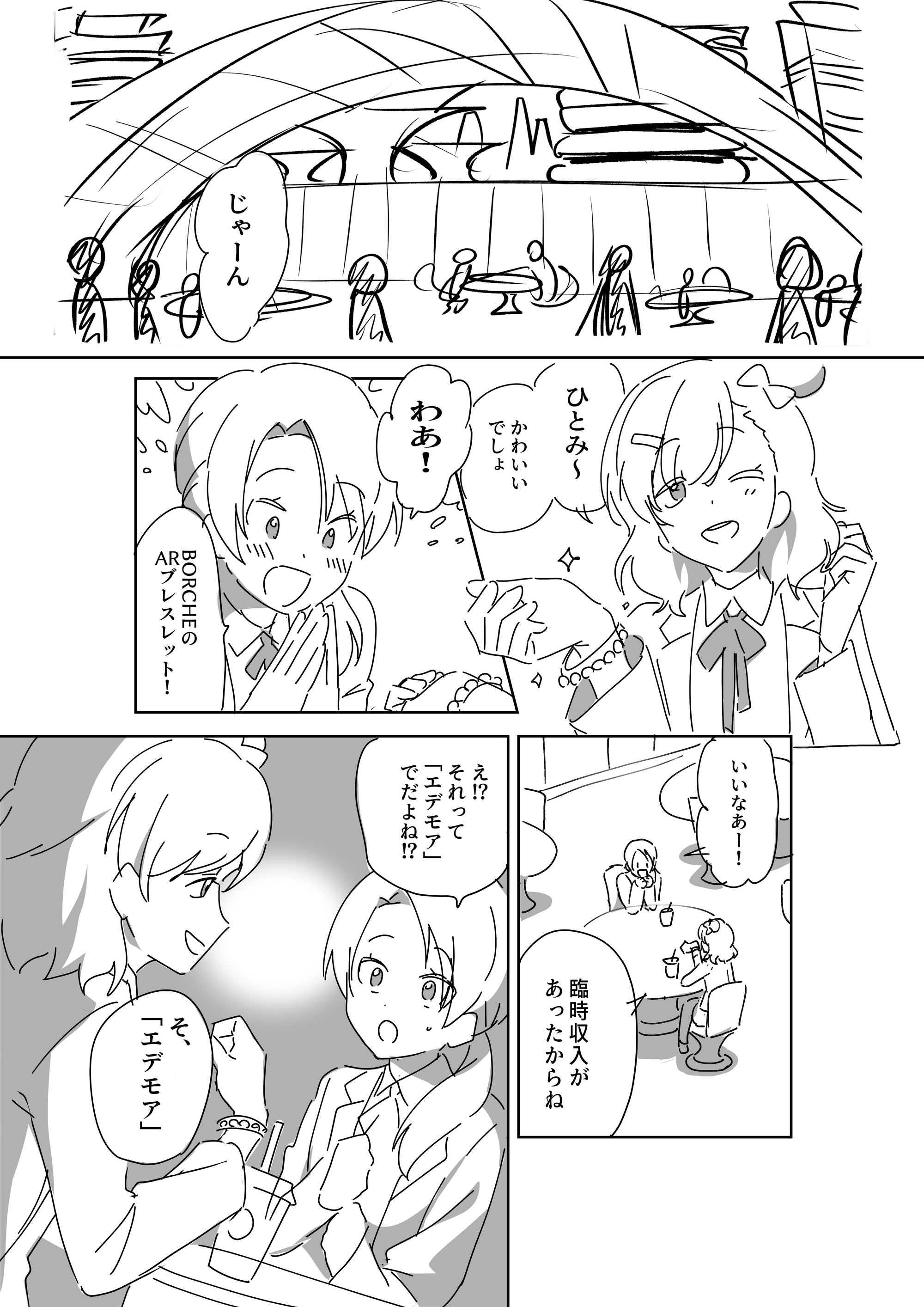
Next, crop each panel.
The first panel, which mainly consists of background, will be created later using copainter’s Image Generation feature, so it is omitted at this stage.
Remove elements that should not be converted into line art as much as possible, such as dialogue text and speech bubbles.
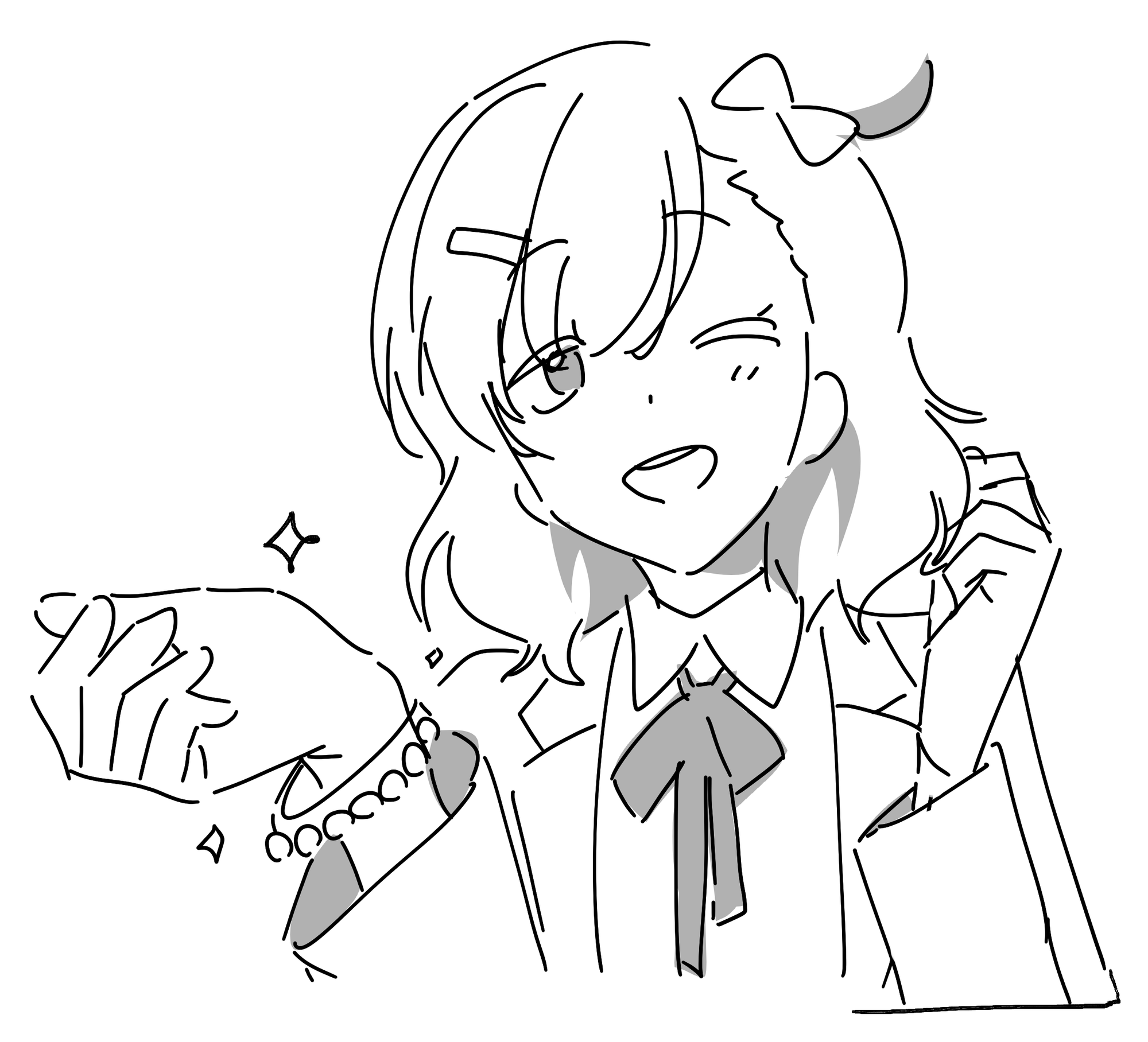
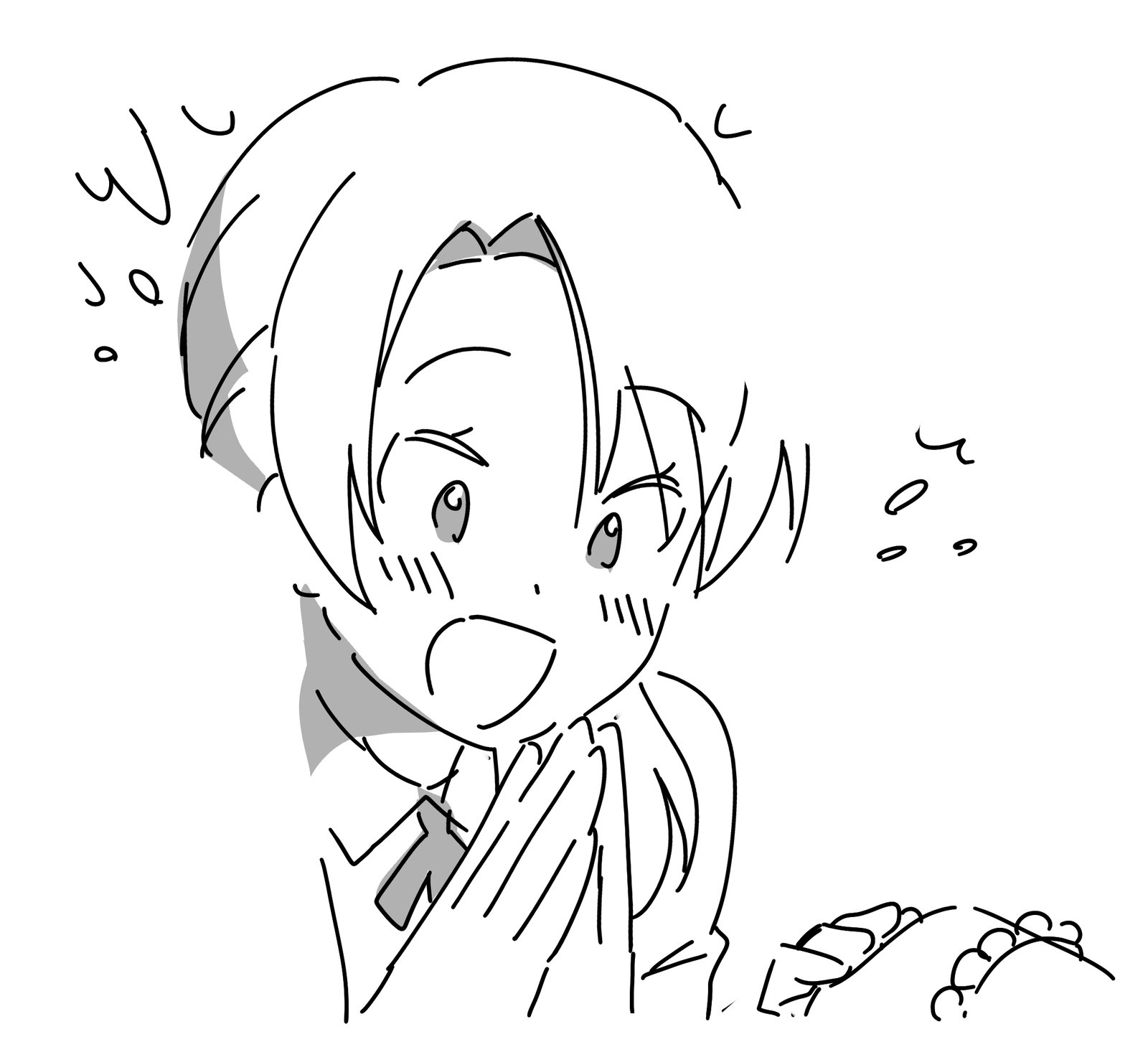
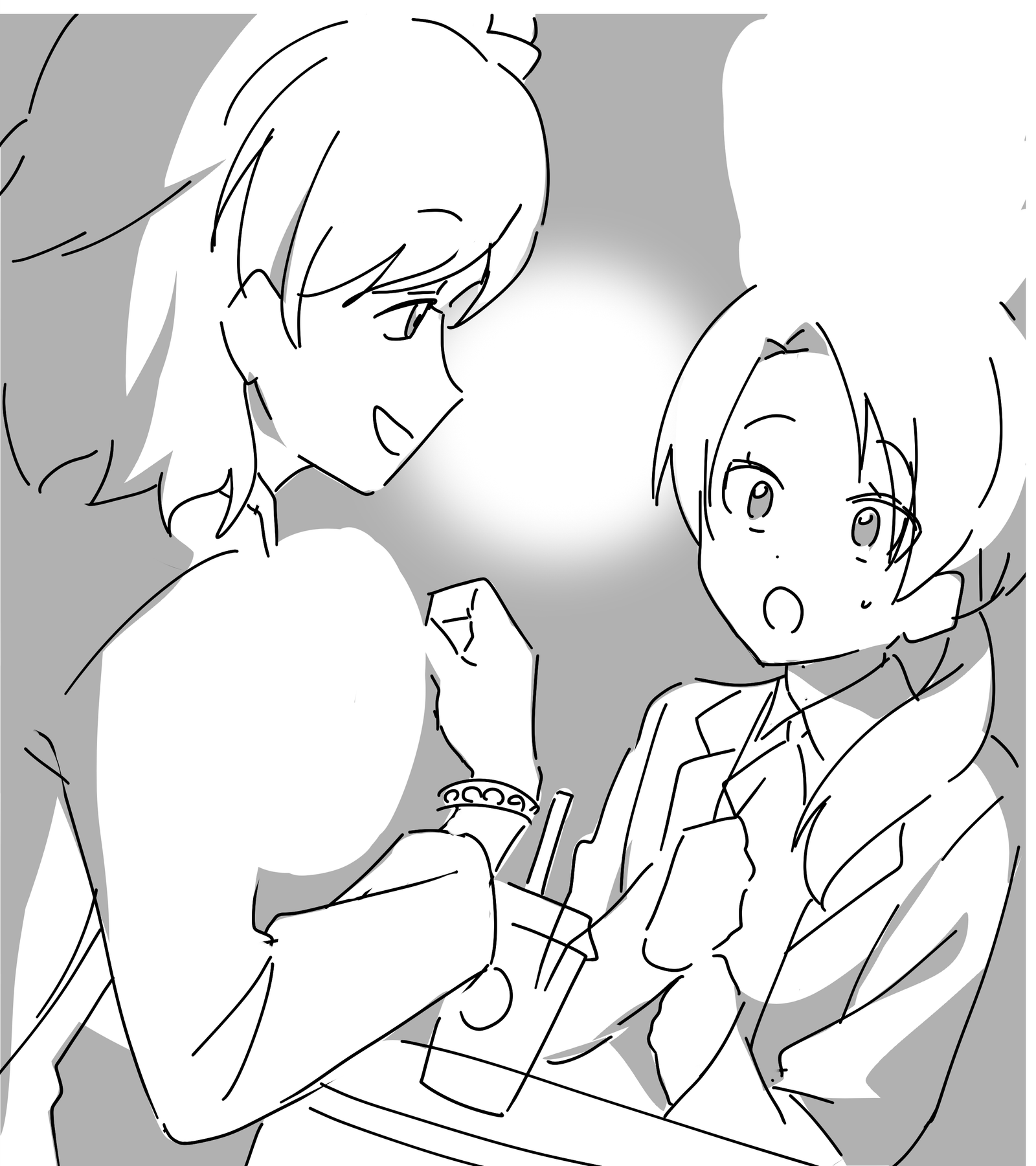
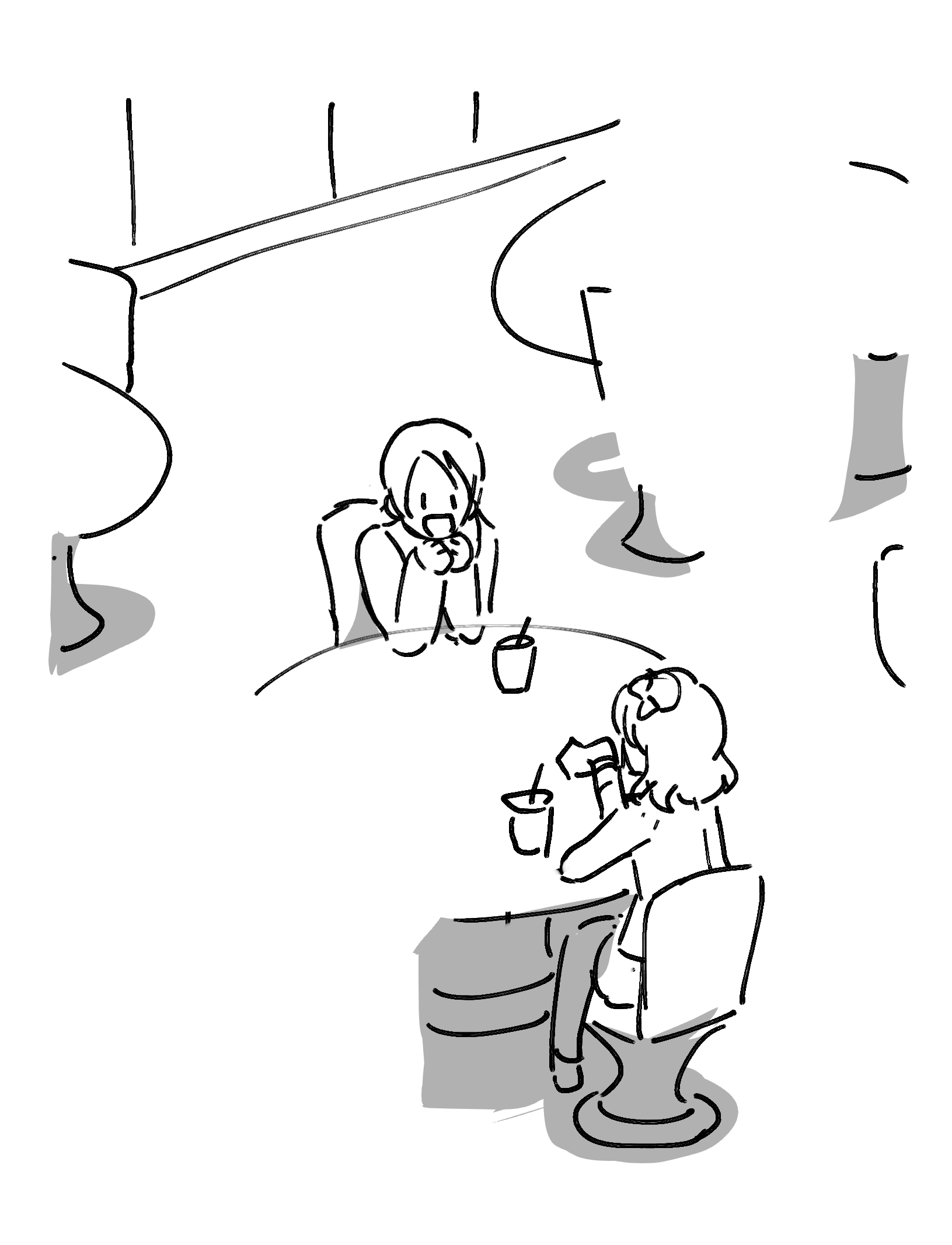
2. Line Art
Next, generate line art automatically using copainter’s Line Art feature.
Use automatic prompt analysis to check elements and adjust fidelity while searching for the ideal output.
For each panel, regenerate 3–5 variations and select the best one.
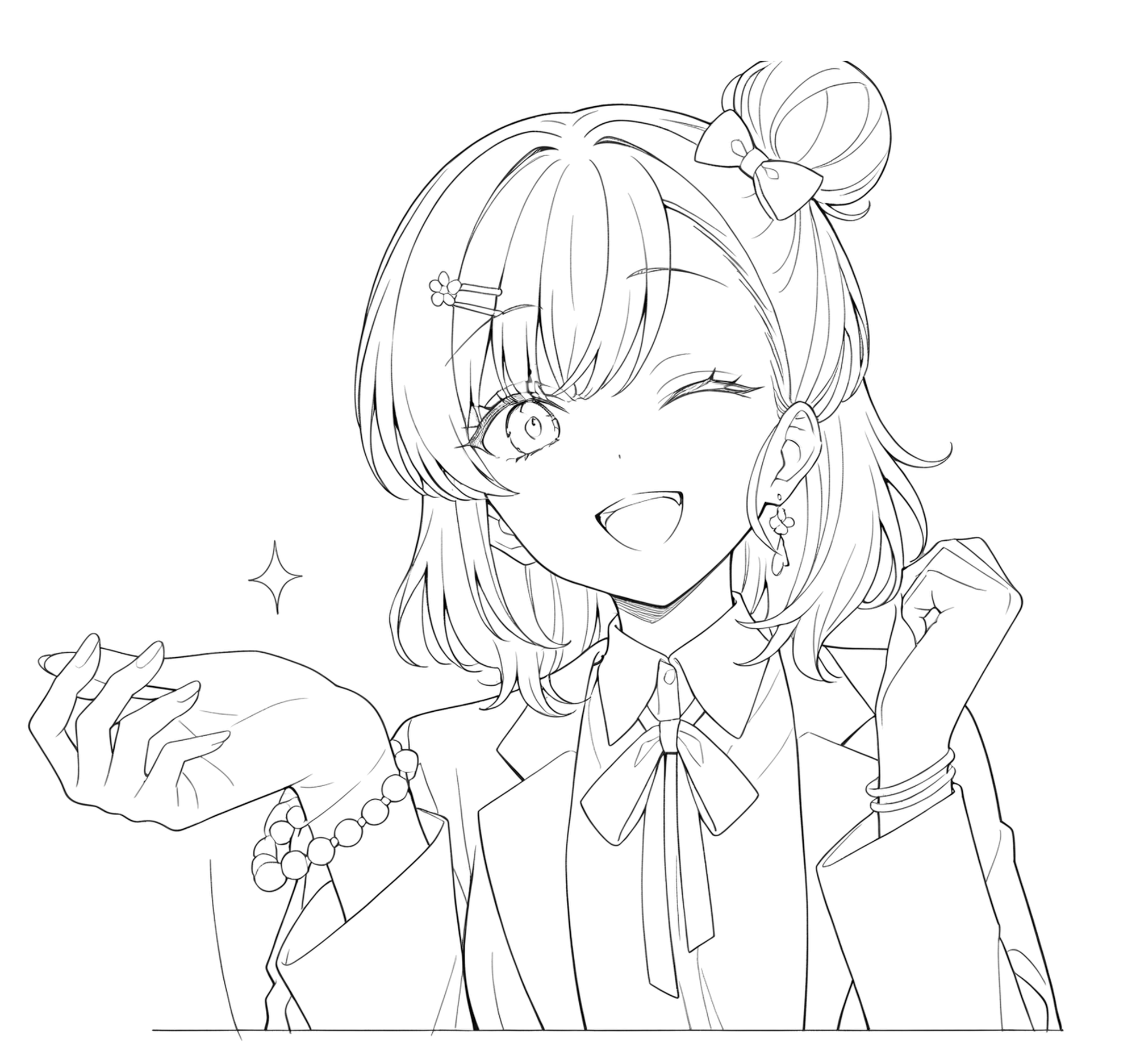
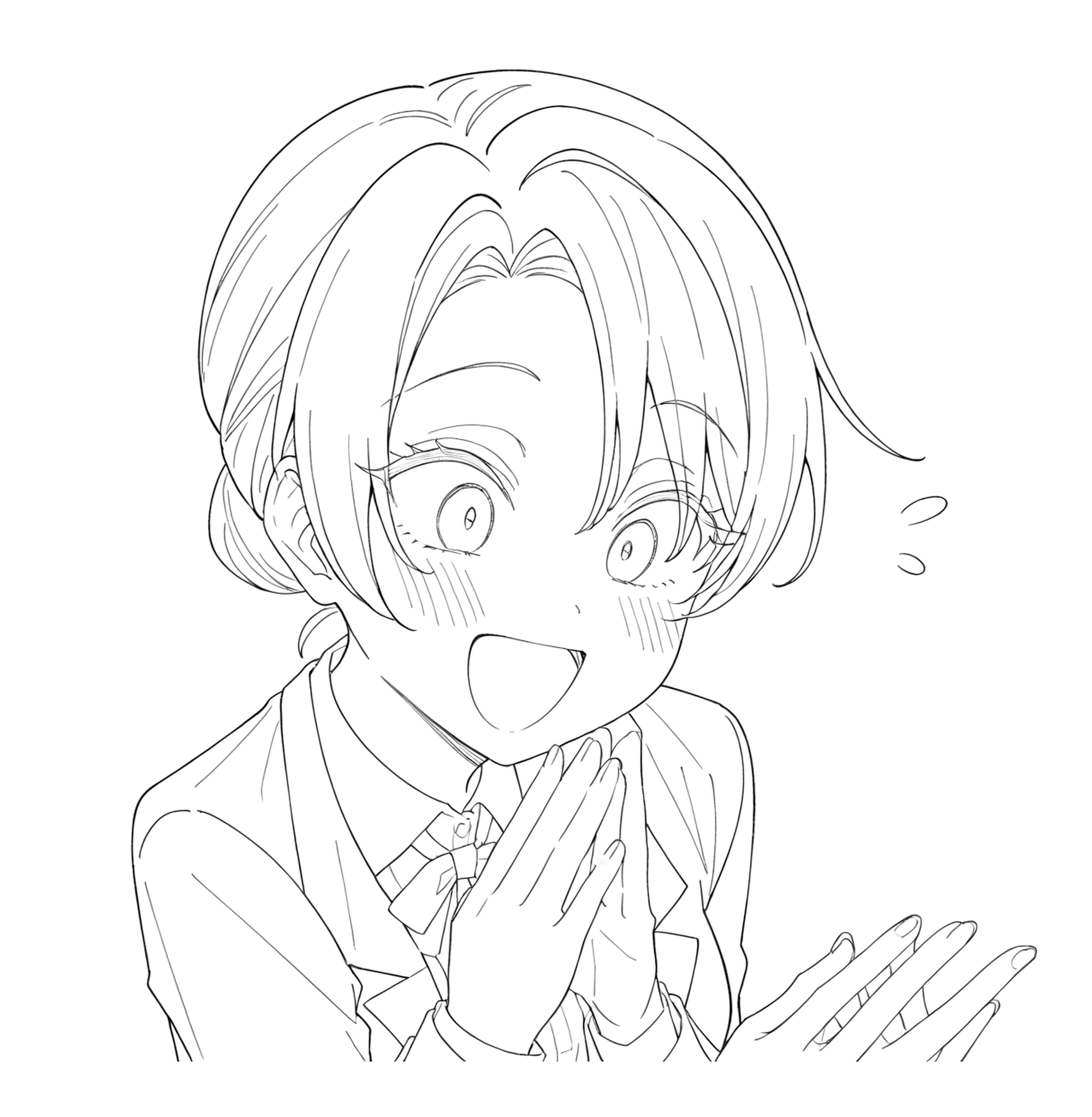
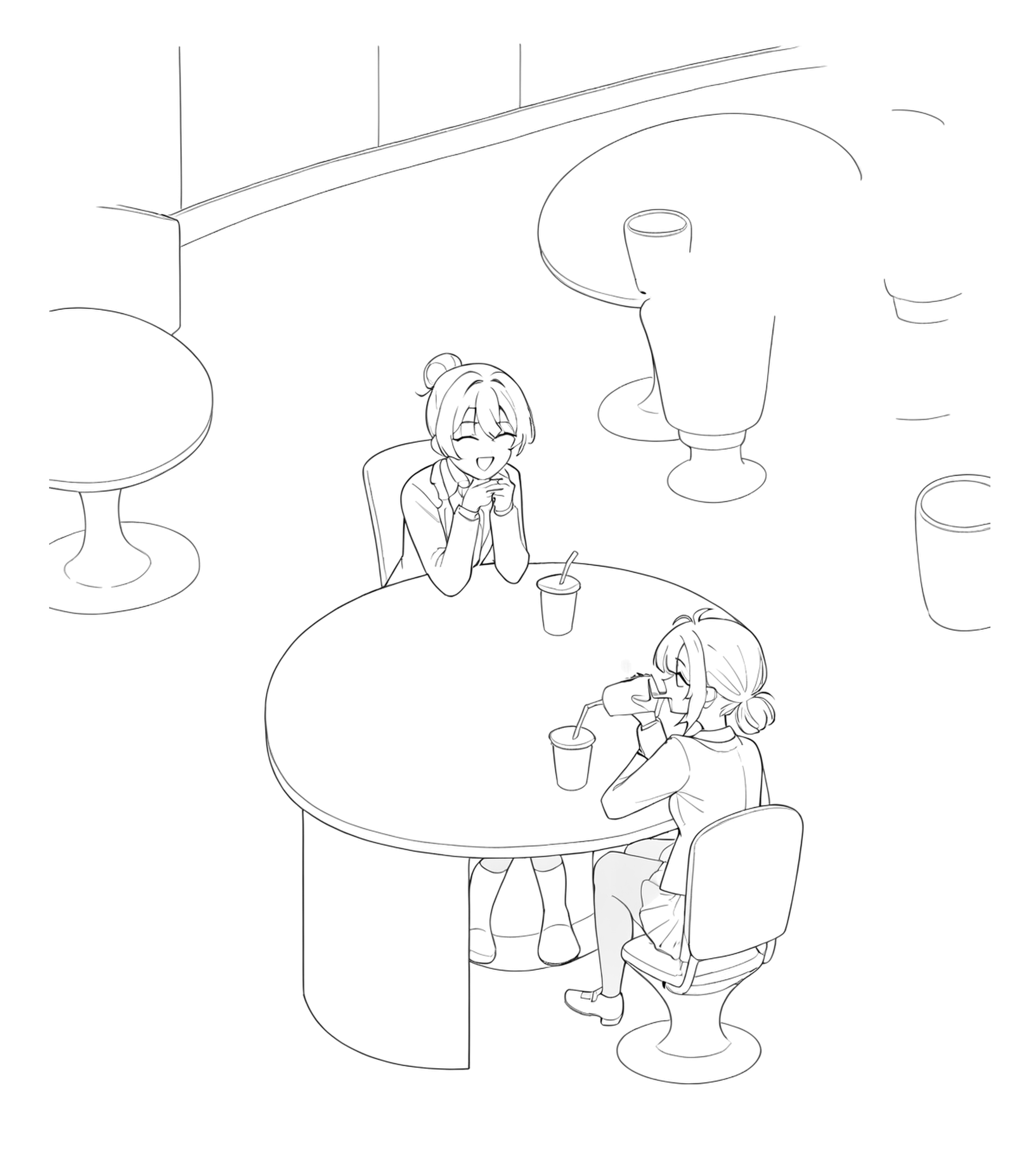
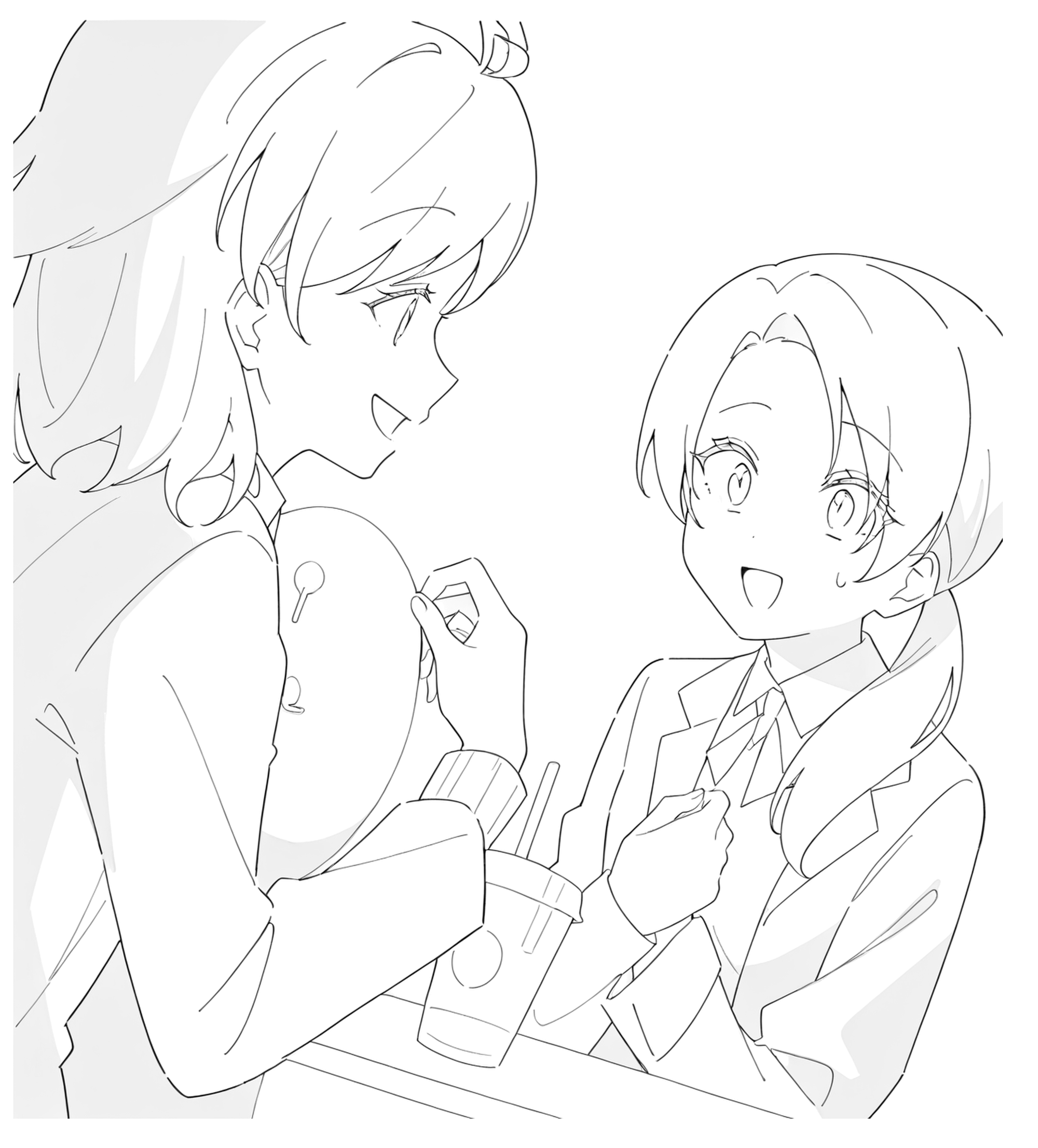
After restoring the layout and fixing highlighted areas by hand, the line art progresses smoothly.
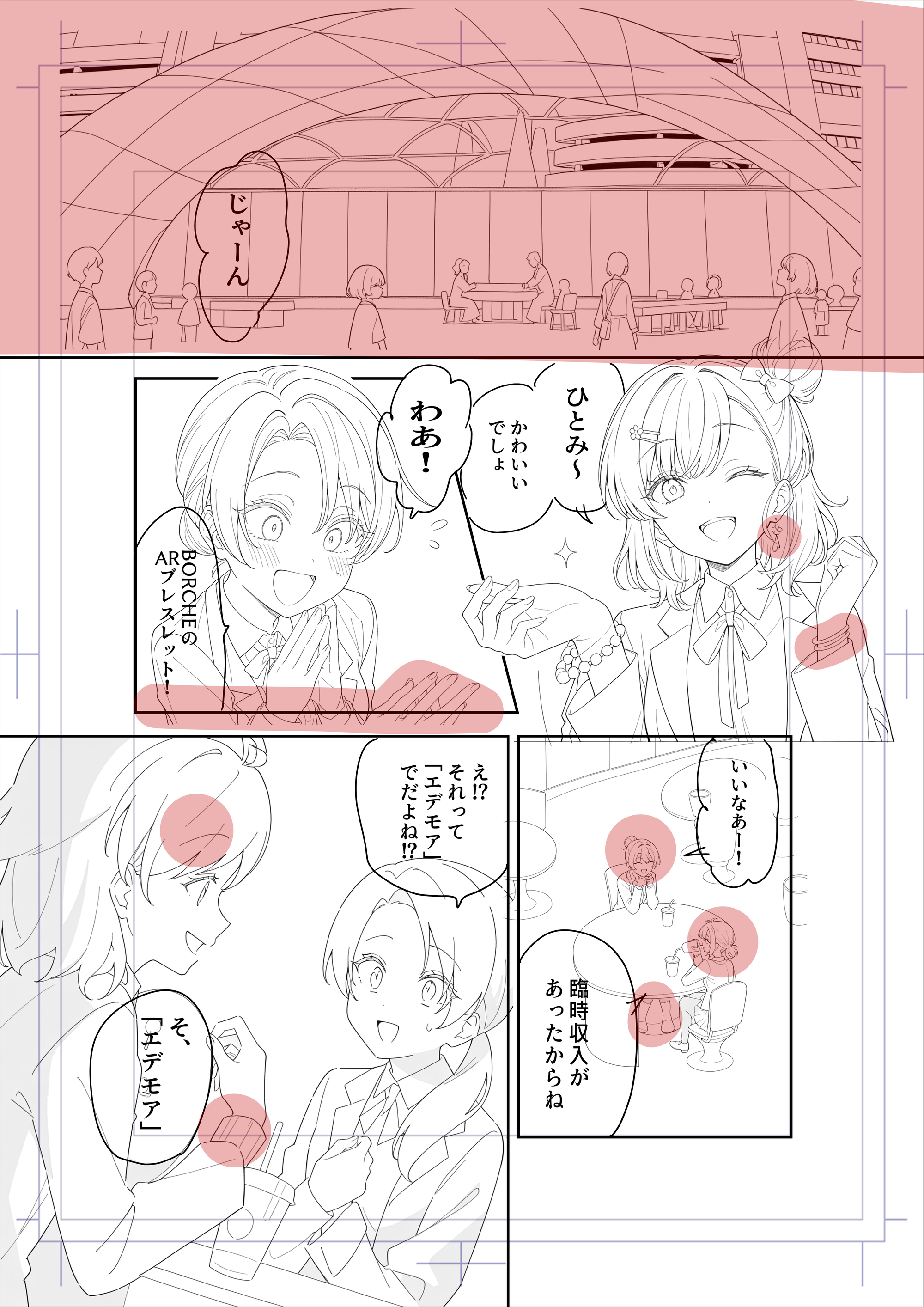
One full page of line art is completed in just 30–50 minutes.
The first panel’s background is created using Image Generation, while other areas are refined manually.
Although copainter focuses on tools for illustrators, it also provides a highly accurate text-to-image feature.
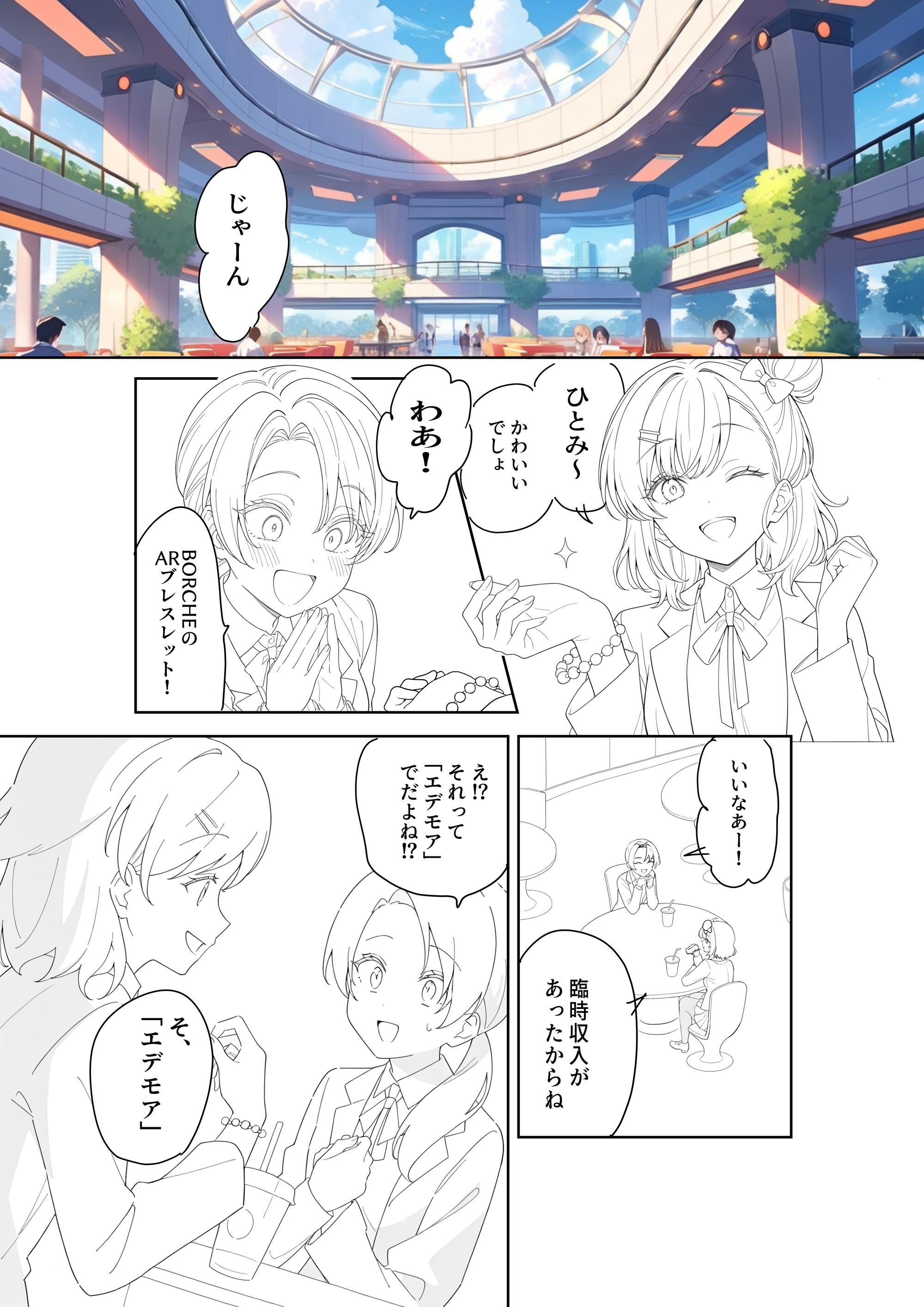
The remaining three pages are created using the same process:
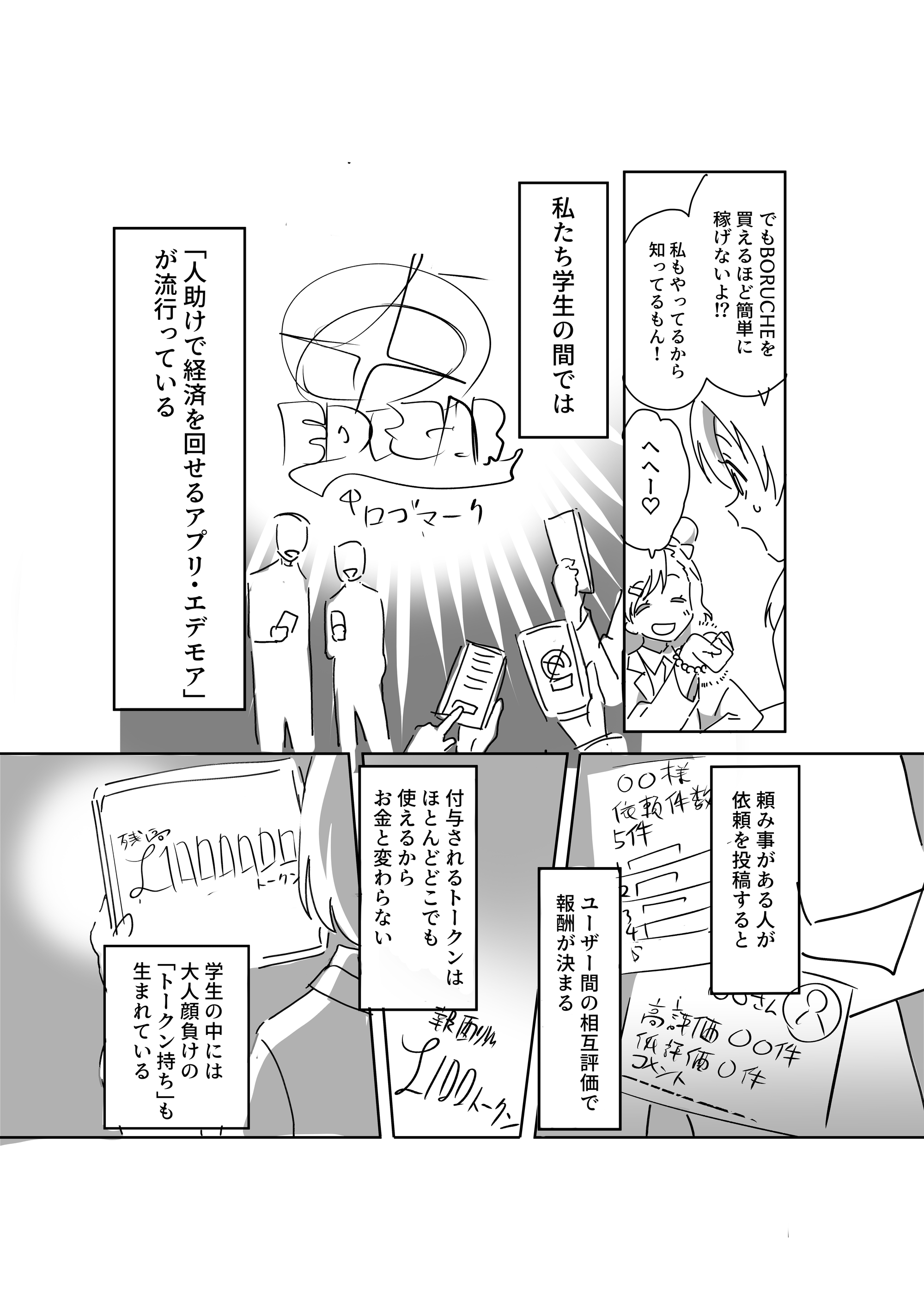
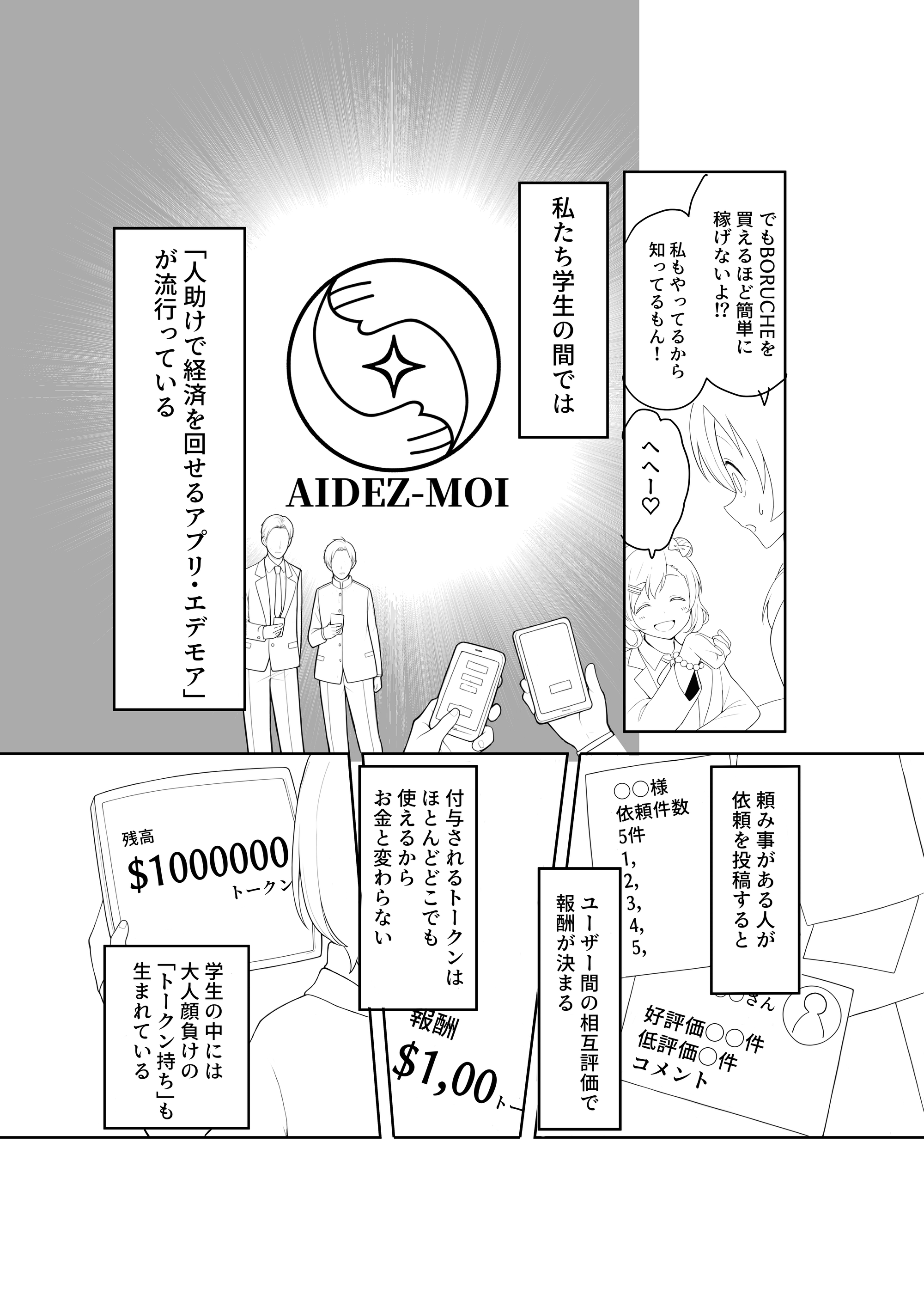
- Storyboard → Line Art (Page 2): manual fixes for logos, text, background effects
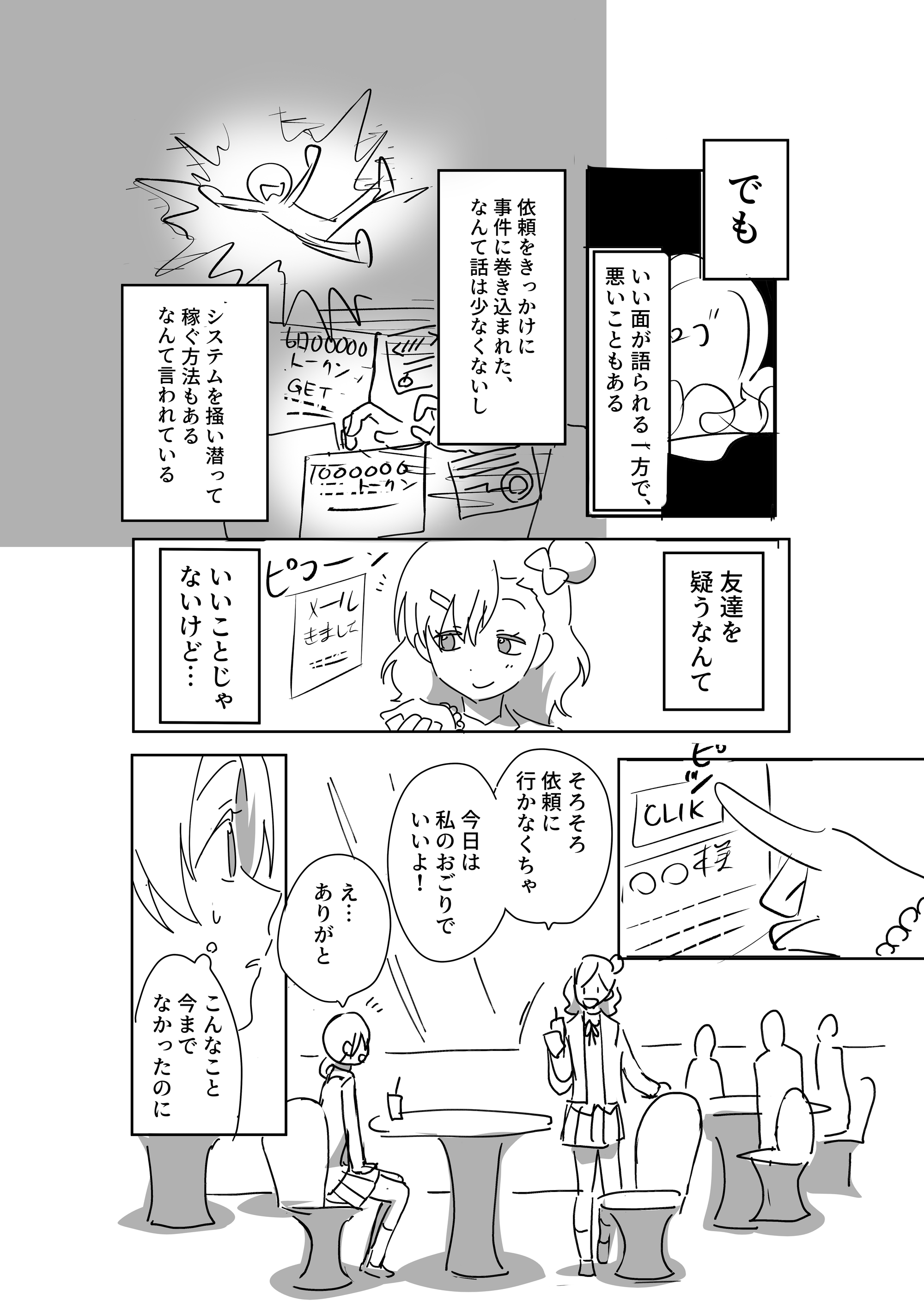
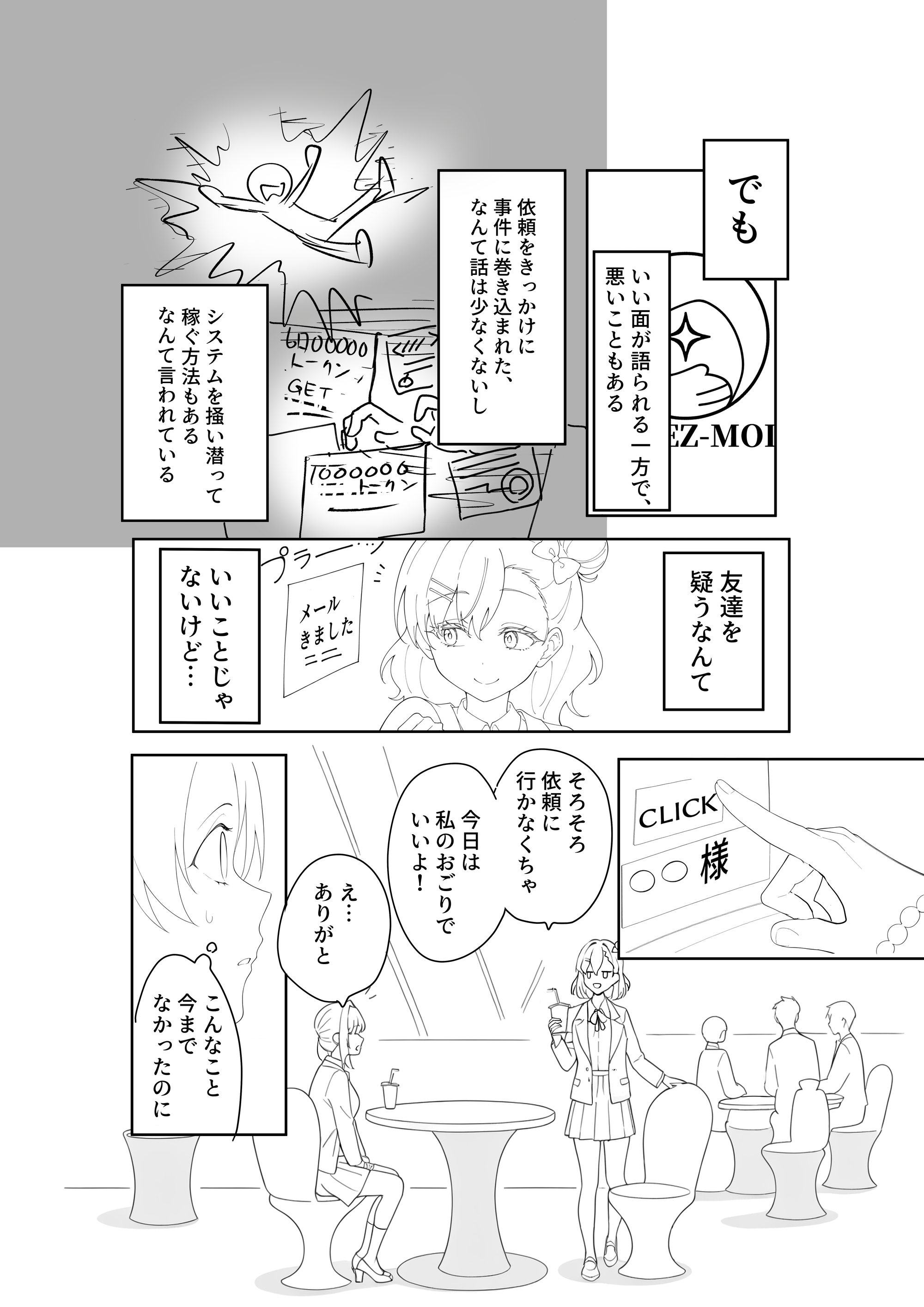
- Storyboard → Line Art (Page 3): manual fixes for logos, text, character consistency
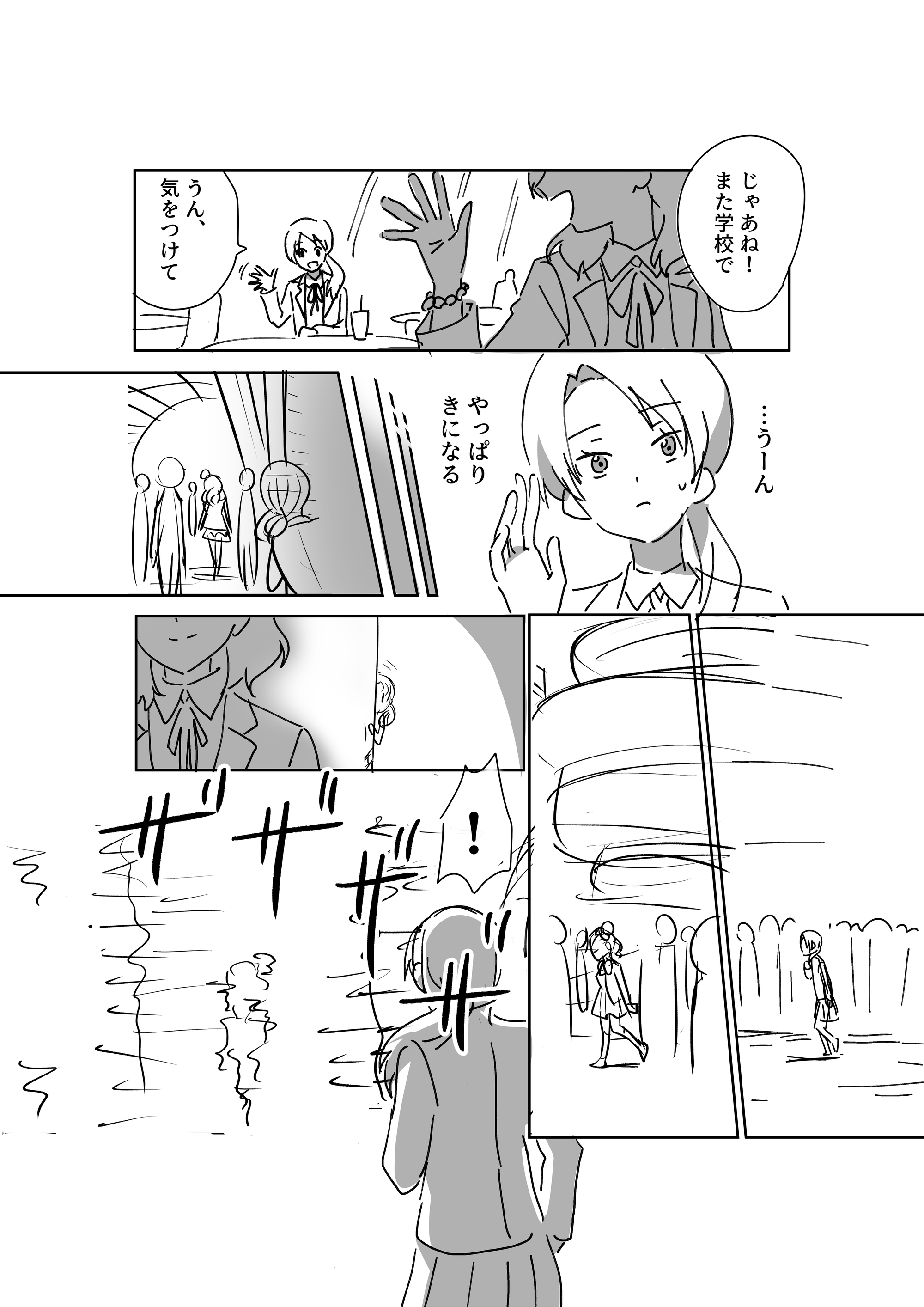
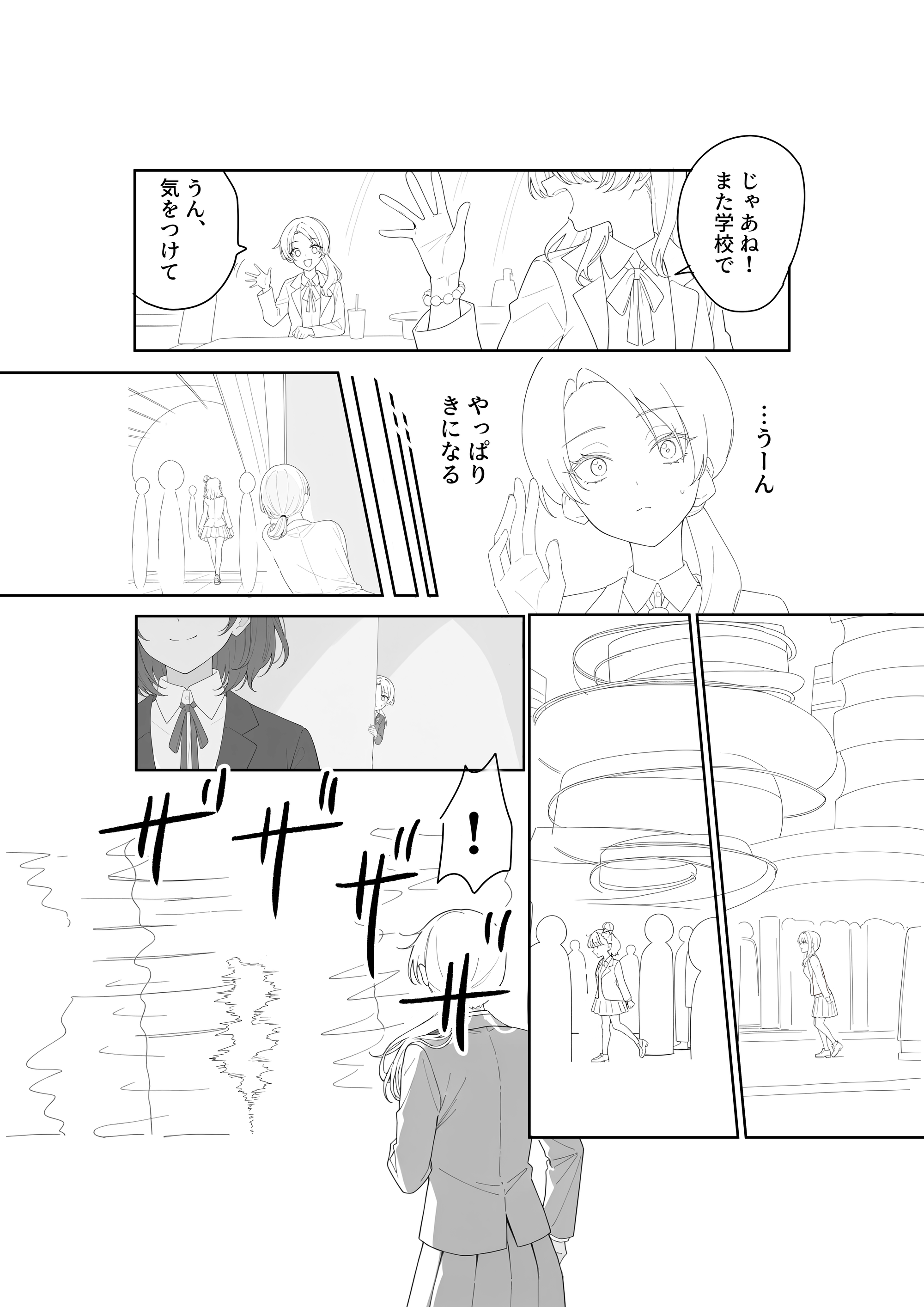
- Storyboard → Line Art (Page 4): manual fixes for fingers, backgrounds, character consistency
Normally, converting storyboards into line art takes 2+ hours per page, even for fast artists.
With copainter, line art can be completed in under 1 hour per page.
3. Coloring & Finishing
Once the line art is ready, move on to base coloring and final coloring.
Base coloring is done manually, but the main coloring process is handled quickly using copainter’s Coloring feature.
Images are resized to meet upload limits
(Currently, copainter does not allow uploads over 4.5MB or larger than 6000×6000px).
Depending on the amount of base coloring, each page takes 20–30 minutes to finish.
The coloring process itself takes only 5–10 minutes, less than half the time usually required.
After touching up small panels, text effects, and areas where color tends to flatten, the page is complete.
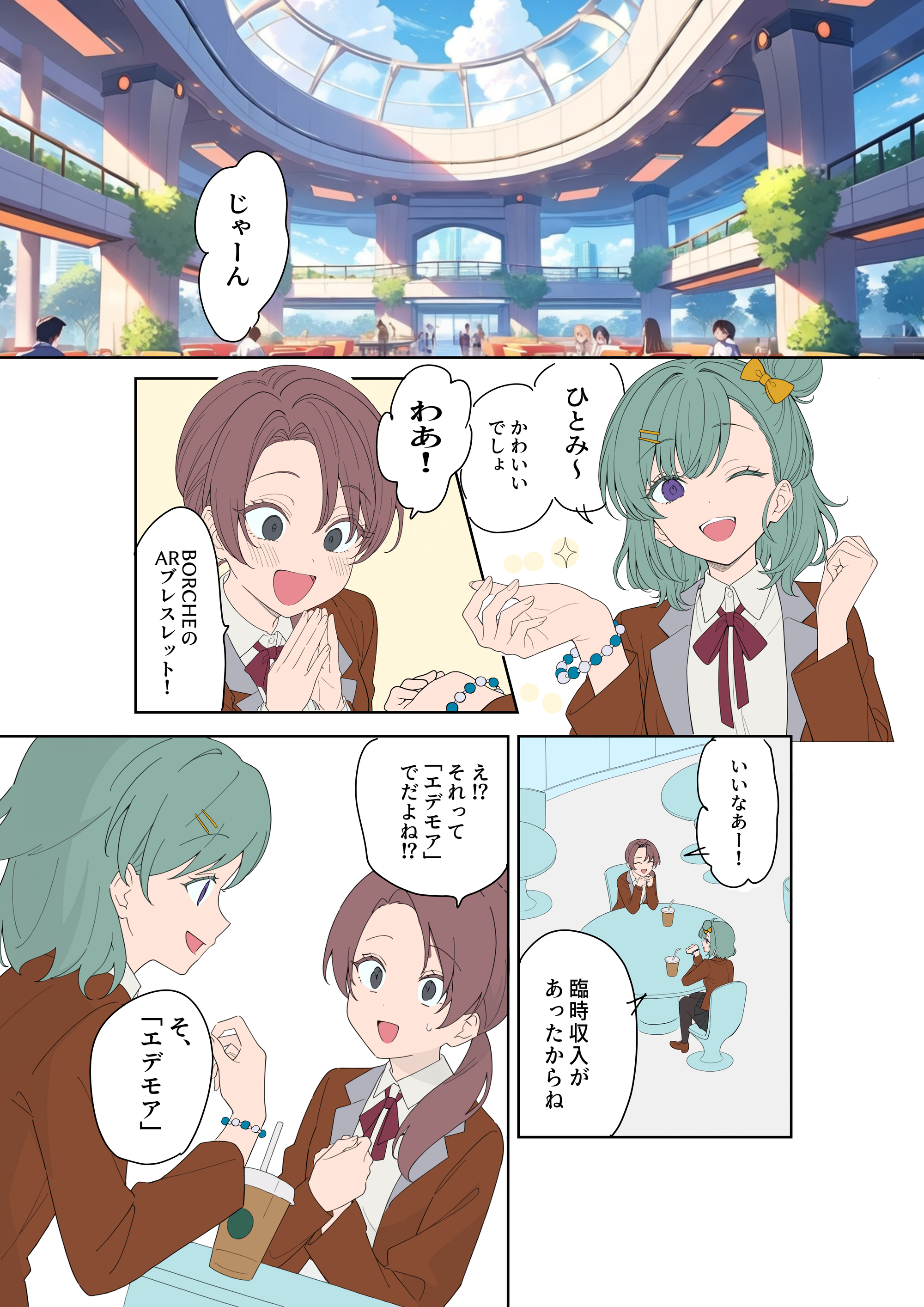
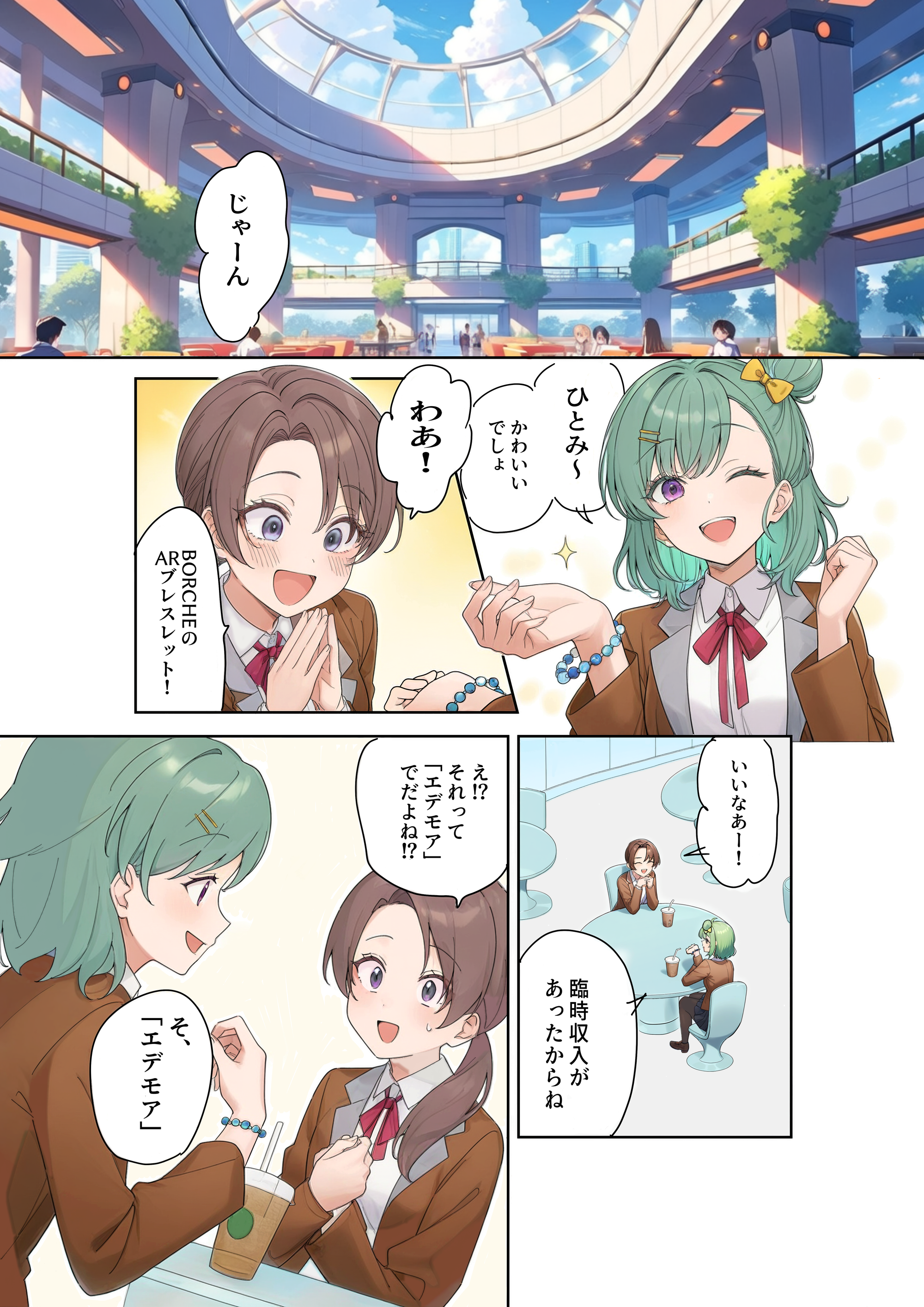
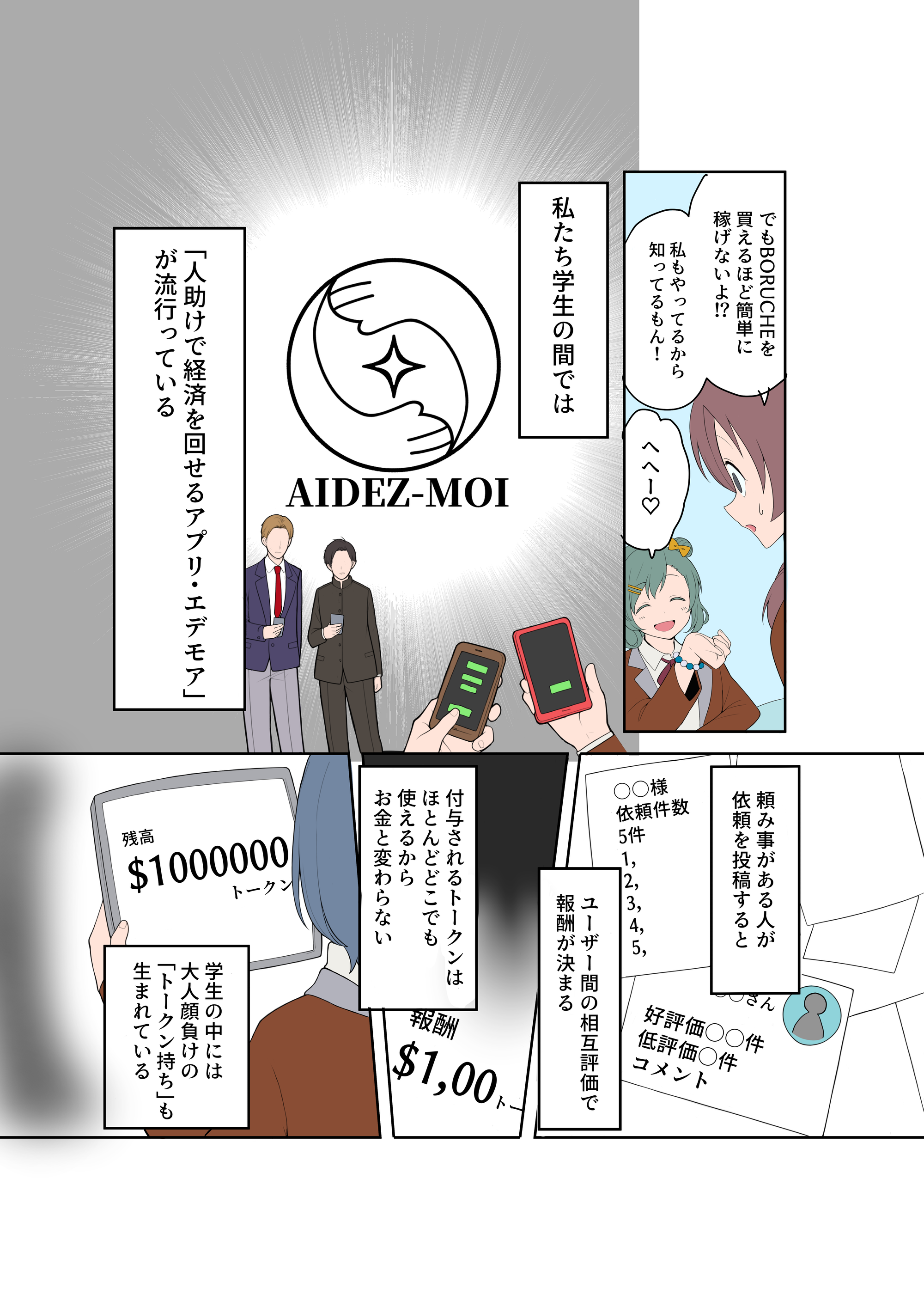
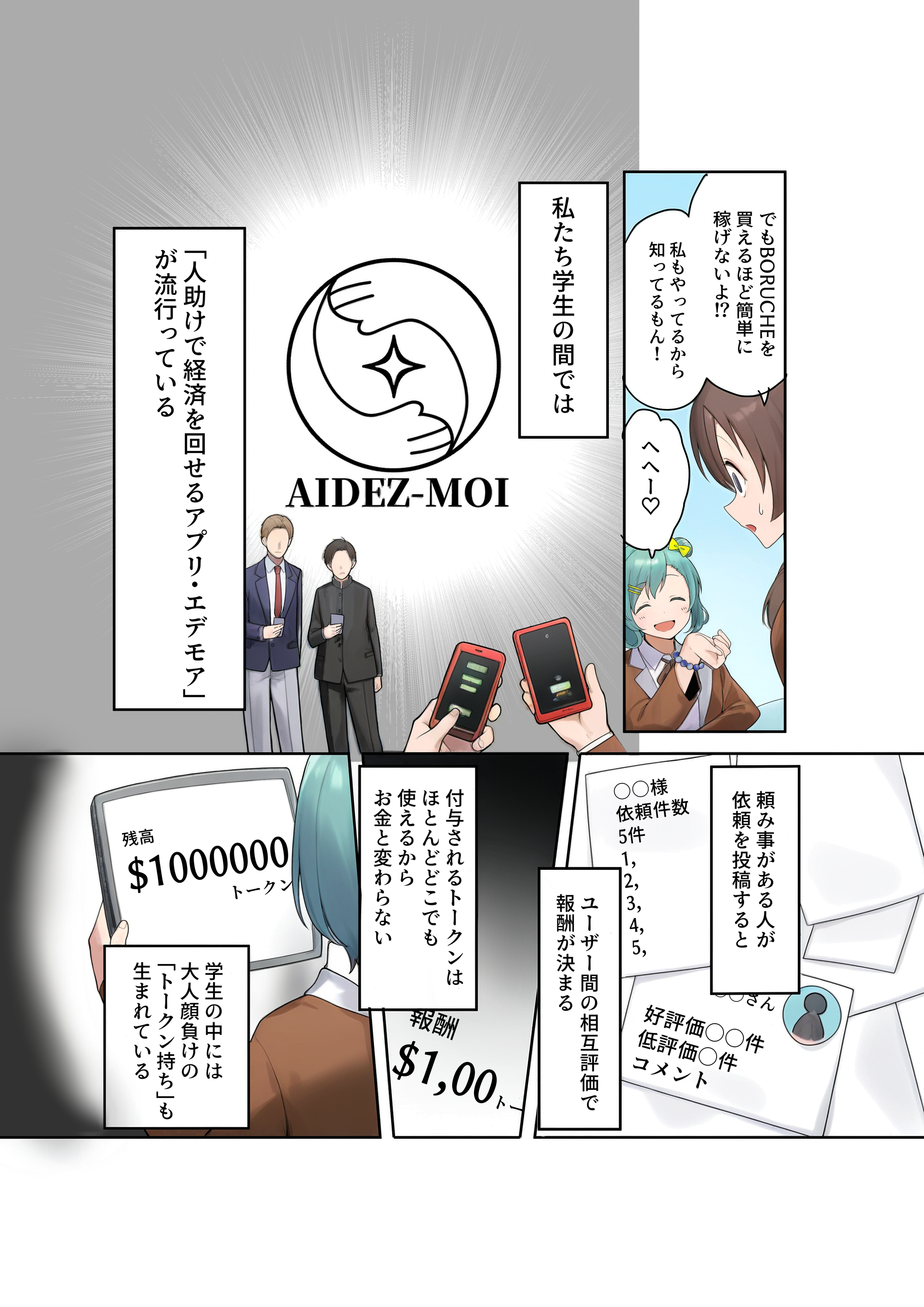
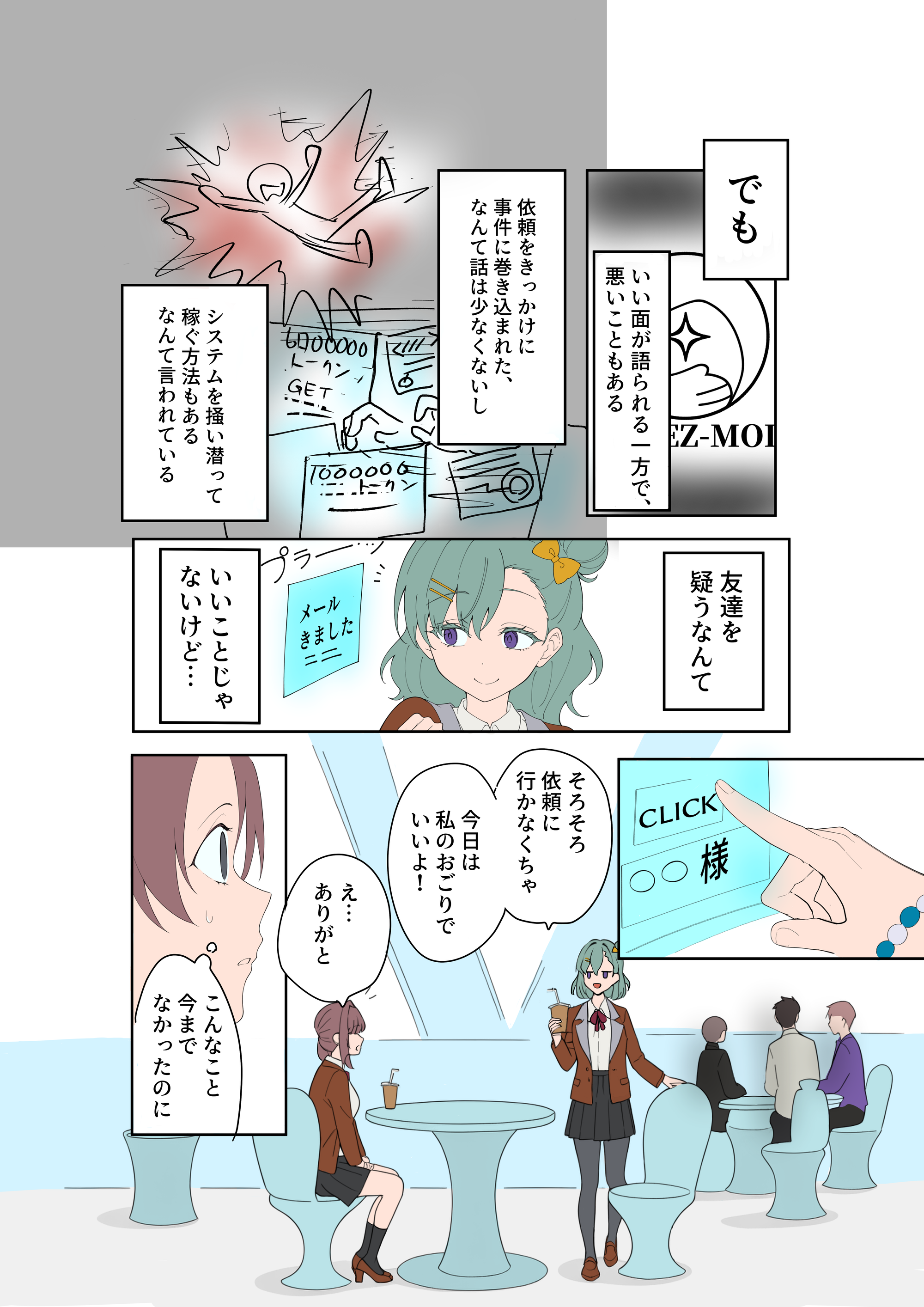
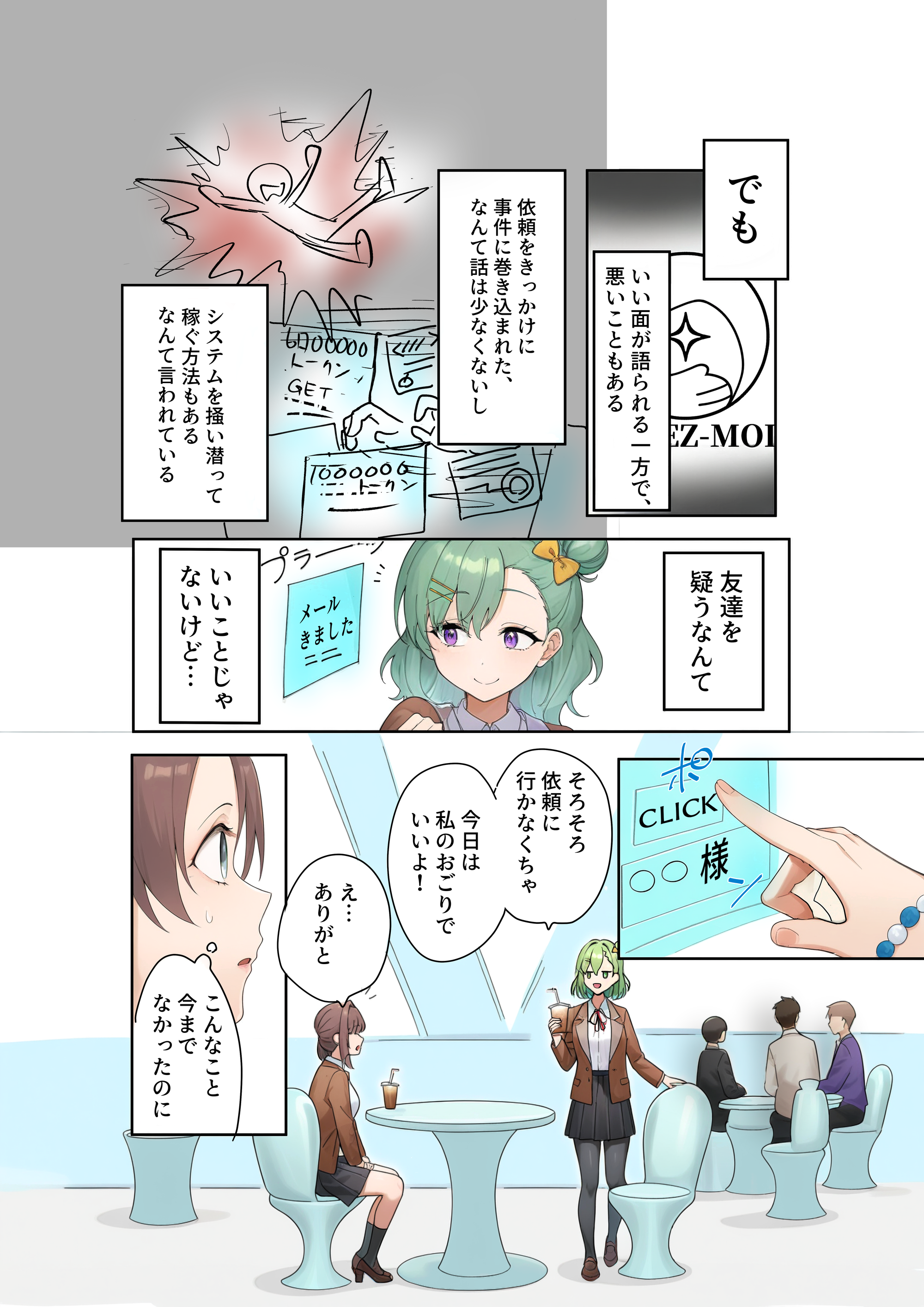
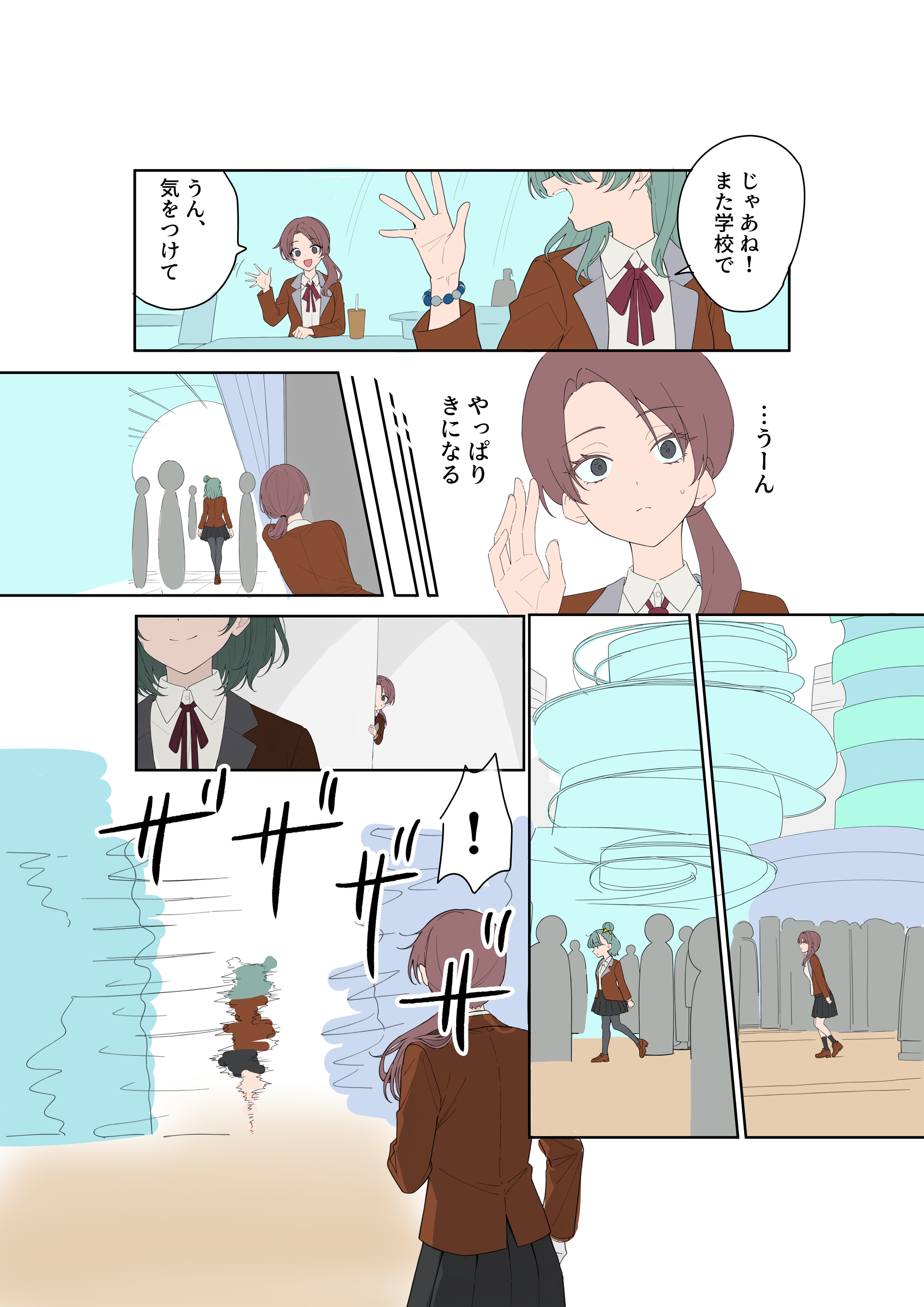
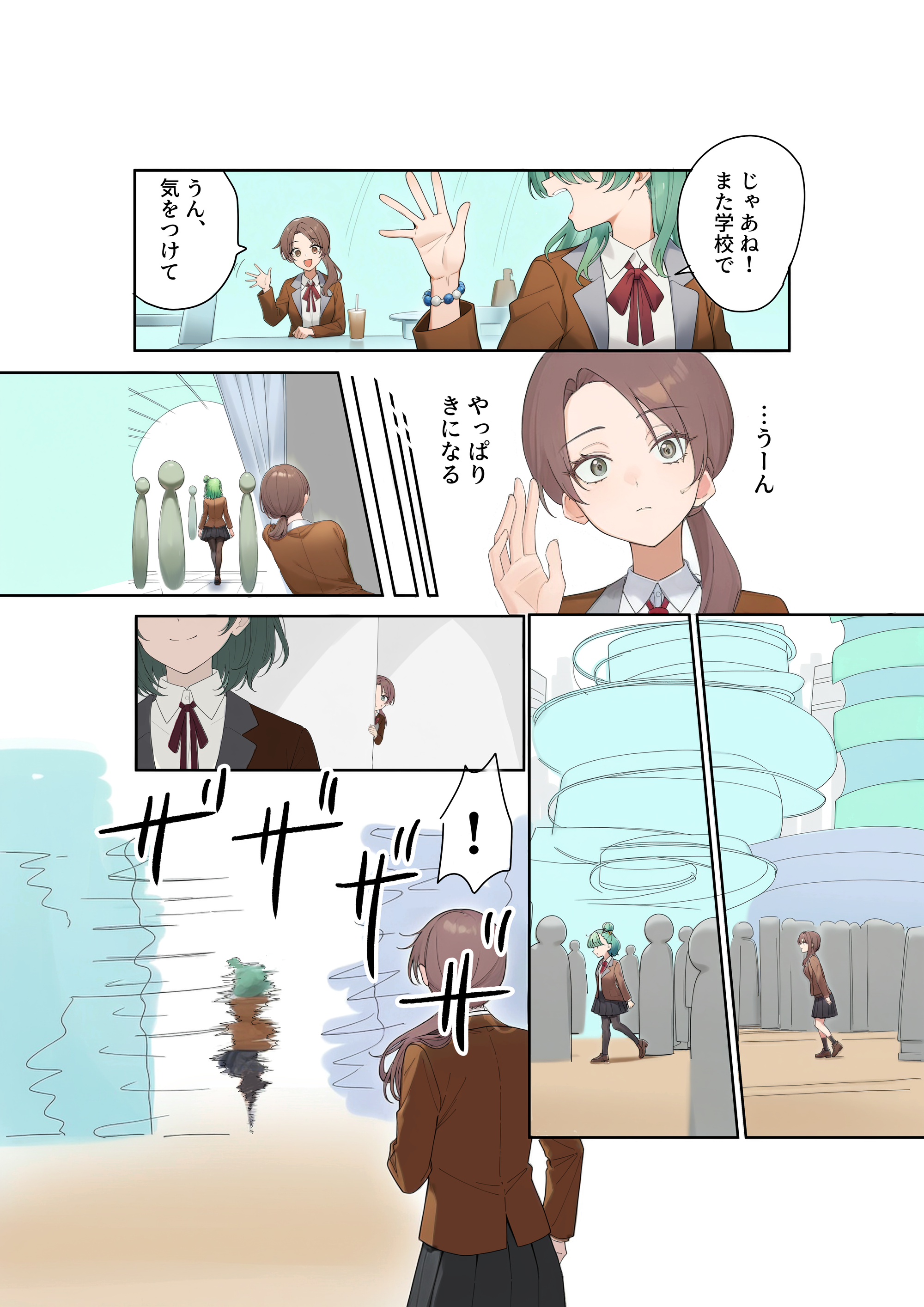
Final Results
This article demonstrated manga production using copainter.
The total time to produce four pages was about 5 hours.
Normally, this would take at least 12 hours, meaning the work was completed in less than half the usual time.
The time saved can be reinvested into finer expressions, storytelling, and visual direction.
The biggest advantage is the dramatic reduction in workload, from line art to coloring, compared to fully manual production.
We encourage you to try copainter yourself and use it to boost both efficiency and quality in your creative work.
Learn more about Shibuya_Zensen <Yoiyami>
https://nft.jp.mercari.com/project/83833f0a-6f9d-4b31-9bfb-db9fd2ff8604
![[Free Download] Children’s Poses Holding a Pencil — Copainter users can use it for free, including commercial use.](/content/images/size/w720/2026/01/header_pose-collection_kid-holding-a-pencil-1.png)
![[Free Download] Female Poses Holding a Pen — Copainter users can use it for free, including commercial use.](/content/images/size/w720/2026/01/header_pose-collection_woman-holding-a-pen-1.png)
![[Free Download] Theater Background Illustration (Landscape) — Copainter users can use it for free, including commercial use.](/content/images/size/w720/2026/01/header_background_theater-1.png)